Show the amount due now, later charges and billing/delivery intervals before purchase. Keep the selected selling plan attached to the correct variant through the cart, then separately verify that customers can find and use the promised subscription-management controls.
A “subscribe and save” badge does not tell a buyer whether a discount lasts for one delivery or every renewal. A successful first order also does not prove that the buyer can pause the next one.
I recommend accepting two journeys: the purchase of a specific variant and selling plan, and the later management of the resulting subscription contract. This guide focuses on that purchase and management handoff using current Shopify Subscriptions documentation where app-specific facts matter. Other providers need their own evidence.
Put it into practice
Theme change and launch QA pack
Preserve behavior through a theme change, compare expected and observed results, and plan recovery across shared dependencies.
Explore this resourceWrite the actual price and delivery timeline
Start with product variants, eligible selling plans, one-time choices, first charge, repeat charge, billing interval, delivery interval, introductory-discount duration and any prepaid amount. Add approved shipping/tax treatment, minimum commitment if one exists, cancellation terms and customer-service ownership. Do not infer those terms from a competitor’s widget.
| Buyer question | Required business input |
|---|---|
| What do I pay now? | Current selected variant/plan amount and applicable extra charges |
| What do I pay later? | Recurring price and when an introductory offer ends |
| How often am I charged and sent goods? | Billing and delivery schedules, distinguished if different |
| Am I paying for several deliveries in advance? | Prepaid total, number of deliveries and per-delivery context |
| How can I change or stop it? | Approved management steps, policy and support route |
Use an explicit timeline rather than an isolated percentage. “10% off first delivery; later deliveries at the regular subscription price” describes a different promise from “10% off every delivery.” Avoid hardcoded price text that can drift from the selected variant, currency or plan.
For prepaid plans, show both the amount charged and the delivery schedule it buys. An attractive per-delivery amount must not obscure a larger upfront payment. Confirm whether shipping, taxes or later price changes alter the timeline under the actual plan.
Check the app, payment route and channel before design
As checked October 31, 2026, Shopify Subscriptions lists Online Store, POS, Shop and custom storefront support. It supports recurring/prepaid draft subscriptions completed by customer invoice or checkout link; admin mark-paid/card completion is still labeled coming soon. Gift cards apply only to the first payment, and native bundles are incompatible. Read current app considerations. Do not repeat old blanket claims that all draft subscriptions are unsupported.
The listed gateways are Shopify Payments, PayPal Express, Authorize.net, Adyen and select-merchant Stripe, with region and method restrictions. Shopify Payments wallet availability varies; Apple Pay is limited to Visa/Mastercard. Authorize.net does not support Apple Pay or Google Pay here, and Adyen needs approved access plus a recurring-capable configuration. Check your exact gateway subsection. A gateway name does not establish support for every wallet or local method.
Record app, gateway, country, currency, payment method, channel, theme and any customer-account integration as a compatibility row. Ask the provider to demonstrate your actual combination, including the repeat payment process. Do not design a promise around a capability that documentation marks as future work.
Compare the native app with a named subscription provider only after listing requirements the native route cannot meet. Obtain actual app/transaction, integration, maintenance and support terms, along with any plan dependency and migration cost. “Free app” does not mean payment processing, operations or a custom storefront integration is free.
Bind the displayed choice to the selected selling plan
Shopify’s theme guidance connects subscription price display to the selected selling-plan allocation and carries selling-plan information into cart and order details. It also distinguishes prepaid price from per-delivery price. Read subscription UX guidance. Treat the visible label and purchased state as one acceptance requirement.
For each eligible variant, specify available frequencies and prices. When a buyer changes size or switches from one-time to subscription, the allowed plan and accepted amount must update together. If the new variant does not support the previously selected plan, explain the change and request a valid choice. Do not retain a badge while submitting a one-time item.
Keep one-time and subscription versions distinguishable when both are in the cart. State the selected interval and first/repeat pricing where needed, including in a drawer or cart notification. If the app provides an edit flow, check it; otherwise give a supported route to correct the selection without leaving stale charges.
Specify loading and failed-update behavior. A shopper should not be invited to pay while the selected variant’s plan or price is unresolved. After a failure, preserve valid choices and identify what still needs confirmation. These are commissioning requirements, not a claim that every theme already handles them.
Show the first charge and the recurring commitment
- State when the offer ends. Separate amount due now, repeat price and billing/delivery interval.
- Keep variant and plan together. After a variant or frequency change, verify the selected plan and amounts in cart.
- Check management separately. A purchase is not proof that a customer can find and use the promised subscription controls.
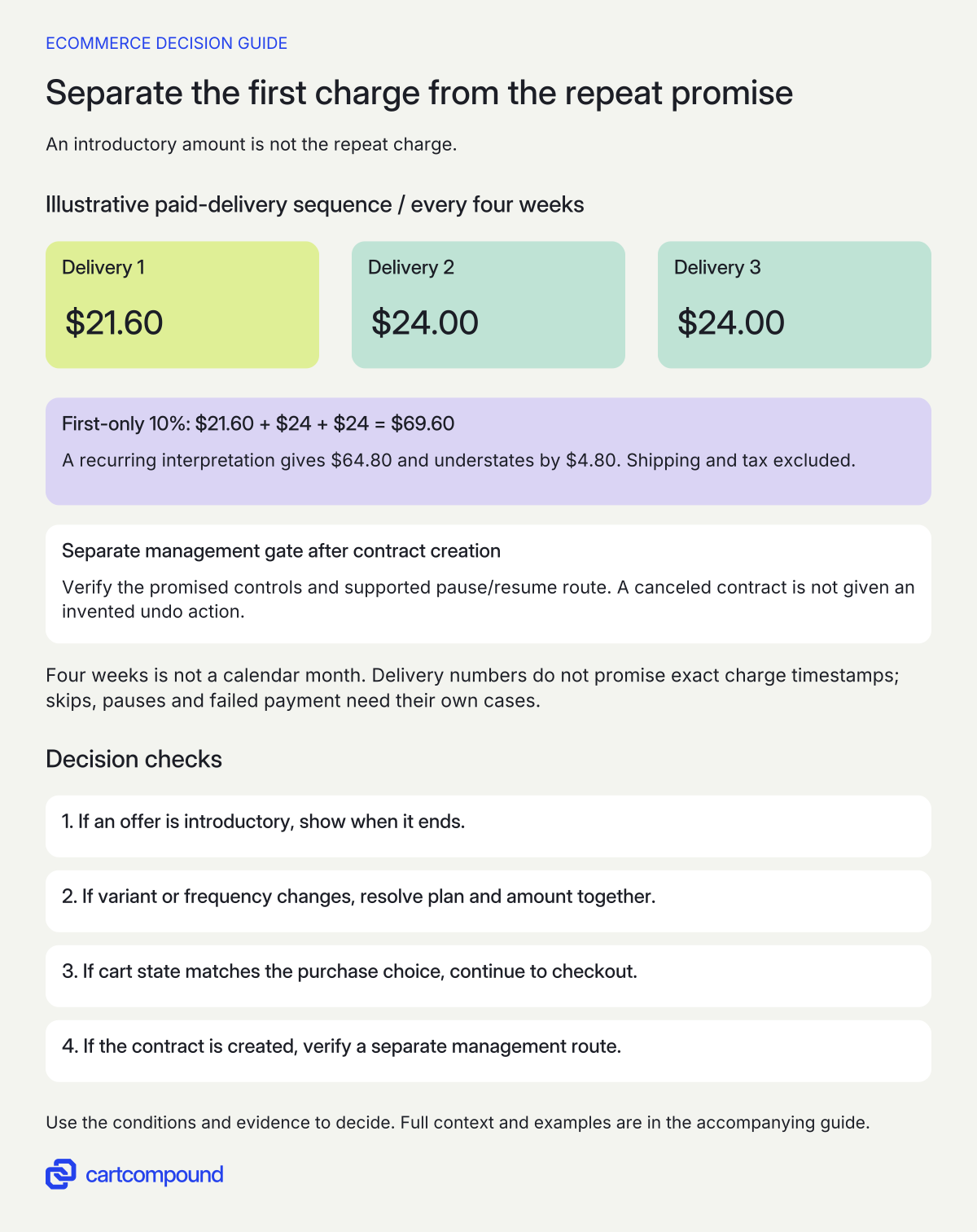
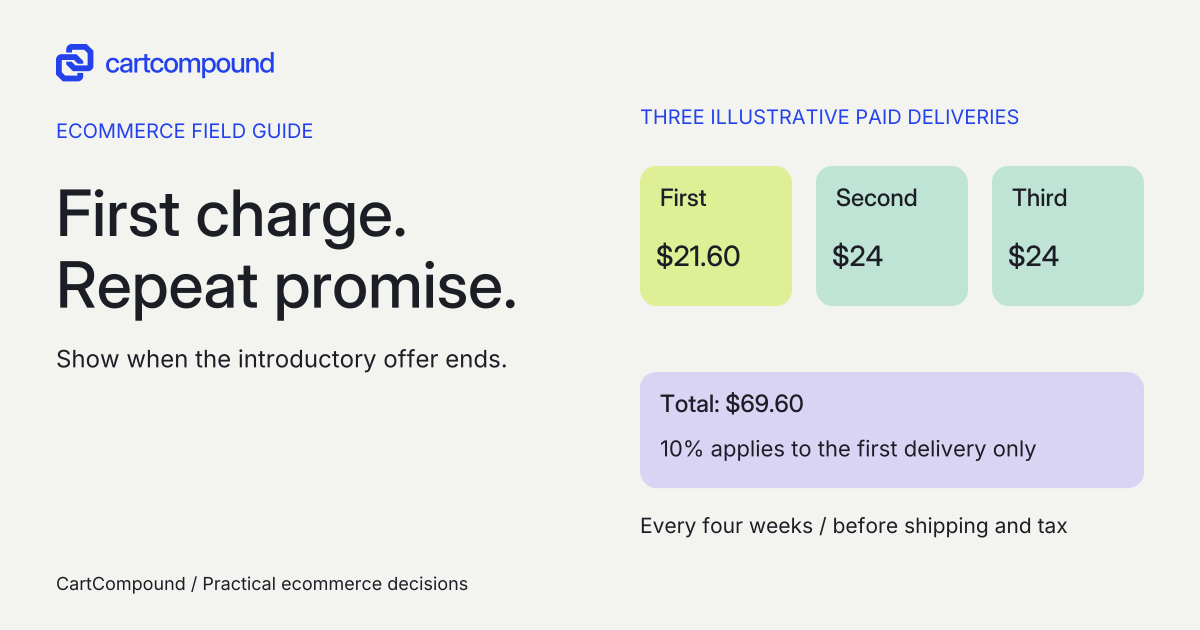
Illustrative example A fictional $24 delivery every four weeks has 10% off the first delivery only: $21.60 + $24 + $24 = $69.60 for three paid deliveries. Treating it as recurring gives $64.80, understating by $4.80.
Tax and shipping are excluded. Four weeks is not a calendar month, and this is a delivery-number comparison rather than promised charge timestamps.
Place product and account controls deliberately
For Shopify Subscriptions, the product widget is configured on the product template; subscription details appear on product, cart and thank-you pages. Customer management is configured separately with account, order/order-status and thank-you blocks. Checkout includes required cancellation-policy agreement. Review setup and management-block placement. A product-page widget is not an account-management installation.
Inventory the actual templates, theme/block compatibility and account configuration. Check the current setup guidance for the installed theme/version, including app-embed versus theme-block handling; do not copy settings from a different theme route. Check every subscription product template, main purchase form, sticky bar, quick add, recommendations, drawer, cart page and checkout entry used by the store. For an unsupported shortcut, route the customer to a supported purchase screen instead of silently omitting the selling plan.
Have the approved policy owner review the cancellation terms the customer sees. Do not leave an unreviewed default template in place and claim the legal work is complete. The guide does not prescribe a universal minimum term or cancellation deadline.
From a new buyer’s confirmation, trace the next visit to management. Show the right entry point in navigation and verify it after sign-in. Inspect the actual account page on mobile, including long plan names and multiple subscriptions, so customers do not have to guess which contract they are changing.
Distinguish the offer from the purchased contract
A subscription purchase creates a contract in Shopify Subscriptions. With management activated, customers can update contact/payment/address details and pause, resume or cancel. Cancellation cannot be undone; the customer needs a new subscription order. Changing a contract’s delivery frequency also changes billing frequency. Read the current contract controls.
A plan is the offered purchase choice; a contract is the ongoing agreement created by a purchase. Do not assume editing the public plan rewrites every existing contract. Before changing prices, frequencies or product availability, define the intended treatment of existing customers and use the provider’s supported process with the responsible owner.
Write separate expected outcomes for skipping an upcoming delivery, pausing an agreement, resuming it and canceling it. Confirm which actions customers can perform in the actual account configuration and which require staff. A visible support link is a fallback, not evidence that a promised self-service control works.
For a payment update or failed renewal, name the system that records the state, the owner who investigates and the customer’s supported next action. Preserve access to the existing contract details. Do not ask customers to send full card information to explain an issue. Detailed failed-renewal diagnosis is a separate operational task.
Use a purchase and management acceptance sheet
These are recommended scenarios, not store tests performed for this guide. Use an approved test process that covers the actual app and payment routes. Record expected state, observed result, evidence, owner and unresolved limitation rather than treating a widget screenshot as a pass.
| Scenario | Expected evidence |
|---|---|
| One-time → subscription → one-time | Selected variant, price and cart purchase type stay coherent |
| Change variant while a plan is selected | Supported plan and price update, or a clear valid-choice request |
| First delivery promotion | First and later amounts match the actual approved timeline |
| Mix one-time and subscription lines | Each line shows the intended purchase type and interval |
| New buyer opens management | Correct account/confirmation route finds the contract |
| Pause, resume and cancel | Actual state matches action; cancellation is not presented as reversible |
| Unsupported or failed payment path | Clear recovery without pretending the order or renewal succeeded |
Add prepaid billing, changed address, multiple contracts, a missing management link and a gateway-specific wallet if relevant. Check keyboard controls, dynamic price announcements, policy links, readable mobile controls and browser back behavior. For a recurring charge, inspect provider records in the approved testing scope; a first payment does not validate future billing.
Use real app terms and provider evidence for retries, cutoff times and notifications. Do not invent dates or say “every month” when the actual interval is every four weeks. Record the store’s timezone and date display so the customer’s upcoming order is understandable.
Find the first place the promise and state diverge
| Observation | Inspect first | Action |
|---|---|---|
| Product shows saving; cart buys once | Variant and selling-plan state at add/update | Correct the purchase-state handoff and repeat the journey |
| Buyer expects the intro price forever | Promotion duration and first/repeat display | Show the actual price timeline before purchase |
| Widget appears on some products only | Template assignments and app-block setup | Check each intended template |
| Customer cannot find management | Configured account/order/thank-you blocks and sign-in route | Demonstrate the complete return visit |
| Canceled contract has no resume action | Canceled vs paused state | Explain new-order route rather than promising undo |
Your next action is to write one completed price timeline and one customer-management journey in the QA sheet. Choose the app or development scope only after the supplier can show both, with the actual payment and account conditions documented.
Hypothetical worked example
Fictional coffee plan: the first three paid deliveries
All prices and promotion terms below are hypothetical teaching inputs, not a configured or tested subscription. Assume one bag billed per delivery every four weeks, regular subscription price $24, 10% off the first delivery only, no minimum commitment, and no shipping or tax included in this calculation. The provider must separately demonstrate support for those exact terms.
| Paid delivery | Calculation | Charge |
|---|---|---|
| First | 24 × (1 − 0.10) | $21.60 |
| Second | $24 regular repeat price | $24.00 |
| Third | $24 regular repeat price | $24.00 |
Three paid deliveries total $21.60 + $24 + $24 = $69.60. Treating the discount as recurring would produce 3 × $21.60 = $64.80, understating the assumed total by $4.80. The pre-purchase summary should say that the first delivery is $21.60 and later deliveries are $24 every four weeks, before applicable shipping and tax.
This is a delivery-number timeline, not a promise of specific charge timestamps. Four weeks is not the same as a calendar month. A skipped delivery, pause or failed payment changes the actual schedule and must be checked against the real contract.
For a proposed acceptance case, switch to one-time purchase, return to the subscription and select another eligible bag variant. Confirm the current variant, selected plan, first amount and repeat amount in cart before proceeding. Then have a test customer locate the management route, pause and resume under the supported process. A separate canceled-contract case must explain that purchasing again creates a new contract; it must not offer an invented undo action.
Frequently asked questions
Can a gift card fund all future renewals?
For the documented Shopify Subscriptions route, gift cards apply only to the first payment. The repeat payment needs a supported recurring method. Do not market a gift-card payment as prepaid future subscription funding.
Can staff complete a subscription draft order by marking it paid?
Current Shopify Subscriptions documentation instructs completion through a customer invoice or checkout link. It still labels admin mark-paid/card completion as coming soon, so do not rely on that workflow as available.
Can an existing subscriber resume after canceling?
In Shopify Subscriptions, canceled contracts cannot be restored. The customer places a new subscription order to create a new contract. Pausing and resuming is a different state change. Confirm the equivalent behavior if you use another provider.
Sources and further reading
- Shopify Subscriptions app eligibility considerations
Source checked: October 31, 2026.
- Subscription UX guidelines
Source checked: October 31, 2026.
- Setting up Shopify Subscriptions
Source checked: October 31, 2026.
- Managing subscription contracts
Source checked: October 31, 2026.

About the author
Hamid Khan
Hamid co-founded CartCompound and works with ecommerce founders on their stores and growth priorities.
Profile and guides