Map every essential customer task to a working destination, then verify sign-in paths, apps, automations and segments before upgrading. Keep a named recovery owner and record Shopify’s current 30-day revert window.
Upgrade when customers can complete their essential work in the replacement experience. List that work first: find a past order, redeem loyalty value, manage a subscription, request a return, or buy for the right company location. Then identify the entry points and automation behind it.
Shopify currently marks legacy customer accounts as deprecated and allows reverting within 30 days. Legacy Liquid customizations do not transfer automatically. Use the current upgrade instructions alongside the acceptance register below. A deprecated system needs a migration plan, but that does not make an unresolved loyalty or access failure acceptable.
Put it into practice
Theme change and launch QA pack
Preserve behavior through a theme change, compare expected and observed results, and plan recovery across shared dependencies.
Explore this resourceStart with customer tasks and the people who own them
Ask support, merchandising and the app owner what customers actually do after signing in. Inspect the current journey using authorized test customers, then compare it with the legacy templates and installed app inventory. Include menu links, email links, custom sign-in overlays, footer links and a direct bookmarked account URL. An entry point outside the account page can fail even when the account page itself works.
Give every row a task, current surface, proposed destination, actor, starting URL, expected result, evidence, owner and status. Use accepted, needs replacement, needs evidence or retired by decision. Do not mark a function retired merely because a scanner did not find it. Record who decided customers no longer need it.
Separate access from task completion. Seeing a subscription link is not evidence that the subscriber can pause the correct subscription. Seeing a loyalty balance is not evidence that the redemption route still works. Use one normal case and one realistic exception for each important dependency.
Choose a destination for every customization
Shopify describes built-in features, compatible account apps, custom account UI extensions and a fully custom Customer Account API route. These have different implementation and support requirements. The customization options reference identifies the available surfaces.
- Built-in destination: ask the operator to complete the actual task with the data and permissions they will have.
- Existing app: confirm the exact installed version and customer-account support with its maker. Verify block placement, settings, data continuity and the exception case.
- Replacement app: compare the required task, data migration, recurring terms, permissions and maintenance owner before committing.
- Custom work: specify the customer outcome, eligible extension surface, delivery scope and acceptance evidence. A proposed rebuild stays unresolved until demonstrated.
For a retained external portal, test the complete trip out and back, including any additional authentication and the correct customer identity. Keep the current dependency until its replacement and data handling are accepted. Do not remove an app just because a replacement block has appeared.
Inspect Flow and segments manually
Sidekick does not check Shopify Flow workflows or customer segments. The migration guide says the Customer account enabled trigger fires on first sign-in to current accounts, except for customers who already had legacy accounts; legacy Customer account disabled workflows are unsupported. Review segments using DISABLED, INVITED or DECLINED, since sign-in changes status to ENABLED. Existing legacy-account customers remain enabled. See the migration limitations.
There is a documentation inconsistency: the standalone trigger reference still describes this trigger as legacy-only, while the current customization reference repeats the migration behavior. Treat the migration description as the scenario to verify, not proof that an existing workflow will behave correctly in your store. Resolve essential uncertainty with Shopify and an authorized test before switching.
For each dependent workflow, write its intended business event in plain language. “Give a customer a welcome benefit after their first eligible sign-in” is different from “give a benefit after a customer record is created.” Record the current trigger, conditions, side effects, customer cohorts and intended replacement. Do not substitute a trigger by name alone.
Compare three synthetic cohorts: an existing enabled legacy customer, a customer with a legacy non-enabled status, and a new eligible customer. Record expected segment membership and workflow behavior before and after the relevant sign-in. Review downstream actions such as tags, benefits or operational notifications. Use controlled test behavior so a check does not send a real campaign or award a real customer unintended value.
Hold the account switch until every essential task works
- Inventory destinations and entry points. Map essential customer tasks, app routes and authentication paths.
- Hold a missing task. A working sign-in page does not establish loyalty, subscription or company-location behavior.
- Check automation separately. Manually verify Flow, segments and authentication dependencies; task acceptance cannot close an unrelated automation row.
- Release with recovery ownership. Accept the required cases before switching and record the current 30-day revert window.
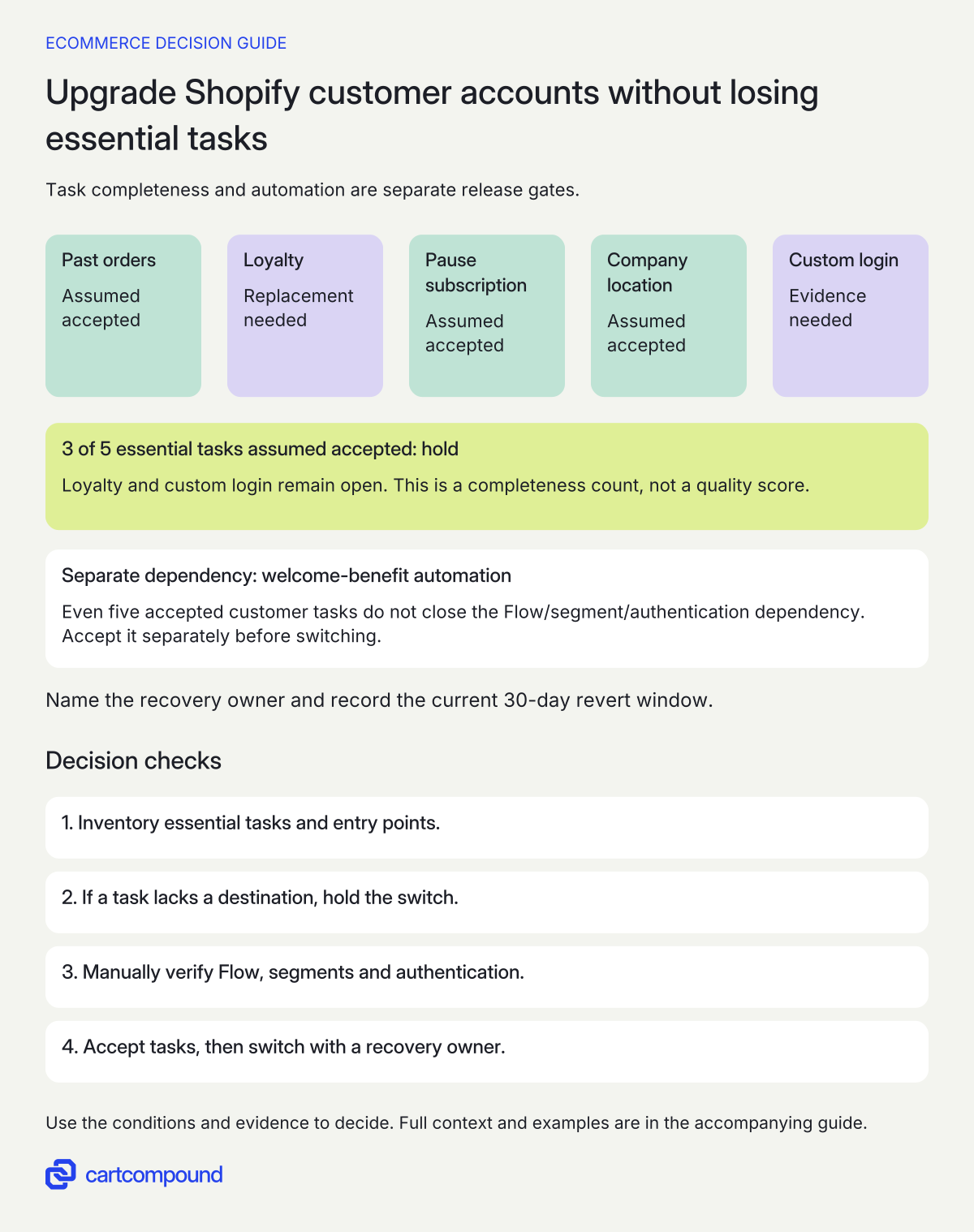
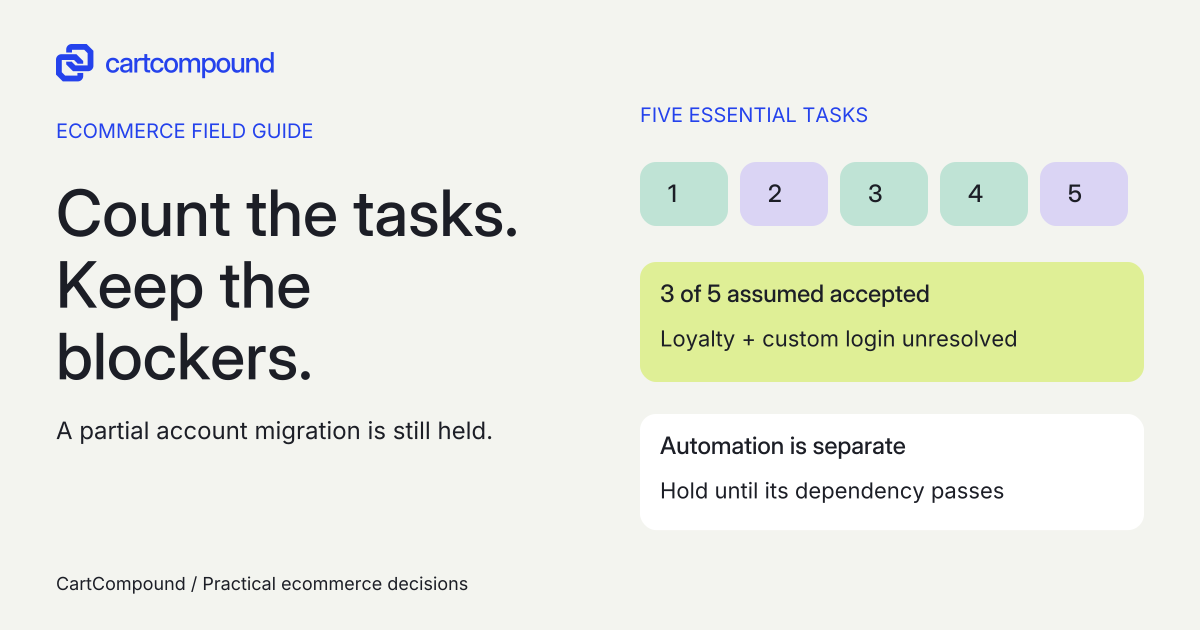
Illustrative example 3 of 5 tasks are assumed accepted. Loyalty and custom login remain open, so hold. Even after both pass, the separate welcome-benefit automation dependency still needs acceptance. This is a completeness count, not a quality score.
Verify the sign-in route separately from the account page
Standard legacy account URLs redirect after upgrade, but a separate custom modal or registration page may need theme changes. Current account pages use one account domain across markets. Sign-in supports brand styling, but not customization blocks. These limits are listed in Shopify’s upgrade guidance.
Make a URL and entry-point checklist rather than assuming that one successful sign-in proves every route. Include the mobile header, desktop account link, retained portal links, a saved legacy URL and the custom modal. Check where the customer lands, whether they can return to the intended task, and what happens after sign-out or an expired session. Use the store’s actual authentication options and representative markets.
For existing Plus Multipass integrations, current documentation says API and URL sign-in continue after upgrade with the same secret. Multipass sign-in customers are asked for CVV when using a saved payment method. If the setting is absent, contact Shopify Support. Connecting a separate identity provider is a Plus option, with its own scope. Read the current authentication options; an account migration is not a reason to invent a new identity implementation.
Do not put secrets, real customer details or sign-in codes in the register. Record a synthetic actor label and the evidence location. If authentication fails, identify whether the failure is the entry point, provider, email delivery, account identity or destination task before changing several systems together.
Prepare a copy, then separate publishing from the final switch
Duplicate the checkout and accounts configuration and prepare the replacement there. Shopify’s sequence publishes that configuration before testing the new account URL; publishing affects checkout and accounts, while storefront links remain on legacy accounts until the final upgrade. Follow the official preparation, preview and upgrade sequence.
That sequence has a release implication: a configuration publish deserves its own review. Record the previous configuration, exactly what changes, the shared checkout impact, who publishes it and when support is available. Avoid unrelated checkout edits in the account migration candidate. Compare the intended checkout states before publishing the configuration.
Check the chosen account subdomain, brand settings and sender setup with their owners. Use an authorized test account to verify the actual sign-in journey, then complete the tasks in your register at desktop and mobile sizes. A preview image establishes layout only. Save the candidate name, app versions, test time, expected result, observed result and open exception.
Hold the final upgrade if an essential task has no accepted destination. If a nonessential feature is deferred, state the temporary customer route, support instruction, owner and follow-up condition. A signed-off deferral is more useful than a green checklist that silently omits the problem.
Use the symptom to find the missing dependency
| Observed symptom | Inspect first | Useful next action |
|---|---|---|
| Loyalty link missing | Legacy link, replacement block and placement | Demonstrate redemption in the candidate; do not accept a balance-only screen |
| Subscription link opens the wrong record | Portal identity and app mapping | Have the app owner trace the synthetic subscriber and verify the correction |
| Header login works, custom overlay fails | Separate overlay path and redirect behavior | Adapt or retire the overlay with an accepted replacement path |
| A welcome workflow behaves differently | Trigger, cohort and conditions | Compare expected events with controlled observations; hold dependent benefits |
| A company buyer lands in the wrong purchasing context | Actor, membership and selected location | Verify both allowed buying and denied cross-company access |
| A market has an unfamiliar account address | Single account-domain plan and navigation | Correct the approved shared-domain journey; do not promise per-market domains |
A correction is accepted only after rerunning the failing case and a control case. If a new app fixes one task but breaks another, reopen both rows and record the dependency. Keep the investigation narrow enough to know which change affected the result.
Make the recovery decision while reverting is still available
Before the final switch, name the release owner, support owner and person authorized to revert. Record the actual upgrade time and the current 30-day revert constraint from Shopify’s guidance. Do not plan indefinite rollback or assume reverting the account selection restores every app, workflow or theme change.
Keep a separate recovery list for the published configuration, login entry-point edits, app settings and automation changes. Ask each owner what must be restored, what evidence confirms recovery and whether an intervening customer action needs reconciliation. Preserve the accepted old configuration and change log under your normal access controls.
Review sign-in failures, missing tasks and support contacts promptly after the switch. Compare repeatable synthetic checks with customer reports; absence of a report is not proof of parity. Set an internal decision date comfortably before the platform window ends, leaving time to verify a correction or recovery. After that window, plan forward repair with current platform support rather than describing legacy accounts as a standing fallback.
Your next action is to complete one register row for the hardest customer task and one for its automation dependency. If either remains unresolved, scope that work before scheduling the final switch.
Hypothetical worked example
Hypothetical store, not a migration test. Assume five essential customer tasks. “Accepted” below is an assumed result used to teach the release decision, not evidence from a Shopify store.
| Task and actor | Starting surface | Candidate and acceptance requirement | Assumed status and owner |
|---|---|---|---|
| Find a past order; returning buyer | Standard account link | Correct synthetic order, mobile detail view and return navigation | Accepted in scenario; store operator |
| Redeem loyalty value; eligible member | Legacy Liquid link | Replacement destination must complete redemption and reconcile value | Needs replacement; loyalty app owner |
| Pause subscription; active subscriber | App portal link | Correct subscription and accepted state change | Accepted in scenario; subscription app owner |
| Buy for correct location; company buyer | Account purchasing context | Allowed location works; unrelated company remains inaccessible | Accepted in scenario; B2B operator |
| Reach account from custom modal; signed-out visitor | Header overlay | Replacement login path reaches the intended account task | Needs evidence; theme developer |
Three of five tasks have assumed accepted results. Two remain open, so the final upgrade is held. This is a completeness count, not a quality score: accepting the modal still leaves loyalty unresolved.
A separate automation row records a welcome benefit tied to legacy account status. It stays open until the owner resolves the documentation inconsistency and verifies the intended cohort behavior. Even five accepted customer tasks would not close that dependency. After loyalty, the modal and the automation are accepted, the release owner can schedule the switch with the recovery record ready.
Frequently asked questions
Do I need to preserve every old account customization?
Preserve the customer outcome when it is still required. Retire unused features through an explicit owner decision, with any affected support instructions updated. Avoid recreating obsolete code simply to make two screenshots match.
Can I use the old Liquid account page in current accounts?
Legacy customizations do not transfer automatically. Map the required task to a supported current account surface and accept its behavior before switching.
Does an app appearing in the editor prove it is ready?
It gives you a candidate destination. Verify the installed version, configuration, identity, data continuity and actual task with the app owner. A visible block alone does not prove redemption, cancellation or access control.
Can I rely on reverting months later?
No. Current Shopify guidance gives a 30-day revert window. Record the actual switch time and separate recovery steps for your configuration, app, theme and automation changes.
Sources and further reading
- Upgrading to customer accounts from legacy customer accounts
Source checked: October 31, 2026.
- Shopify: Customization options for upgrading customer accounts
Source checked: October 31, 2026.
- Shopify Flow: Customer account enabled
Source checked: October 31, 2026.

About the author
Hamid Khan
Hamid co-founded CartCompound and works with ecommerce founders on their stores and growth priorities.
Profile and guides