Inventory the business behaviors you need to preserve, not just changed files. For each feature, record its dependencies, update transfer result, expected behavior, observed behavior, and acceptance owner. Review a draft candidate and hold publication until critical gaps and recovery arrangements are resolved.
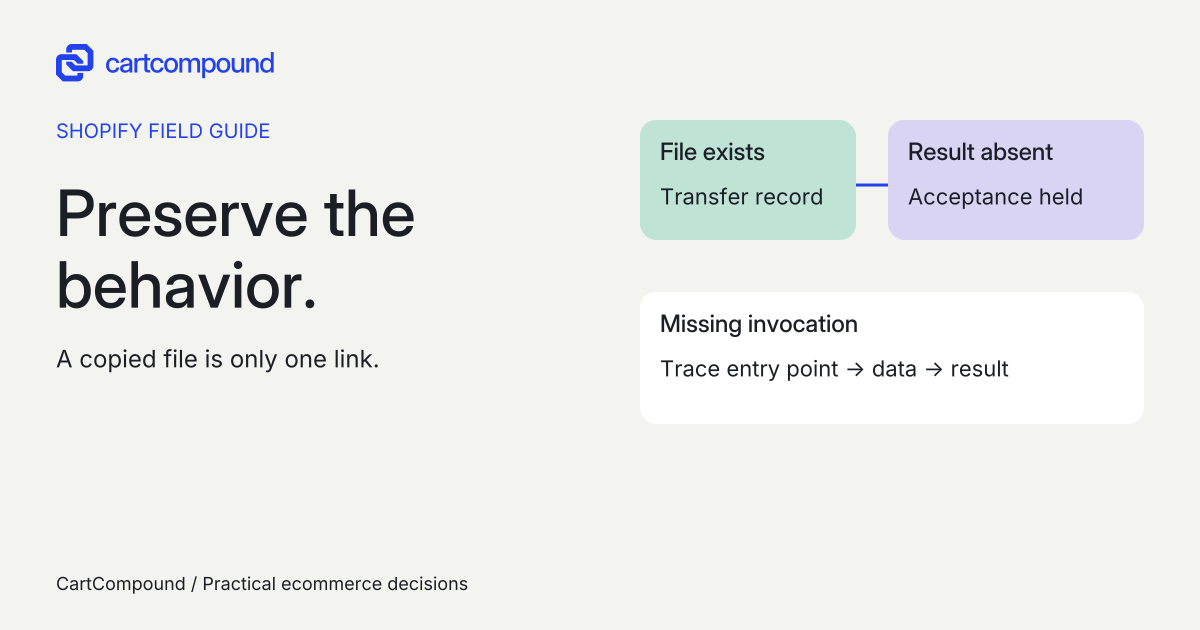
A customization can be present in an updated theme and still stop doing its job. A snippet might no longer be called, a cart view might omit a value, or a campaign might show an earlier message. Checking that a file exists answers only part of the update question.
This guide is for an existing customized theme whose features you intend to retain. It produces a preservation register and a bounded update work package. A new theme selection, redesign, or architecture migration needs a separate scope.
Put it into practice
Theme change and launch QA pack
Preserve behavior through a theme change, compare expected and observed results, and plan recovery across shared dependencies.
Explore this resourceClassify the change before asking for a quote
Record the published theme name, current version, source, license, and target version. Read the target’s release notes and state why the change is needed. “Install a supported update and preserve these features” is a different commission from “move to a new theme and redesign the store.”
Shopify’s standard update route applies to eligible Theme Store themes. Externally purchased and uploaded themes need their applicable vendor or maintenance route. If the standard draft-update action is missing, Shopify describes installing a fresh Theme Store copy and manually applying the required changes. Do not assume every theme has the same update path. See the current update guidance.
If the desired feature needs different architecture, ask for discovery and a migration scope. Do not let a supplier quietly price a rebuild as routine maintenance, or add a redesign to a preservation task. Identify what may intentionally change and who can approve it.
Recover the feature inventory, even without the original developer
Walk the current store with the people who use it. Ask merchandising, support, and operations which behaviors they would notice losing. Review the relevant brief, change tickets, source history, and invoices when available. An invoice can identify work to investigate; it does not demonstrate that the installed behavior still works.
For each feature, record a business purpose and a reproducible task. Then ask the developer to identify its templates, snippets, settings, data sources, app blocks or embeds, and any external dependencies. If a clean copy of the same old theme version is lawfully available, comparison can help locate customization. Without it, label uncertain provenance rather than declaring every difference custom work.
Give the row an ID, a merchant owner, an implementation owner, and an evidence location. Include critical features that are easy to miss in a homepage review: personalized cart values, special product labels, alternate templates, translated wording, and mobile-only controls. Secrets and customer information do not belong in this register.
Establish the baseline and the recovery boundary
Before building the candidate, capture the current accepted behavior for representative products and states. Record the old theme/version and relevant content revision beside each result. If the old behavior already fails, flag an existing defect so it cannot be mistaken for a new regression or silently become an acceptance standard.
Duplicate the current theme and preserve the customized source through your agreed process. Shopify’s duplication guidance distinguishes theme copies from store content: a theme download excludes products, collections, menus, pages, blog posts, images, and Content Files. Inventory any other configuration the work may change and preserve it through the supported method for that system.
Do not treat a draft theme as a separate staging store. Keep a boundary list: theme-local files/settings, admin-managed content, app configuration, and external services. Before a test changes a product, menu, app setting, or integration, verify its scope and get the appropriate approval. Use synthetic inputs and an authorized test environment for order or downstream-system checks.
Read the transfer result without mistaking it for acceptance
For an eligible update, Shopify copies theme-editor customizations and can carry code edits that do not conflict. The draft card reports whether code edits were included. Record that result and the candidate version in the register. Treat it as transfer evidence, not proof that each feature behaves correctly.
Where edits were not carried over, have the developer compare and reapply the necessary implementation against the new version. Avoid copying whole old files over new ones without review: ask which required behavior each change preserves and whether it would replace an upstream fix. Check the release notes, the actual differences, and the affected paths.
Shopify also documents automated updates for bug and security fixes. Identify which kind of change occurred before describing it as a merchant-triggered version upgrade. The record should explain the actual candidate and work performed, not rely on a universal “updates never happen automatically” assumption.
Trace the feature from entry point to result
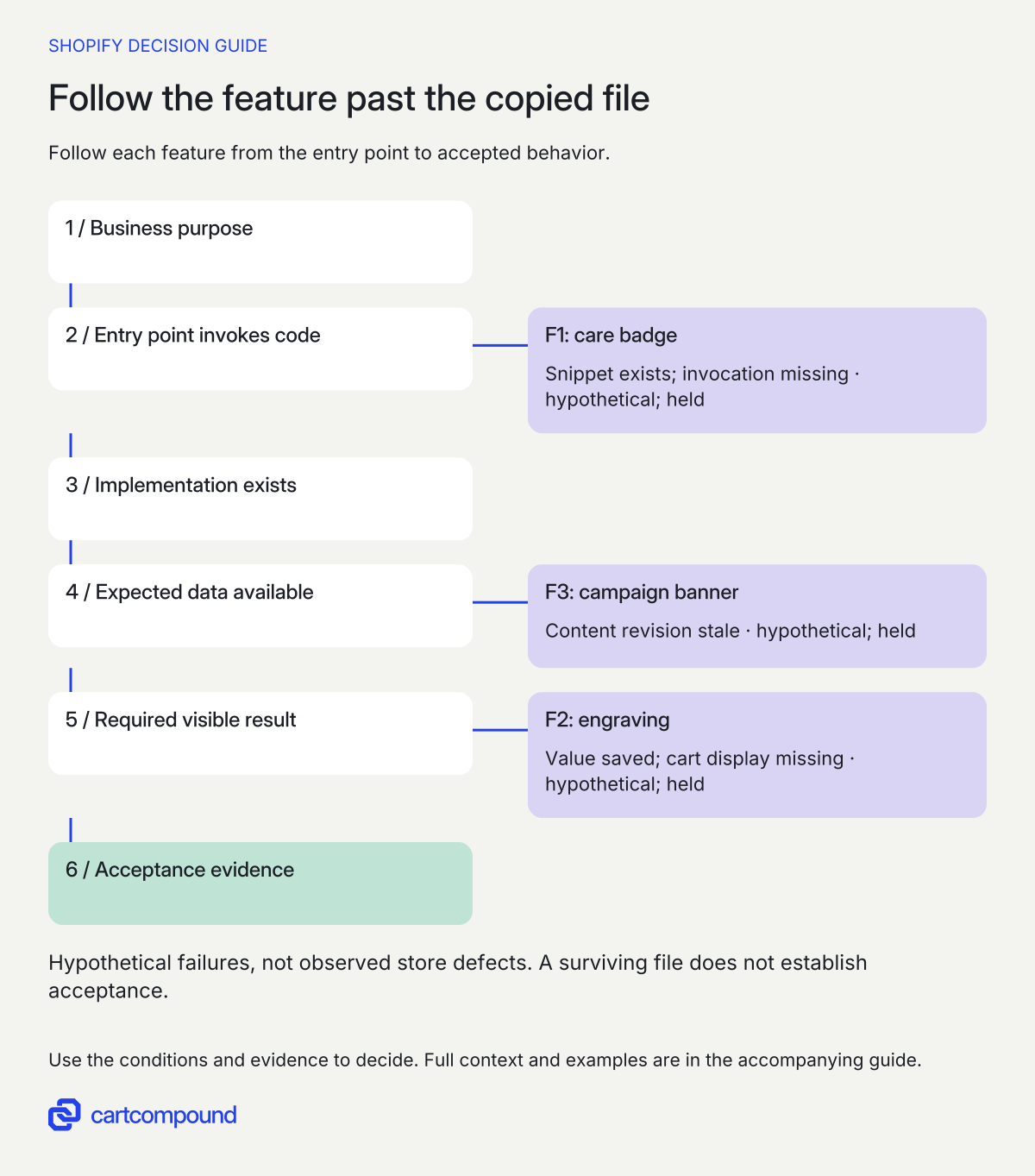
For every critical row, follow the complete chain: the relevant page or control invokes the implementation; the expected data is available; the implementation renders or submits the right value; the next surface receives and displays it where required. File survival is only one link.
A useful review asks: is the snippet called by the new template? Does its setting still exist? Is a selector still the one the custom behavior targets? Does the cart drawer use the same display path as the full cart? For an app dependency, check that vendor’s documentation and the installed state. Shopify warns that an app may be incompatible with a new theme.
Do not reinstall apps or broadly enable embeds as a generic repair step. Name the exact dependency, expected state, supported adjustment, and data consequences first. If an app vendor must investigate, give the register row a pending owner and a release consequence instead of marking it complete because a support request exists.
Test the changed behavior with expected and observed results
Build the acceptance set from the preservation register and the update’s actual changes. For each case, record the feature ID, candidate version, test content, browser/device, steps, expected result, observed result, evidence, and reviewer. Include actual desktop and mobile sizes and the states that exercise the customization.
- Product information: correct content on the intended product, sensible handling of a missing value, and no spillover to another template.
- Personalized input: the right value on the right cart line after quantity changes, reload, and a second differently personalized item.
- Campaign editing: current approved content, working destination, readable image treatment, and the operator’s ability to change it.
- Shared components: inspect other affected contexts, such as a cart drawer and full cart, rather than stopping at one successful screen.
Expand into search, measurement, or checkout release checks when the change affects those areas, using their existing protocols. Keep this task centered on the update’s differences. Record “not tested” where access or environment prevents verification; a theme preview cannot substitute for every connected-system test.
Reconcile late edits and agree the cutover
Assign one person to track approved live-store content and configuration changes made after the candidate was created. Either set a narrowly defined editing freeze or maintain a delta log and reconcile it before release. State which fields are affected and when normal editing resumes. Do not copy the whole old configuration back merely to recover one campaign.
Approve the exact candidate, not an earlier screenshot. Close mandatory failures, list accepted limits, record the previous theme/version, and verify who may publish and recover. Shopify keeps the previous theme in drafts when a new one is published, but the operational recovery plan must also address any separately changed data or app configuration.
After an authorized release, repeat the affected purchase and editing tasks in the live context and monitor the agreed error or support signals. If a critical check fails, use the approved recovery decision and record what was restored. Republishing a prior theme is not a reason to assume every separate system change has been undone.
Ask for an update work package you can accept
A useful quote identifies the current and target versions, feature inventory, comparison method, conflict resolution, app/dependency checks, content reconciliation, acceptance cases, release support, and recovery record. Put optional improvements in separate lines. State who provides missing source or vendor access and how an unresolved dependency affects the schedule.
Request deliverables: the completed preservation register, source/change record, tested candidate identifier, evidence for each critical row, known limits, and a short operator handover. Agree who resolves newly found defects and how work outside preservation is authorized. Do not infer a completion time from the number of custom files.
Start by filling one row for the customization you would be least willing to lose. If nobody can identify its current purpose, dependency chain, and acceptance case, that is the first discovery task before the update is approved.
Check the behavior beyond the copied file
- Start with the required result. State what the shopper or operator must be able to do.
- Trace the whole dependency. Check the invocation, implementation, current data and visible or submitted result.
- Compare expected with observed behavior. Test relevant empty states, cart views and content revisions in the agreed candidate.
- Close with acceptance evidence. A transfer message or proposed repair does not close a failed behavior.
Illustrative example The care-badge snippet exists, but its invocation is missing. The badge remains absent and acceptance stays held until the agreed behavior is demonstrated.
Hypothetical worked example
Hypothetical preservation exercise, not a client incident or reproduced Shopify defect. Assume a fictional store is updating the same customized theme. The three observations below are invented teaching inputs. The engraving order check assumes a separately authorized test environment and synthetic data; no order was placed for this article.
| Feature | Original purpose | Dependency chain | Transfer record | Assumed observation | Next action and owner | Acceptance |
|---|---|---|---|---|---|---|
| F1: care badge | Show the right care notice on relevant products | Custom snippet + invocation + care value | Assume code reported included | Hypothetical: file exists; badge absent | Developer restores correct invocation; test present/missing values | Held: behavior unproven |
| F2: engraving | Keep each engraving visible on its correct cart line | Input + saved value + cart drawer/full-cart display | Assume code reported included | Hypothetical: value reaches an authorized test order, but cart hides it | Developer traces both cart views; merchant verifies two different values | Held: cart acceptance fails |
| F3: campaign banner | Display the current approved weekly message | Section settings + image/link + content revision | Assume editor settings copied | Hypothetical: candidate shows an earlier approved message | Content owner reconciles delta and tests display/link/editing | Held: content stale |
F1 fails despite the assumed code-transfer success. Its acceptance case is to open a product with care information, confirm the correct badge, then open a product without that value and confirm the agreed empty state. The developer records the invocation change, while the merchant confirms the wording. Finding the snippet in the source would not close this row.
F2 demonstrates why the destination alone is insufficient. A saved value does not meet a requirement that shoppers can review it in their cart. Test two lines with different synthetic engraving text, quantity changes, and reload in both relevant cart views. Confirm each value remains attached to the intended line; perform any downstream check only through the approved test route. Close the row only after the agreed display and persistence checks pass.
F3 needs content reconciliation rather than a speculative code rewrite. The content owner compares the candidate’s saved banner revision with the approved delta log, applies the intended revision, and checks the destination and operator controls. Keep its late-edit process in the release record so the same mismatch is not recreated before publication.
All three rows remain held in this example. The proposed repairs are actions to verify, not claimed fixes. A real register would replace the assumed observations with evidence and reviewer decisions for the exact candidate. This distinction prevents a transfer-success message, a plausible explanation, or an assigned owner from being mistaken for completed acceptance.
Frequently asked questions
Does a successful code-transfer message mean the update is safe to publish?
It tells you about code transfer. Complete the feature-specific acceptance checks on the exact candidate before approving publication. Verify the shopper result, merchant editing task, and any connected surface the requirement includes.
What if the update button is missing?
Check the source, license, current version, and supported update route. Shopify describes a fresh Theme Store copy with manual configuration when the standard draft-update action is unavailable. Externally purchased themes need their vendor’s route. Scope the reapplication work before proceeding.
Can I roll back by publishing the old theme?
The prior theme remains in drafts when you switch. Confirm its exact version and who can republish it. Also document recovery for any separate content, app, or external-system changes; a theme switch alone does not establish their restoration.
Should I add the redesign during the update?
Keep preservation and new behavior separately scoped. Otherwise a failed check becomes harder to classify and the old baseline stops answering whether a regression occurred. Commission optional changes after the retained features are understood, or explicitly expand the project and its acceptance.
Sources and further reading
- Shopify: Updating themes
Source checked: October 31, 2026.
- Shopify: Duplicating themes
Source checked: October 31, 2026.
- Shopify: Adding, previewing, and buying themes
Source checked: October 31, 2026.

About the author
Hamid Khan
Hamid co-founded CartCompound and works with ecommerce founders on their stores and growth priorities.
Profile and guides