Before offering store credit, verify its holder, currency, sign-in route, channel, and order type. Individual-customer credit is D2C; B2B credit belongs to a company location. Use separate currency ledgers and demonstrate issuance, checkout, refund, and reconciliation before promoting the offer.
A customer can have credit and still see no usable balance at the checkout they are using. Issuing more credit before checking identity, currency, or company context can create a second problem without fixing the first.
I recommend writing the redemption journey before the offer: who receives the balance, how they enter checkout, which transactions qualify, and who reconciles the result. Keep the customer promise aligned with that journey.
Put it into practice
Theme change and launch QA pack
Preserve behavior through a theme change, compare expected and observed results, and plan recovery across shared dependencies.
Explore this resource1. Name the balance holder before issuing credit
Start the record with customer or company location, stable identifier, currency, amount, business reason, approved policy, and staff owner. An individual can buy both personally and for a company, but those contexts do not share one interchangeable credit balance.
For B2B, issue credit to the intended company location. Its authorized buyers share that balance. Credit put on the individual customer profile is D2C-only; a company-location balance cannot be transferred to another location. In a blended store, store-credit activation covers both D2C and B2B rather than a selected customer type. Check the B2B holder and activation rules.
Before offering a credit to a multi-location customer, ask which location placed the order and which should receive the balance. Record how sales staff identify that location. A similar company name or the same contact email is not enough to establish the correct holder.
Choose the reason for credit separately: goodwill, an agreed return remedy, a promotion, or another approved purpose. A platform option does not decide your refund policy. Keep the customer communication consistent with the policy your business is authorized to offer.
Match credit to its holder and transaction
- Identify the holder and currency. Personal-customer and company-location balances are separate; currencies do not form one spendable total.
- Check the complete journey. Verify sign-in, channel, order type and eligibility before offering redemption.
- Reconcile the ledger. Record issuance, redemption, deliberately selected refunds, expiry and closing balances without double-counting events.
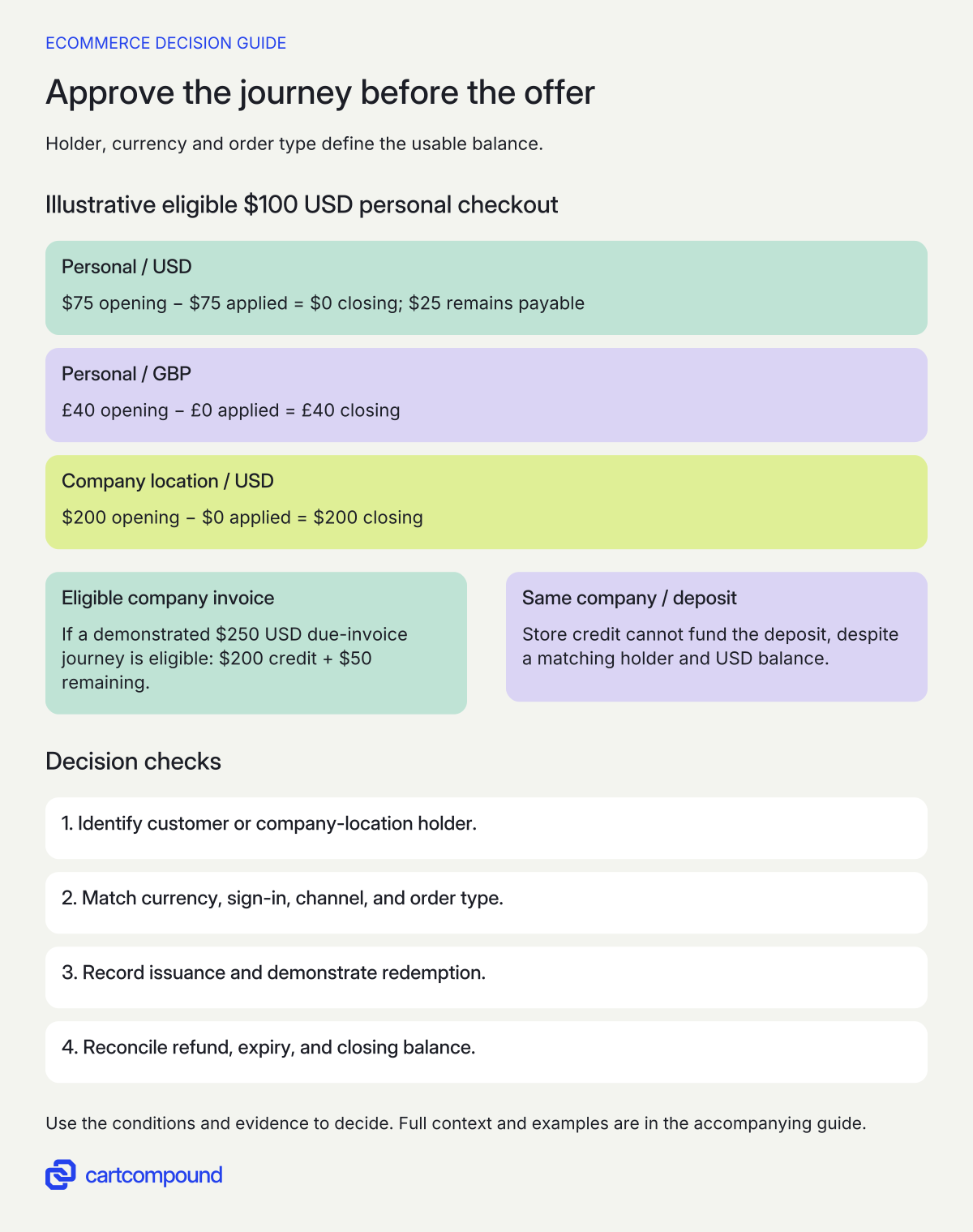
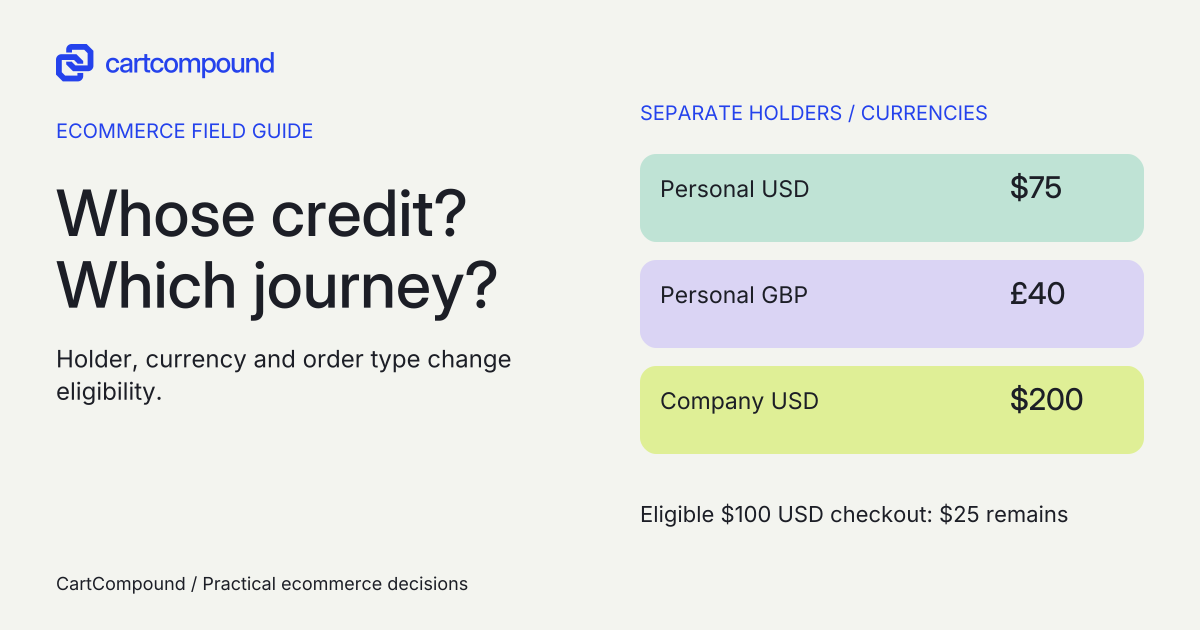
Illustrative example An eligible $100 USD personal checkout applies $75 credit and leaves $25 payable. Personal £40 and company-location $200 stay untouched. A company deposit cannot use that location credit.
A separate eligible, demonstrated $250 company invoice could use $200 and leave $50. Changing the order type changes eligibility.
2. Build a redemption eligibility matrix
As checked on October 31, 2026, online store credit uses customer accounts or Shop Pay and is unavailable for legacy customer accounts. Shopify lists Online Store, POS, and Shop as supported channels, with separate configuration considerations. Read the current channel and sign-in limits. Verify the routes your customers actually use rather than assuming an existing login link provides the intended account experience.
| Journey | Documented boundary | Required acceptance case |
|---|---|---|
| D2C online checkout | Customer accounts or Shop Pay | Correct customer, matching currency and credit option |
| Legacy customer-account login | Credit unavailable through legacy accounts | Route customer to a supported journey before advertising redemption |
| Initial subscription purchase | Can use credit | Initial checkout succeeds with intended remainder method |
| Recurring subscription bill | Cannot use credit | Renewal uses an eligible recurring payment method |
| B2B company checkout | Location credit, matching currency | Right location and authorized buyer |
| B2B deposit | Cannot use credit for deposit | Eligible upfront payment method and clear message |
| B2B invoice due under terms | Credit may pay when due | Correct due invoice, location and currency |
| Admin draft or edited order | No direct admin credit tender | Separate customer checkout-link journey demonstrated |
Shopify’s general credit restrictions and its B2B payment rules support those boundaries. Check general restrictions; check B2B deposits and invoice payments. A supported category is a reason to test the intended journey, not proof that every app or account customization is compatible.
3. Keep currencies separate and explain the amount applied
Only the balance matching checkout currency appears. A USD balance and a GBP balance are separate records, not one number to add together or silently convert. Buyers cannot select a partial amount of their available credit to apply. Read currency and usage-amount restrictions. The same matching-currency requirement applies to company-location credit. See B2B currency rules.
Write customer-facing instructions around the observed eligible balance and checkout result. If a buyer wants to spend exactly $20 from a $75 balance, the native amount-selection restriction matters. Do not design a message promising that choice unless a separately verified solution provides it.
For acceptance, cover a balance smaller than the order, a balance greater than the order, no matching currency, and a changed checkout currency. Record the applied amount, remaining amount payable, and closing balance. The greater-than-order case is particularly useful for catching unclear copy about “using the full balance.” Observe the actual allocation rather than implying unused value disappears.
If checkout shows no balance, first compare holder, signed-in identity, company location, checkout currency, and availability setting. Then inspect the transaction history and expiry. Reissuing credit belongs after the mismatch is understood and the authorized correction is agreed.
4. Assign permissions and keep a transaction trail
Separate the staff member who approves the commercial remedy from the person who issues or debits the balance and the person who reconciles it. For B2B, Shopify distinguishes Edit store credit from View store credit transactions. Check the company permissions. Give each role the access needed for its task, and verify actual access in the intended store.
Maintain a ledger per holder and currency with opening balance, transaction type, amount, order/reference, reason, acting staff member, date, expiry if any, and closing balance. Link a correction to the original event. Treat a manual debit, a checkout redemption, an expiry, and a refund as different transaction types so support can explain the balance.
For customer-profile credit, Shopify documents specific permissions for issuance/debiting and an Orders permission for refund-to-credit. Review the permission and refund sections. Check the real staff role against the required action before allocating a support process to that person.
Reconciliation should compare the ledger with transaction history and the order’s payment/refund record. Keep currencies separate throughout. If the balance and order disagree, pause corrective issuance, identify the missing or duplicated event, and retain its reference. A total that happens to match is weak evidence if the underlying transactions do not.
Check the proposed issuance against the correct holder limit. The current documentation allows less than $15,000 USD on a single customer account and less than $10,000 USD on a company-location account. These are different ceilings, not interchangeable allowances. Check the individual-customer limit; check the company-location limit. Resolve any non-USD or near-limit proposal against the actual store before promising the amount.
5. Define refund, expiry, and fee handling
Specify what staff should do after a return, partial refund, canceled order, or mistaken issuance. Shopify warns that refunding to the original payment method after an earlier store-credit refund does not reverse the credit already issued. Read the refund-to-original-method warning. Require a deliberate review of both records rather than assuming one action cancels the other.
Use approved policy and local requirements when deciding whether credit expires. Technically, Shopify sets expiry per issuance, consumes earliest-expiring credit first, and expires credit at the end of the day in the store’s timezone. There is no native store-wide default expiry automatically applied to every issuance. Review expiry behavior. Name the operator responsible for setting and checking it each time.
Check fees against the actual store and current billing terms. Shopify states that stores created on or after May 12, 2025 incur third-party transaction fees on the portion of an order paid with store credit. Check the transaction-fee condition. Do not substitute a generic percentage for your applicable rate.
Before a campaign or return-policy change, finance should confirm the treatment of issuance, redemption, outstanding balances, fees, and expiry for the business. The practical deliverable is an agreed process and an explanation staff can give consistently, rather than a retention promise based only on enabling a setting.
6. Prove the invoice and checkout route you plan to support
Staff cannot apply store credit directly as tender to an admin draft or edited order. Shopify documents a customer checkout-link path for an admin-created order: the customer signs in through customer accounts or uses Shop Pay and applies eligible credit at checkout. Read the admin-created order distinction. Keep the route distinct from an operator marking a draft paid.
Specify the invoice-link scenario before testing: intended customer or company location, amount due, checkout currency, account route, expected credit, remaining tender, and resulting order/payment status. For B2B payment terms, include an invoice due for payment and a separate deposit case that must not use credit. Check invoice and deposit scope.
Use approved nonproduction or otherwise specifically authorized test journeys with fictional records. Include an invalid sign-in, wrong currency, insufficient balance, balance exceeding order total, partial return, two authorized buyers at one company location, and a buyer selecting another location. Record the actual results instead of treating the test plan as completed evidence.
If a recurring subscription ignores credit, correct the promise and recurring-payment plan. If a company buyer sees no personal balance, inspect the holder before adding company credit. If an invoice path fails, keep it out of the advertised supported journeys until the failure is understood. Your next step is to complete one eligibility row and its matching ledger, then demonstrate that exact path before issuing credit at scale.
Hypothetical worked example
Worked example: two personal currencies and a separate company balance
Fictional ledger, not a platform test or accounting policy. A customer has $75 USD and £40 GBP in personal credit. A separate company location has $200 USD. Assume all balances are unexpired and an eligible D2C USD checkout totals $100. Taxes and shipping are excluded solely to keep the arithmetic visible.
| Holder and currency | Opening | Credit applied | Closing |
|---|---|---|---|
| Individual, USD | $75 | $75 | $0 |
| Individual, GBP | £40 | £0 | £40 |
| Company location, USD | $200 | $0 | $200 |
For that eligible USD checkout, $100 − $75 = $25 remains payable by another eligible method. The personal GBP balance remains £40. The company’s $200 is untouched because it belongs to a different holder. There is no combined “115” personal balance and no shared “315” balance.
Next, assume an approved $30 refund is deliberately issued to the same personal USD credit account and is actually recorded. That hypothetical closing USD balance is $0 + $30 = $30. Record the return and refund reference; do not count the same event again as a goodwill issuance. This is a selected teaching outcome, not a claim that all refunds automatically return to credit.
Finally, consider a separate company-location invoice for $250 USD that is due under its payment terms. With an eligible and demonstrated B2B invoice journey, the illustrative expectation is $200 credit and $50 remaining, leaving the location at $0. Change that transaction to a deposit and the credit is not eligible to fund it. A different order type changes the answer even though holder and currency are unchanged.
Frequently asked questions
Can a buyer spend personal credit on a company order?
Customer-profile credit is D2C-only. B2B credit belongs to a company location and is shared by its authorized buyers. Identify the correct holder before issuing or correcting a balance. See the holder rules.
Will store credit automatically pay subscription renewals?
No. Shopify permits it toward the initial subscription purchase, not recurring subscription bills. Confirm the recurring payment method separately. See subscription restrictions.
Can we advertise credit only to B2B buyers in a blended store?
You can choose the intended audience for an approved offer, but the store-credit activation setting is shared across D2C and B2B. Do not promise that the native toggle limits redemption availability to one customer type. See blended-store activation scope.
Why not fix a missing balance by issuing it again?
The original may still exist under another holder or currency, or the buyer may be using an unsupported journey. Inspect the transaction record and checkout context first, then approve any correction against the reconciled ledger.
Sources and further reading
- Store credit
Source checked: October 31, 2026.
- Setting up store credit for B2B
Source checked: October 31, 2026.

About the author
Hamid Khan
Hamid co-founded CartCompound and works with ecommerce founders on their stores and growth priorities.
Profile and guides