Verify recipient fields, cart records and both notification roles before a gift-card campaign. Native scheduling uses an approximate window in the purchasing customer’s timezone, not a guaranteed recipient-local delivery hour. Confirm theme support and test the actual supported purchase route.
A purchaser can receive a gift-card email while the intended recipient still has nothing. That receipt alone does not tell you whether the address, scheduled date, notification template or delivery path worked.
I recommend tracing one card from buyer input to recipient notification, then repeating the task with two cards of the same value for different people. This is a merchant recipient-and-scheduling workflow. General gift-card redemption, POS operations and email deliverability audits are separate tasks.
Put it into practice
Theme change and launch QA pack
Preserve behavior through a theme change, compare expected and observed results, and plan recovery across shared dependencies.
Explore this resourceCheck theme support before promising recipient delivery
Shopify documents recipient fields in free Online Store 2.0 themes from version 9.0.0, including Dawn and Horizon-family themes, and excludes vintage themes from this customization. The actual editor must show the recipient option; other themes need their own support evidence or scoped development. Check the merchant recipient-field guide.
Record the live theme name/version, gift-card product template, denomination variants, supported languages and any changes to buy buttons or gift-card notifications. Work in an approved copy or preview while deciding the implementation. Do not reset a customized theme or message just to make the native option appear.
Compare a supported native configuration, a compatible theme change and a qualified custom implementation. Use the same two-recipient order for each candidate. If an app claims scheduling, ask for its exact date, timezone and notification behavior instead of assuming native limits or roles apply.
Get actual setup, app/usage, theme-maintenance, translation and support terms. A seasonal campaign also needs an owner for misaddressed gifts, changed dates and missing notifications. No generalized traffic estimate or revenue lift is a reason to skip that operational work.
Specify recipient fields as a complete purchasing record
The native recipient feature uses email plus optional name, message and send date. Its developer guide defines reserved line-property names and a processing flag, rather than an arbitrary personalization schema. Current limits are 255 characters for name, 200 for message and 90 days into the future; recipient-form validation uses Add to Cart, not accelerated checkout buttons. Read the recipient-form scope and limitations.
| Field | Buyer-facing requirement | Acceptance case |
|---|---|---|
| Recipient email | Clearly identify who receives the gift | Invalid format can be corrected without losing other input |
| Recipient name | Optional and visibly associated with that card | Long name remains readable |
| Message | Show the accepted message and applicable limit | Boundary/over-limit and line-break cases |
| Send date | Show the selected date and timing explanation | Immediate, scheduled and outside-horizon cases |
| Processing implementation | Use the documented native schema or qualified alternative | Exact payload is preserved through the supported route |
Have the developer handle the reserved properties according to current documentation. This article does not supply an executed snippet. A generic text field labeled “recipient” is not evidence that Shopify will issue the intended recipient notification.
Label the choice between sending to someone else and buying for oneself. Show the selected recipient, message and date before payment, and make correction possible. Avoid a placeholder that looks like a real address already entered by the buyer.
Verify each recipient record and notification lane
- Validate the recipient’s record. Keep recipient, message and chosen date attached to the intended gift-card line.
- Explain the schedule honestly. Use the approximate buyer-timezone window and verify the actual offset/fallback, not a guaranteed recipient-local inbox hour.
- Observe the two notification roles. Check purchaser receipt and each recipient notification separately; one successful card cannot close another.
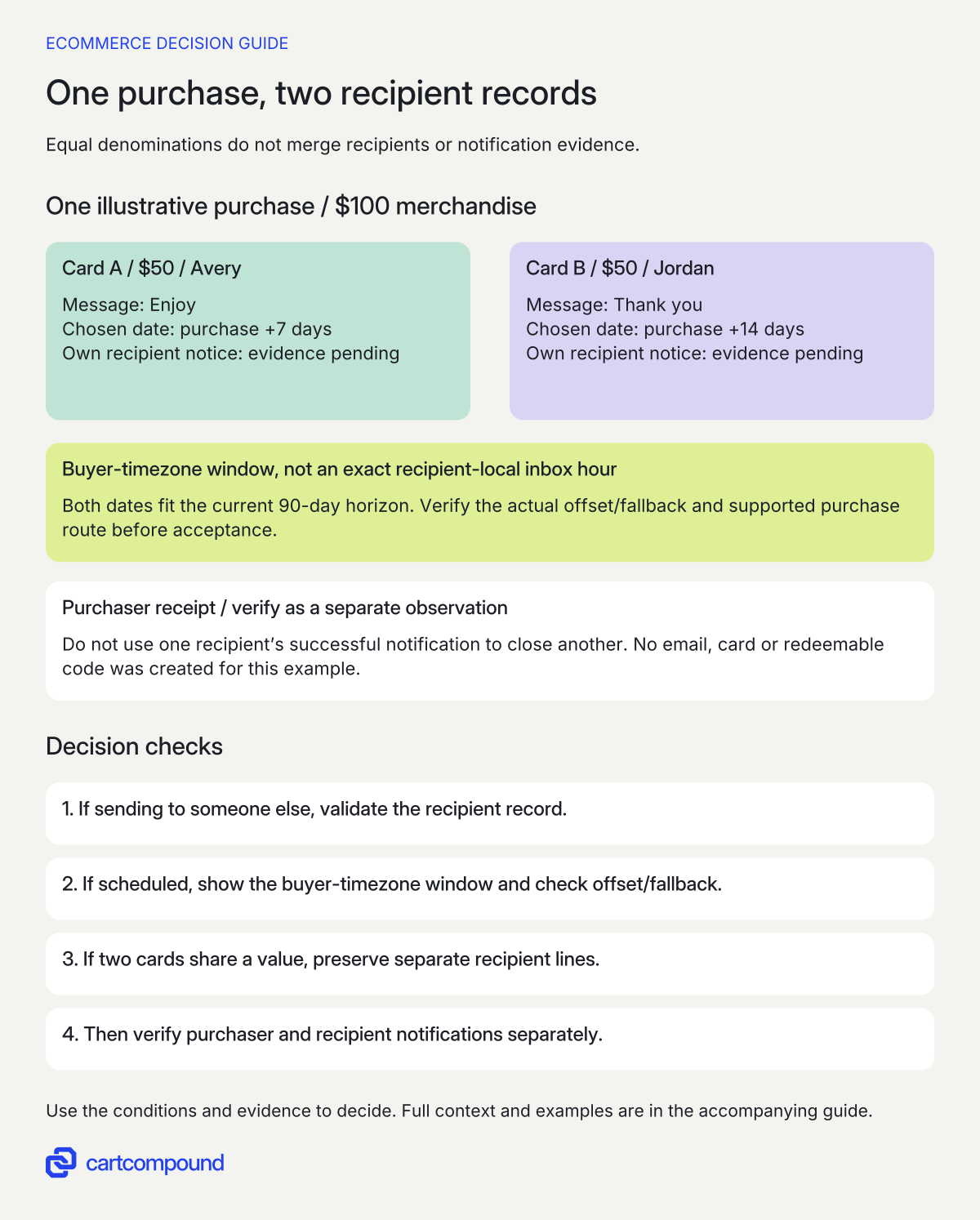
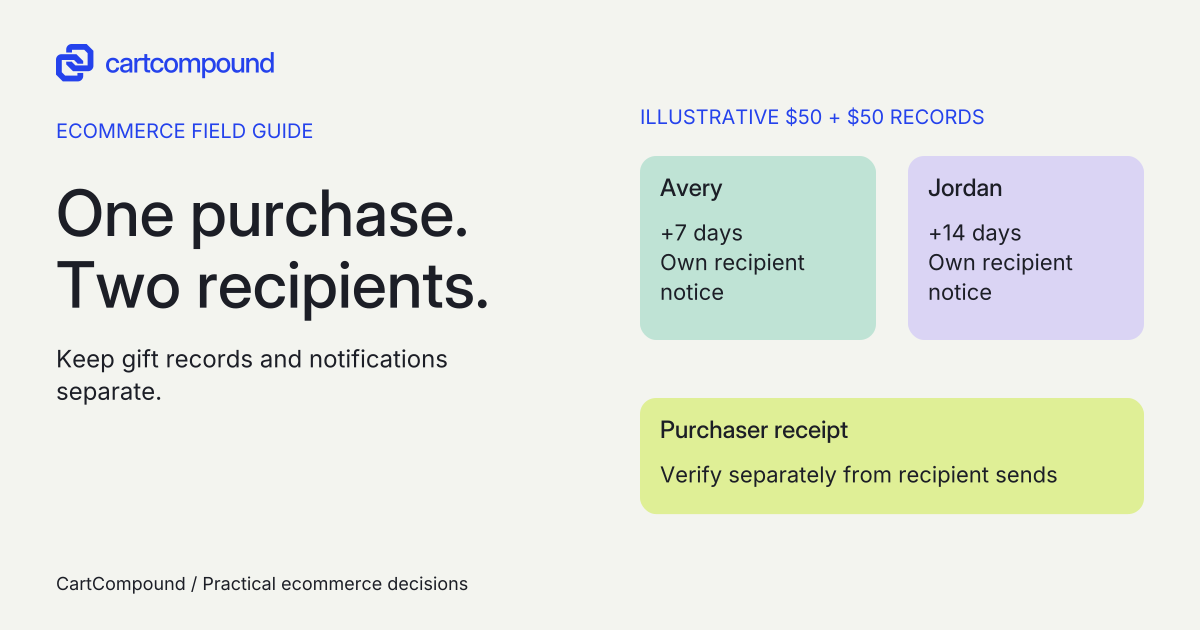
Illustrative example Two $50 cards total $100: Avery is scheduled +7 days and Jordan +14 days. Both dates fit the current 90-day horizon, but each record and notification observation remains independent and pending authorized test evidence.
Use a date promise that matches the actual timezone behavior
Shopify’s merchant guidance gives an approximate scheduled sending window of 4:00 a.m. to 10:00 a.m. in the purchasing customer’s timezone. Read the scheduling statement. Do not advertise midnight delivery, a specific hour or recipient-local arrival from that statement.
The developer guide describes an optional customer timezone offset and a store-timezone fallback when it is absent, while also using recipient-timezone wording. Inspect the offset definition. That ambiguity makes a custom implementation a verification task. Ask the developer to show which timezone is actually submitted and what the buyer is told; do not resolve the mismatch by guessing.
Use a worksheet with purchase context, requested date, timezone/offset supplied, fallback if absent, expected window, actual send evidence and recipient receipt evidence. Include a buyer and recipient in different timezones and a boundary date. A scheduled-send window and inbox arrival are different observations.
For campaign copy, state the supported date/window and any actual cutoff or uncertainty the operational owner has approved. If buyers need a precise recipient-local moment, qualify a route that supports that requirement before promising it. Do not hide the limitation in a support FAQ after checkout.
Map purchaser and recipient notifications separately
Shopify names the recipient message New gift card and the purchaser confirmation Gift card receipt when the recipient form is used. The merchant guide also says the purchaser’s notification contains the gift-card code. Customized or translated templates can omit recipient fields and need checking per language. Review notification roles and template considerations. Do not describe the recipient as the only person who can see the code.
| Message purpose | Expected audience | Evidence to record later |
|---|---|---|
| Recipient gift | Chosen recipient | Correct card, message and scheduled send context |
| Purchaser confirmation | Buying customer | Correct confirmation for the intended card/recipient |
| Order receipt | Buying customer under actual store configuration | Not mistaken for proof of recipient delivery |
| Missing-message support | Authorized support owner | Safely identified order/card without exposing a usable code |
Inspect both configured templates and every supported language. Preserve required fields when changing design or text. Do not revert a template automatically if it contains approved custom information; compare the required fields and commission a bounded correction.
Keep code handling and recipient privacy in the actual store policy and support process. Use synthetic labels in shared QA evidence, redact usable codes and avoid copying recipient information into campaign reports. A gift message may contain personal text that production or marketing staff do not need.
Keep two same-value cards attached to the right people
Gift-card recipient data is line-specific. The Cart Ajax API warns that several lines can share a variant ID, recommends current line keys for the intended edit and notes that those keys can change. Sending a properties update replaces the entire properties object. Check cart identity and property-update behavior.
Use two cards with the same denomination but different recipient records. Add them separately, inspect the cart summaries, edit only one message and remove/re-add one card. The other person’s email, date and message must stay unchanged. A quantity of two with one recipient record cannot be assumed to represent two independently addressed gifts.
Check the actual drawer and direct cart page, plus any quick-add or sticky purchase surface. Where native recipient validation is required, an accelerated product button is not an alternative supported recipient form. Route buyers to the supported form rather than accepting an incomplete gift.
For an invalid address or date, preserve the valid input and identify the field to fix. Shopify’s accessibility guidance calls for labels, descriptive errors and communicated updates. Review form feedback guidance. Test keyboard use and long names/messages on mobile without shrinking the text.
Require delivery evidence and a recovery owner
The following checks are recommended; no cards, usable codes or emails were created for this guide. Plan any real notification checks with authorized purchaser/recipient addresses and the applicable sending approval. A message preview is useful for content review but cannot prove receipt.
Separate the stages in the evidence log: form accepted, correct order line recorded, schedule retained, notification triggered, transport/provider result if available and intended inbox observed. Record only the states your tools actually expose. A purchaser receipt does not fill the recipient’s inbox-observed field.
| Observation | First check | Next action |
|---|---|---|
| Purchaser receives email; recipient does not | Notification roles, recipient address, schedule and available send evidence | Investigate recipient delivery before declaring success |
| Gift arrives outside the advertised moment | Buyer timezone/offset and claimed window | Correct the promise or qualify another implementation |
| Translated message omits the recipient name | Actual language template fields | Repair the specific template and review both notifications |
| Second gift inherits first recipient | Line identity and property preservation | Fix per-line data before repeating the order |
| Buyer asks to change a date or address | Current card/send state and approved support process | Use a supported correction path; avoid blind duplicate sends |
Your next action is to complete the two-recipient worksheet and have the implementation owner demonstrate the preserved cart records and configured notifications. Keep the campaign held until the intended journey and recovery route have evidence, not merely an attractive gift-card page.
Hypothetical worked example
Two fictional $50 cards for two different recipients
This is an illustrative acceptance case. No card, redeemable code, address record or email is created. A buyer selects two $50 cards of the same denomination variant: one for Avery with message “Enjoy” and send date seven days ahead, and one for Jordan with “Thank you” and send date fourteen days ahead. These example names/messages and dates are teaching inputs.
| Card | Recipient label | Message | Schedule |
|---|---|---|---|
| A, $50 | Avery | Enjoy | Purchase date + 7 days |
| B, $50 | Jordan | Thank you | Purchase date + 14 days |
Merchandise total is 2 × $50 = $100. Both 7 and 14 days are within the current 90-day native horizon. Avery has 5 characters and Jordan 6; the messages have 5 and 9 characters including the space in “Thank you,” all below the native field limits.
Use an intentionally invalid synthetic input such as “avery.example” for a proposed validation check, then correct it to an authorized test address during an approved test. The card B record should remain intact. Edit only A’s message and verify B’s recipient/date are unchanged before proceeding.
The expected schedule is the documented approximate buyer-timezone sending window on each chosen date, with the actual offset/fallback verified for this implementation. The example makes no recipient-local time conversion or exact inbox guarantee.
For each card, record the expected recipient New gift card notification separately from the purchaser Gift card receipt. Mark actual send and inbox observations pending until an authorized test supplies evidence. If B’s recipient notification is missing, A’s successful notification must not be used to mark both cards passed.
Frequently asked questions
Should a gifting campaign promise delivery at midnight?
Only if a separately qualified implementation and actual evidence support that promise. The native merchant guidance gives an approximate buyer-timezone window. Use the supported promise where the buyer selects the date.
Does the purchaser’s receipt prove the recipient received the gift?
No. Record the recipient’s notification and delivery observations separately. A receipt, a triggered notification and an observed inbox message answer different questions.
Should the store resend automatically if a recipient reports no email?
Use the approved support process after checking address, schedule and available message/card state. An uncertain result should not trigger blind duplicate messages or expose a usable code in a general support log.
Sources and further reading
- Add recipient fields to your gift card products
Source checked: October 31, 2026.
- Add a gift card recipient form
Source checked: October 31, 2026.
- Cart API reference
Source checked: October 31, 2026.
- Accessibility best practices for Shopify themes
Source checked: October 31, 2026.

About the author
Hamid Khan
Hamid co-founded CartCompound and works with ecommerce founders on their stores and growth priorities.
Profile and guides