Classify each offer as product, order or shipping savings, check both discounts’ combination permissions and the store’s eligibility, then calculate the accepted cart. Product savings change the basis for order savings; multiple percentage order discounts use that same revised basis rather than a sequential percentage reduction.
A seasonal code, loyalty offer and free-shipping promotion can each look correct on their own yet produce a checkout result marketing did not intend. The first decision is which combinations the business will honor, not how many codes a discount app can display.
I recommend a promotion permission matrix and a small basket test suite before any campaign goes live. The matrix records who qualifies, which savings can coexist and what the buyer should see. This guide covers implementation acceptance; choosing a commercially sustainable offer remains a separate business decision.
Put it into practice
Theme change and launch QA pack
Preserve behavior through a theme change, compare expected and observed results, and plan recovery across shared dependencies.
Explore this resourceInventory every offer that can affect the basket
Collect active automatic discounts, codes, loyalty/app discounts, product targets, dates, minimums, customer restrictions and regional conditions. Include staff-applied concessions in the operating review. Name an owner for each offer and identify which app or native setting creates it.
Write the buyer rule in plain language before copying its code name into a spreadsheet. “First-order buyers receive 10% off eligible merchandise and may use the approved product offer” is more useful than “WELCOME works.” A code name does not establish the customer’s eligibility or the calculation basis.
| Field | What to record |
|---|---|
| Offer and owner | Native/app source, campaign dates and who can change it |
| Discount class | Product, order, shipping or every class in an app-created offer |
| Eligibility | Products, customer context, minimums, exclusions and channel |
| Combination permission | Classes allowed by this offer and the other offer |
| Cart case | Exact lines, quantities, address/currency assumptions |
| Expected and observed | Amounts, explanations, evidence and unresolved differences |
Keep first-order eligibility, usage limits and exclusion rules specific to the actual implementation. If the merchant cannot explain a rule or identify its owner, mark it unresolved rather than discovering its meaning during the sale.
Check both sides and the exact plan/channel boundary
Shopify requires each discount to allow the other’s relevant class. Product-plus-order and order-plus-order combinations also have eligibility requirements: no checkout.liquid customizations and no Licensify app. Same-line multiple product discounts require Plus. Read combination settings and eligibility.
Current limits are 25 active automatic discounts including app-based discounts, plus five product/order codes and one shipping code per order. Listed combination channels are Online Store, Storefront API and POS. Two shipping discounts cannot stack. Check current limits and channels.
For Buy X Get Y, non-Plus participating products cannot receive further product discounts; Plus permits the customer-gets item’s scoped same-line combination, while the buys side still follows best-value handling. Multi-class app offers need every included class allowed by the other discount. Inspect the specific Buy X Get Y and multi-class rules.
Use the explicit plan table when a simplified FAQ sounds broader. Do not generalize “no same-item product stacking” across the documented Plus exception. Record the actual plan, offer type, included classes and affected line in the acceptance case so the supplier must show the precise behavior.
Check permissions before applying the discount basis
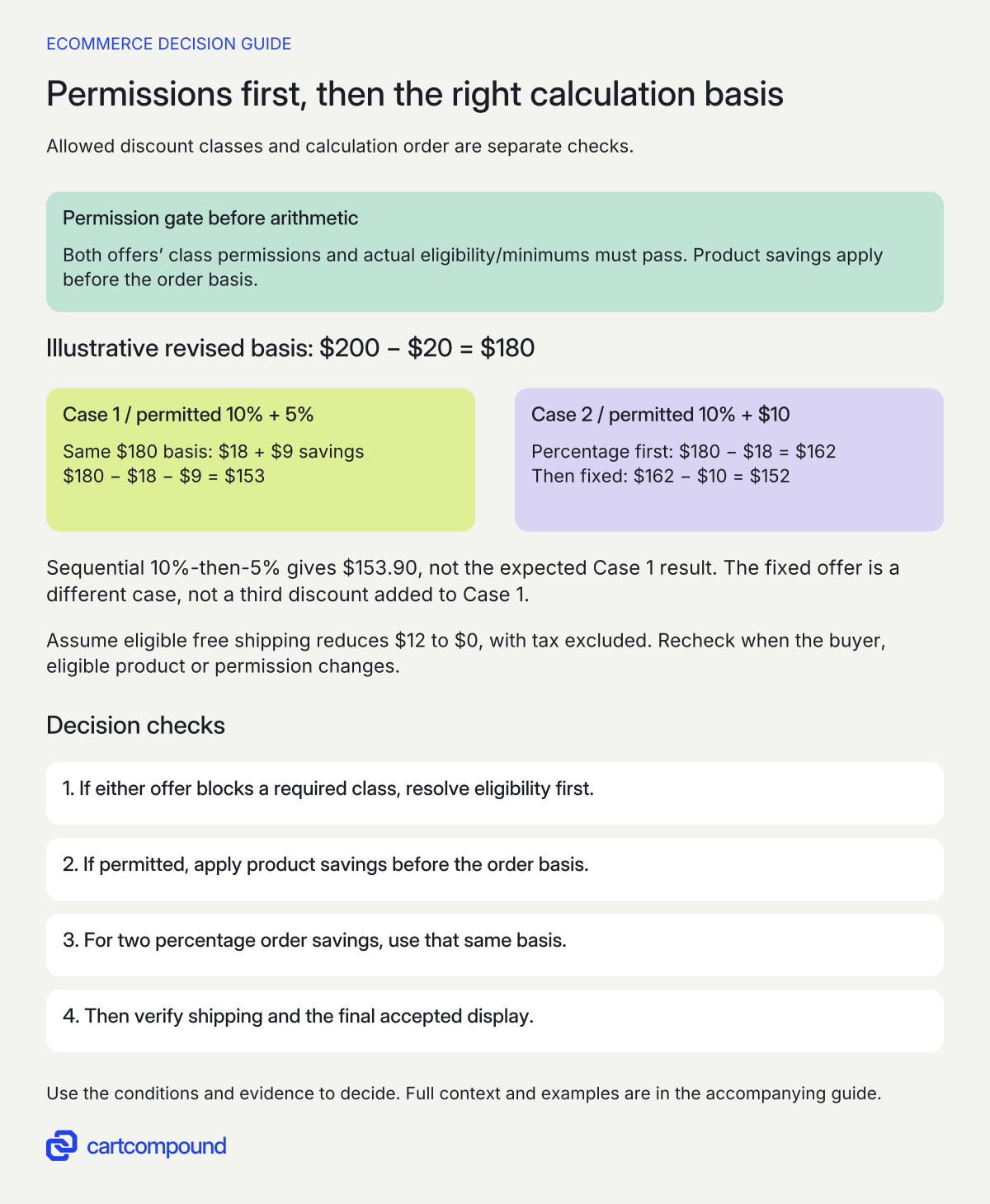
- Qualify the offer combination. Check both discounts’ permissions, classes and actual customer/plan/channel eligibility before calculating a combined result.
- Apply product savings first. Then calculate percentage order savings from the same revised basis, rather than sequential percentage reductions.
- Treat fixed savings as a separate case. Verify shipping eligibility and the final display after the permitted merchandise calculation.
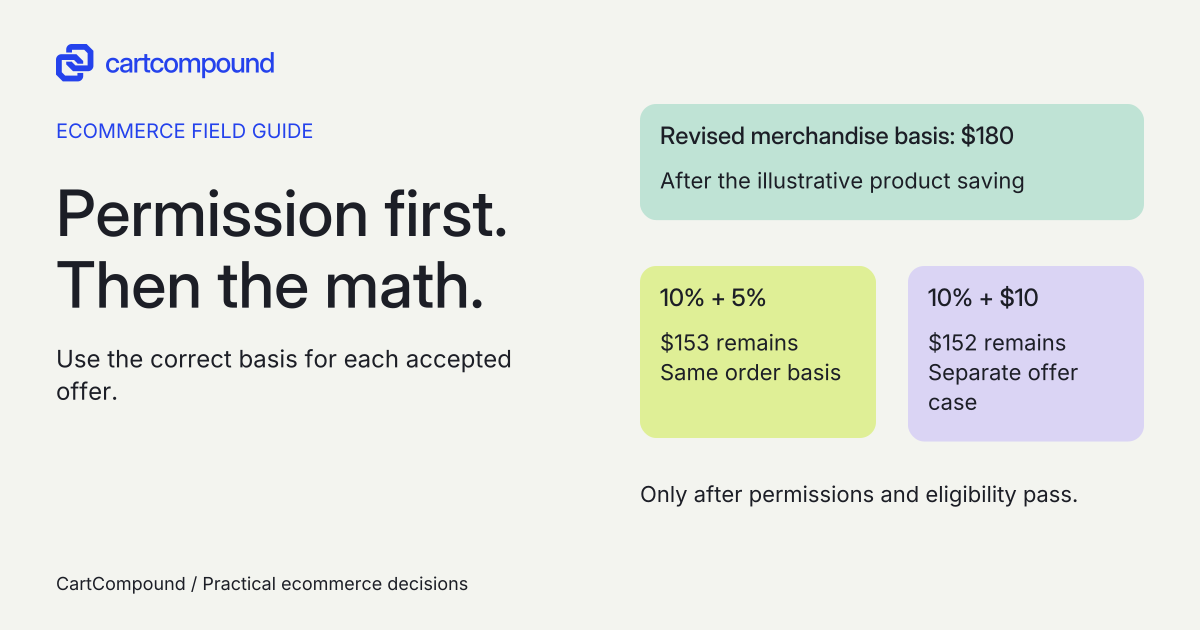
Illustrative example After a $20 product saving, $200 becomes $180. Permitted 10% + 5% order savings use that same basis: $180 − $18 − $9 = $153. Replacing 5% with fixed $10 instead gives $162 − $10 = $152.
Assume all permissions/minimums pass, tax is excluded and separately eligible free shipping reduces $12 to $0. Neither total is promised when eligibility fails.
Calculate product, order and shipping savings separately
The documented sequence is product savings first, order savings on the revised merchandise subtotal, then shipping savings. Multiple percentage order discounts use the same post-product subtotal; for a percentage plus fixed order discount, percentage comes first. Review application order and calculation examples.
Use a calculation sheet with original line amounts, product savings, revised subtotal, each order saving, remaining merchandise, shipping before/after and tax treatment. Keep currency and rounding assumptions beside the inputs. Do not subtract a shipping saving from merchandise and then use the result as a new order-discount basis.
A sum of advertised percentages is not automatically the buyer’s total percentage saving. Different classes can have different targets and bases. Likewise, a sequential percentage formula is not interchangeable with the documented same-basis order calculation. The worked comparison shows the difference with explicit fictional inputs.
For thresholds, inspect the actual qualifying basis and exclusions for the particular offer. Add a just-below, exact-boundary and just-above basket to the test suite. Do not infer a minimum-spend rule from the final amount alone; product exclusions, customer context or a different threshold basis can explain a result.
Add bundles, preorders and app discounts as distinct cases
For native bundles, product/collection-specific discounts must target the parent bundle rather than only its components. Check bundle discount targeting. Include the actual parent and a comparable standalone component in separate cases so the expected target is clear.
Native preorders exclude Buy X Get Y. Review preorder restrictions. Do not assume a code valid on ordinary stock behaves the same on a mixed purchase-option basket. Keep subscription discount duration and first-versus-repeat charging with the actual subscription specification.
For a loyalty or multi-class app offer, ask the provider to show the classes returned and the resulting checkout discounts. A badge reading “stackable” does not describe the entire combination. Compare the final cart, not only each app’s internal preview.
Choose between native configuration, a qualified app or scoped custom work using the required cases. Get actual implementation, app/usage, support and regression costs. A new app is not the automatic fix for a mutually disallowed combination. No retired Scripts workflow or untested executable code is proposed here.
Run the promotion suite before approving campaign copy
These are proposed acceptance checks, not store tests performed for this article. Use an approved preview or testing scope and the provider’s supported process. Save the initial basket, entered offers, accepted savings, visible explanation and order/checkout state within that scope.
| Case | Required evidence |
|---|---|
| Eligible buyer and ordinary basket | Intended savings and amounts match the calculation |
| Excluded product beside an eligible product | Only the intended target is discounted |
| Below/at/above a threshold | Actual threshold basis matches the approved offer |
| Code plus an existing automatic offer | Both sides’ settings and final result are understood |
| Two disallowed offers | Accepted replacement or refusal is clear |
| Bundle/preorder/app-specific basket | Scoped restrictions and targets are honored |
| Remove item or change quantity after discount | Eligibility and all displays update correctly |
Review the actual cart, checkout and relevant customer messages on mobile and desktop. A promotion headline must not promise two savings while the interface consistently accepts only one. Preserve a useful error explanation when a shopper changes the basket or no longer qualifies.
Assign a release owner, campaign-copy owner and rollback procedure. Preserve the prior approved settings and record exactly which offers changed. If an essential case fails, hold that offer and correct the mismatch before extending the sale to additional products.
Use the first failed condition to diagnose a missing saving
Shopify documents best-value selection for noncombinable offers, with product/order priority over an incompatible shipping discount; a replaced code can therefore be expected behavior rather than a failed application. Read replacement and best-value behavior. Confirm the actual basket and settings before calling the calculation wrong.
| Observation | Inspect first | Next useful action |
|---|---|---|
| Only one code survives | Both permissions and active automatic/app offers | Identify the incompatible class or eligibility rule |
| Same-line product stack fails | Plan, Buy X Get Y role and specific line | Check the documented exception, not a generic FAQ |
| Multi-class app offer conflicts | Every class included in that offer | Verify all required class permissions |
| Total differs from the worksheet | Post-product basis, percentage method and rounding | Recompute each step before changing configuration |
| Shipping saving missing | Shipping eligibility, one-shipping-discount limit and other offers | Show the actual accepted outcome |
| Standalone product qualifies; bundle does not | Parent bundle targeting | Correct the intended target and repeat the case |
Your next action is to list the three offers most likely to overlap, complete their mutual permissions and recompute one eligible and one excluded basket. Ask the implementation owner to demonstrate those exact cases. That gives marketing a sale it can describe accurately and support a result it can explain.
Hypothetical worked example
Fictional eligible basket: two percentages differ from percent plus fixed
All prices, offers and eligibility below are hypothetical; no checkout was tested. Item A costs $120 and item B $80. A permitted product discount takes $20 off A. Assume all required class permissions, customer/plan/channel eligibility and any minimums are satisfied. Tax is excluded, and a separately eligible free-shipping offer removes an assumed $12 shipping charge.
| Step | Calculation | Amount |
|---|---|---|
| Initial merchandise | $120 + $80 | $200 |
| Product saving on A | $200 − $20 | $180 revised subtotal |
| 10% order saving | $180 × 0.10 | $18 |
| 5% order saving, same basis | $180 × 0.05 | $9 |
| Remaining merchandise | $180 − $18 − $9 | $153 |
| Eligible shipping saving | $12 − $12 | $0 shipping |
The tax-excluded amount is $153 + $0 = $153. Merchandise savings are $200 − $153 = $47: the $20 product saving plus $27 in order savings. The 10% and 5% order savings total 15% of the $180 revised basis, not 15% of the original $200.
A sequential 10%-then-5% calculation would be $180 × 0.90 × 0.95 = $153.90. That is $0.90 too high for the documented same-basis percentage-order method. It is not the expected result for this assumed eligible case.
For a different offer set, replace the 5% order discount with a permitted fixed $10 order discount. Percentage first gives $180 × 0.90 = $162, then $162 − $10 = $152 merchandise. With the same assumed eligible free shipping and excluded tax, the amount is $152. This is a separate case, not another discount added to Case 1.
To complete the acceptance sheet, change the buyer to an ineligible returning customer if the 10% offer is first-order-only, or remove the eligible product. Mark the revised expected result from those actual rules rather than assuming the original total still applies. If any permission fails, neither fictional combined total is a platform promise.
Frequently asked questions
Can a loyalty app make an unsupported combination work automatically?
Require the exact app to demonstrate your offer classes, plan and basket. An app title or stackable badge does not prove eligibility, and an offer may contain more than one class.
Should we calculate all savings from the original merchandise total?
No. Record each target and basis. The order calculation uses the subtotal after product savings; shipping is separate. Recompute the steps shown in the approved case.
Does a successful promotion test prove the sale is profitable?
No. It verifies the tested purchasing rule and amount. Contribution, returns, shipping subsidy and campaign performance need the merchant’s actual cost and outcome data.
Sources and further reading
- Combining discounts
Source checked: October 31, 2026.
- Shopify Bundles
Source checked: October 31, 2026.
- Setting up pre-orders
Source checked: October 31, 2026.

About the author
Hamid Khan
Hamid co-founded CartCompound and works with ecommerce founders on their stores and growth priorities.
Profile and guides