Map company locations, matching B2B markets, catalog assignments, and variants separately. Basic, Grow, and Advanced allow three active catalog assignments across active B2B markets. On Plus, direct company-location pricing can override a cheaper matching market price, so a universal lowest-price rule is unsafe.
A correct price file can still produce the wrong buying experience when it is assigned to the wrong market or company location. Start with the buyer context and expected result, then prepare the upload.
I recommend keeping an assignment sheet beside the price sheet. One tells you who receives the catalog. The other tells you what a particular variant should cost and which quantities are valid. Together they make an unexpected price traceable.
Put it into practice
B2B catalog workbook
Specify who may see, buy, quote and approve, then test price precedence at the exact company and location.
Explore this resource1. Start with the company location that is buying
Give every expected buying context its own row: company, company location, matching B2B market, intended catalog, assignment type, currency, and approval owner. A company with two locations can have two commercial agreements. “Trade customers get 20% off” is not precise enough to identify which location receives which products and prices.
Collect the current plan, active B2B markets, catalog statuses, base and fixed variant prices, quantity rules, D2C market inclusion, and expected checkout currencies. Use stable record identifiers beside human-readable names so similarly named catalogs cannot be confused.
For each row, specify one representative variant, expected unit price, allowed quantity, and an excluded product. Include both a buyer with one matching context and a buyer whose location matches several. Keep the pricing owner separate from the person importing the file: one approves the commercial result; the other executes the change.
2. Count active catalog-to-market assignments
As checked on October 31, 2026, Basic, Grow, and Advanced allow three active catalog assignments across active B2B markets. One active catalog assigned to two active markets consumes two assignments. Removing an assignment from an active market or setting the catalog to Draft frees capacity. Plus does not have that three-assignment limit and adds direct company/company-location assignment. Starter and Retail do not support native B2B. Check the current plan rules.
| Catalog | Active B2B market | Assignments consumed |
|---|---|---|
| A | US | 1 |
| A | UK | 1 |
| B | UK | 1 |
| Total | Three active pairs | 3 |
Count pairs after checking both statuses. A list of three catalog files does not establish that the design fits. Model the next planned market or customer tier too; otherwise a launch can consume all capacity before the first expansion request.
If the design exceeds the limit, review whether the segmentation is necessary, change assignments or statuses deliberately, or revisit the plan. Do not merge distinct commercial agreements only to make the counter pass. Record what the changed design means for each affected buyer.
Resolve catalog scope before comparing prices
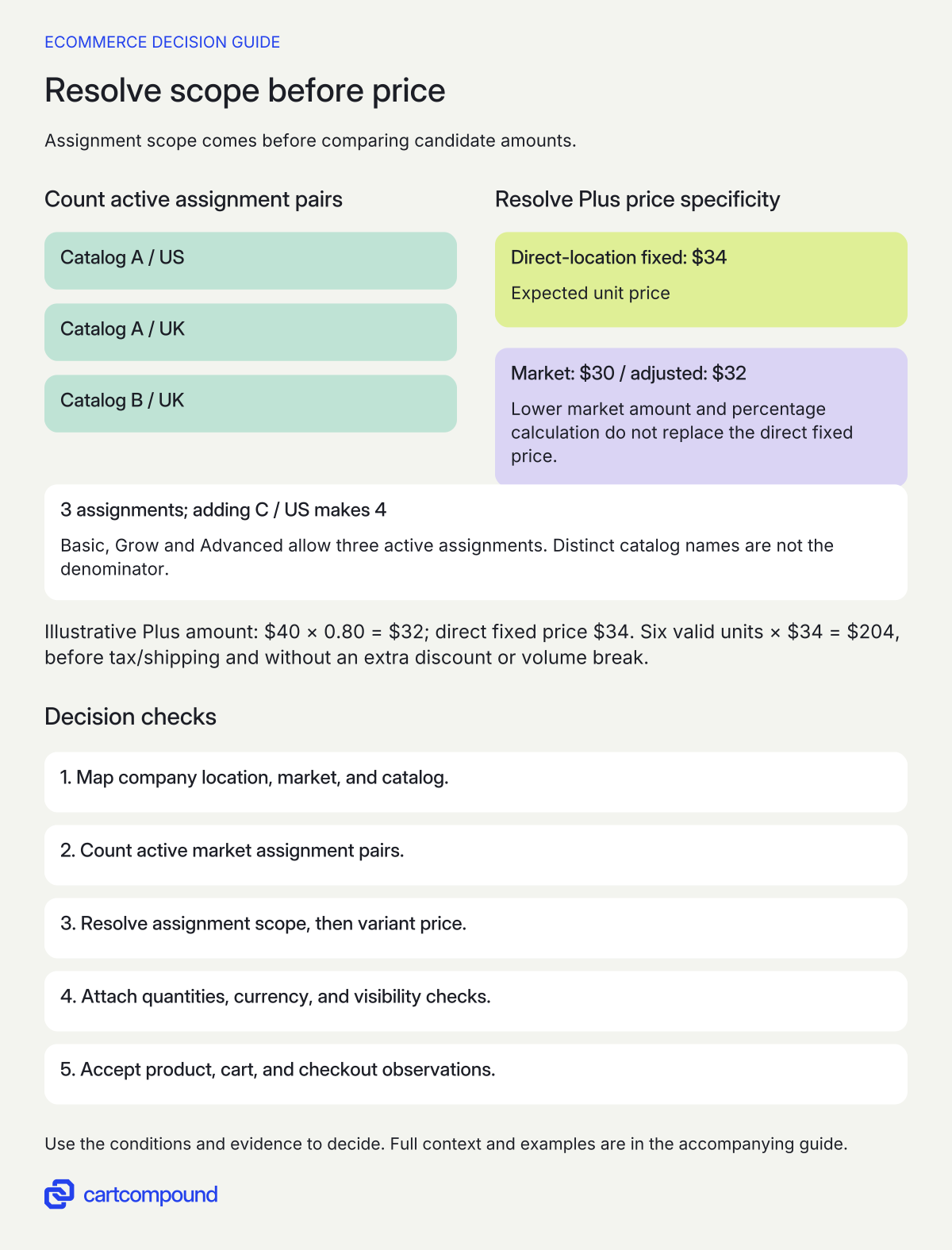
- Count assignments, not catalog names. Map active catalog/active B2B-market pairs. Basic/Grow/Advanced allow three active assignments.
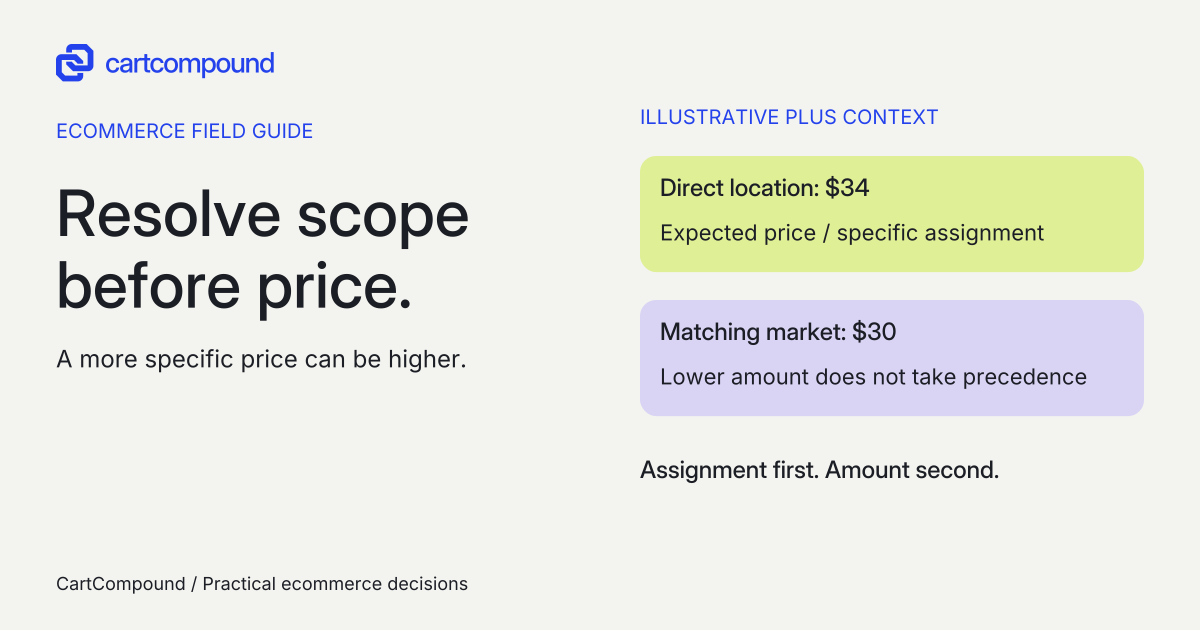
- Resolve the specific assignment first. In the Plus direct-location scenario, a cheaper matching market price does not defeat direct specificity.
- Then resolve the variant amount. Check fixed overrides, valid quantity, currency and visibility. Compare product, cart and checkout using the same context.
Illustrative example A across US/UK plus B in UK uses 3 assignments; adding C in US makes 4. Separately on Plus, fixed direct-location $34 wins over market $30 and the $32 percentage-adjusted amount.
At six valid units, with no volume break, extra discount, tax or shipping, the expected merchandise line is 6 × $34 = $204.
3. Resolve the assignment before comparing prices
Within a catalog, a fixed price overrides an overall percentage adjustment. Do not apply the percentage reduction again to a fixed contract price. For overlapping catalogs directly assigned to the same company location, Shopify selects the lowest per-variant base price before volume breaks, then uses that catalog’s quantity rules and volume pricing. Equal lowest prices use the first-created catalog’s rules. Read the separate catalog pricing scenarios.
The direct-location versus market scenario is different. A direct company-location price is more specific and takes precedence for the same item even when a matching market price is lower. Write the assignment scope beside every expected price. Sorting all visible catalog amounts from low to high is not a reliable pricing model.
| Field | What to record |
|---|---|
| Buyer context | Company location and all matching market/catalog identifiers |
| Price authority | Direct location or market; relevant catalog and creation order for a tie |
| Variant calculation | Base price, adjustment, any fixed override, and currency |
| Quantity context | Increment, minimum, maximum and applicable price break |
| Expected result | Unit price, quantity and line total at product page, cart and checkout |
I would calculate the expected price for an intentionally awkward overlap before importing hundreds of ordinary rows. Use a higher direct-contract price and a lower market price. That makes the specificity rule visible instead of allowing a coincidentally identical result to hide a wrong assumption.
4. Keep quantity rules attached to the winning variant price
Minimums, maximums, and increments apply per variant. Combining small and medium quantities does not satisfy a per-variant minimum or increment. Volume breaks can operate independently of quantity rules; after volume pricing is applied, the price is fixed and the catalog’s overall adjustment does not apply to it. Read quantity and volume pricing behavior.
For a fictional variant with minimum six, increment six, and maximum 48, test quantities 0, 3, 6, 12, 48, and 54. Treat zero as a remove/not-ordered case to verify in the actual interface. The positive valid examples are six, 12, and 48; three fails the increment and minimum, and 54 exceeds the maximum. Add a neighboring variant so a combined total cannot conceal a row-level failure.
For overlapping direct catalogs, retain the selected catalog’s quantity rules and breaks rather than combining whichever rules appear most favorable. Include an equal-price/different-rules case in acceptance. If a rule unexpectedly changes after a catalog is added, inspect assignment scope, per-variant base price, and creation order before editing the quantities.
5. Verify visibility and currency as separate outcomes
Catalog currency does not itself set the currency displayed to the buyer; storefront currency follows the customer’s market settings. Record expected checkout currency independently and test the same company location through the intended market path. Check catalog and market currency scope. Avoid comparing a USD expected amount with a GBP observation as though the mismatch were a discount error.
In a blended store, B2B inclusion alone does not hide a product from retail visitors. Keep the trade product published to Online Store, include it in the appropriate B2B catalogs, and exclude it from every applicable active D2C region-market catalog. Without an applicable region catalog, D2C can fall back to Online Store publication. Read the B2B-only product instructions.
Test a shared item and a wholesale-only item while logged out, as a D2C customer in each selling region, and as each relevant approved company location. Check a direct product URL as well as collection and search entry. An item missing from a collection is not evidence that its availability policy is correct.
6. Treat the import as a controlled pricing change
Use a current Shopify export/sample for the upload format; keep your expected-result worksheet separate from that import file. Save the pre-change configuration, catalog identifiers, statuses, assignments, percentage adjustments, source file version, and approved price/rule changes. Exported fixed-price data alone does not preserve the whole design: Shopify notes that percentage-adjusted prices are not included as fixed prices. Check CSV fields and export limits.
Preview the import and reconcile the intended products and variants before accepting it. Blank Fixed Price and Compare At fields can remove fixed pricing, and blank quantity-rule fields can remove rules. Published controls product-level inclusion rather than individual variants. Validate ambiguous identifiers and blank cells deliberately; do not assume a spreadsheet cell left empty means no change.
Keep one row for expected versus observed product-page, cart, and checkout price; currency; valid and invalid quantities; volume-break boundaries; and logged-out/D2C visibility. Retain the exact file and configuration version with the observation. A completed import notification is not commercial acceptance.
If results fail, pause further rollout, identify whether the problem is assignment, source price, quantity selection, currency, or visibility, and correct that layer. Agree who can restore the earlier files and settings and how already-created orders will be handled. The next useful action is to resolve one difficult company-location/variant row from end to end before expanding the change.
Hypothetical worked example
Worked example: three assignments, then a higher direct price
Fictional inputs for two separate design checks. A distributor has two active B2B markets. Catalog A is assigned to US and UK; catalog B is assigned to UK. All listed catalogs and markets are active. The count is 2 + 1 = 3 assignments. Adding catalog C to US makes 3 + 1 = 4, even though there are only three distinct catalogs. That fourth active pair exceeds Basic/Grow/Advanced capacity.
Now examine a separate Plus-only direct-location scenario in USD. A variant has base price $40 and an overall 20% reduction, producing $40 × 0.80 = $32. Its direct company-location catalog instead sets a fixed price of $34. A matching market catalog offers $30.
| Candidate amount | Why it does or does not win |
|---|---|
| $32 percentage-adjusted | Superseded by the fixed price in that direct catalog |
| $34 fixed direct-location | Expected unit price: fixed override and more specific assignment |
| $30 matching market | Lower amount does not defeat direct-location specificity |
The expected result is $34, not $30 or $32. At a valid six-unit order with no separate volume break, tax, shipping, or extra discount, the illustrative merchandise line total is 6 × $34 = $204. Those exclusions are teaching assumptions. This example does not establish the result of any installed store, import, or checkout.
Frequently asked questions
Can we use one catalog in several B2B markets?
Yes, but on Basic, Grow, and Advanced each active catalog-to-active-market assignment counts separately toward three. Reuse reduces file maintenance, not the counted assignments. See the counting example.
Why does a buyer see a higher price than the matching market offers?
On Plus, inspect a direct company-location catalog before changing the market price. Its more specific price can take precedence even when higher. Compare the exact variant and assignment context. See direct-location and market precedence.
Can six small and six medium units satisfy a 12-unit minimum?
Not when the minimum is 12 per variant. Each selected variant needs to satisfy its own rule. An order-wide threshold is a different requirement. See per-variant rules.
Sources and further reading
- Shopify B2B features by plan
Source checked: October 31, 2026.
- Customizing B2B pricing using catalogs
Source checked: October 31, 2026.
- Setting up quantity rules and volume pricing in B2B
Source checked: October 31, 2026.

About the author
Hamid Khan
Hamid co-founded CartCompound and works with ecommerce founders on their stores and growth priorities.
Profile and guides