Choose complementary products as useful add-ons, verify compatibility for the intended model or variant, then check native display eligibility and the actual theme block. Related products serve as alternatives. A manually selected accessory can remain hidden for stock, price, publication or cart-state reasons.
A camera battery can be the right accessory for one model and the wrong one for another. A compatible charger can also disappear from a complementary block because its inventory is zero, even when the store permits continued selling. Those are different problems and need different fixes.
I recommend two gates: first prove the accessory belongs with the selected product, then diagnose whether the platform should display it. This guide governs an add-on purchase surface. It does not replace a product-content model, catalog search or a true bundle architecture.
Put it into practice
Product content production pack
Plan SKU-level photographs, useful demonstrations, measurements and claim review without substituting attractive assets for product evidence.
Explore this resourceSeparate an add-on from an alternative
Shopify describes complementary products as additions and related products as potential substitutes. Read the recommendation types. A replacement camera may help an undecided shopper, but it should not be mixed into a block promising batteries and accessories for the camera already selected.
| Candidate | Buyer task | Route to evaluate |
|---|---|---|
| Compatible spare battery | Use or extend the selected camera | Complementary add-on |
| Different camera model | Choose a different main product | Related alternative |
| Predetermined camera/accessory kit | Purchase an agreed recipe as a grouped set | Bundle architecture |
| Free trial sample | Request a separate sample offer | Separate qualified sampling route |
Write what the add-on helps the buyer do and whether it is required or optional. If the product cannot be used without an accessory that is sold separately, disclose that in the product information rather than leaving the essential fact to a recommendation that might not appear.
Collect base product/model identifiers, selected variants, accessory identifiers, manufacturer or merchant-approved compatibility evidence, native recommendation lists, stock/price/status/publication and the actual theme configuration. Name an owner for accessory lifecycle changes.
Build the fit evidence before choosing products
Use a compatibility sheet with base model/variant, accessory, supported use, exclusions, evidence source, evidence date and owner. A supplier name, matching color or similar photograph is not enough to establish functional fit. Require the actual dimensions, connector, part reference or other criteria relevant to that product.
Keep product-level recommendations distinct from variant-level compatibility. If only one size, generation or connection works, explain it and require the purchase route to preserve that choice. Do not assume the native block validates every combination merely because both products appear together.
Make the reason visible to the buyer: what the accessory does, which selected model it supports, and what is excluded. Use approved product facts and concise labels. If a photograph or measurement helps establish fit, use the actual relevant evidence; do not add media merely to fill a fixed content count.
When no safe pairing has evidence, omit the add-on or provide a supported way to check fit. A blank recommendation slot is preferable to automatically substituting an accessory your team has not approved. Give replacements and discontinued parts an explicit review owner so old pairings do not become permanent folklore.
Check native display conditions without changing their meaning
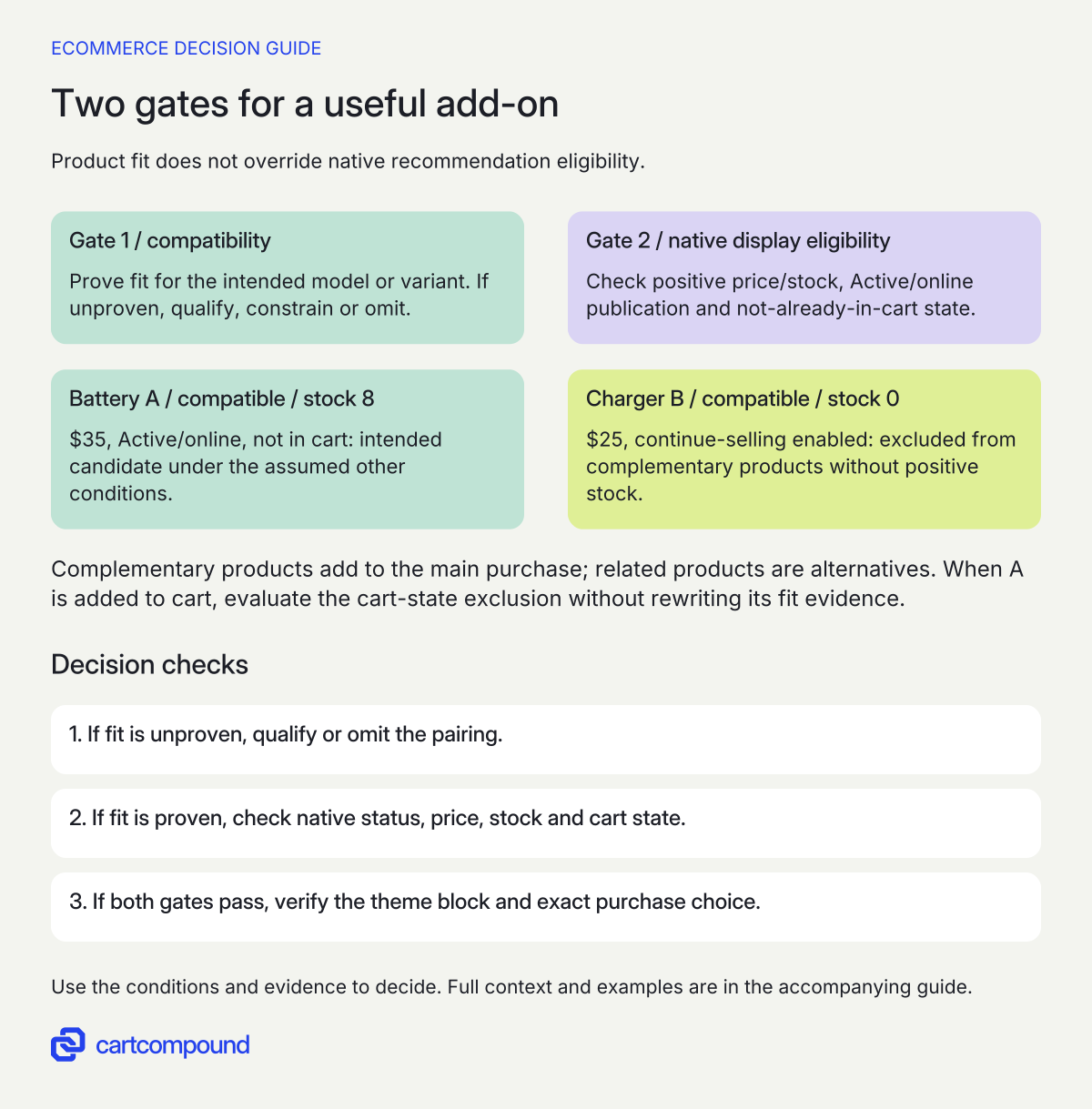
Shopify’s native recommendations require Active status, Online Store publication, price above zero, no Unlisted status, no gift card and no presence in the current visitor’s cart. Complementary products need stock above zero even with continue selling enabled; related products can use that continue-selling exception. Check the recommendation requirements.
Evaluate the two gates separately. A compatible product can fail display eligibility. An eligible product can be a poor or incompatible add-on. Changing stock settings to force a recommendation is not a compatibility fix, and adding an item manually in the app does not override every display rule.
| Gate | What to inspect | Appropriate decision |
|---|---|---|
| Fit | Approved model/variant compatibility evidence | Omit or qualify if unproven |
| Native eligibility | Status, channel, price, type, stock and current cart | Explain the specific exclusion |
| Configuration | Correct base product and manually selected accessory | Repair the mapping if wrong |
| Theme display | Assigned template, complementary block and visible count | Inspect actual output |
| Purchase route | Selected accessory variant and required inputs | Demonstrate the correct add-to-cart result |
Keep the visitor’s current cart in the reproduction. An accessory that vanished after it was added may be following the intended already-in-cart exclusion. Do not reintroduce it blindly just because a merchandising screenshot showed it earlier.
Pass compatibility and display eligibility separately
- Prove the intended fit. If model/variant compatibility is unproven, qualify, constrain or omit the pairing.
- Check the native eligibility state. Positive stock, price above zero, publication and not-already-in-cart status remain separate conditions.
- Verify the actual theme route. Complementary products are add-ons; related products are alternatives. Confirm the intended variant and accepted purchase choice.
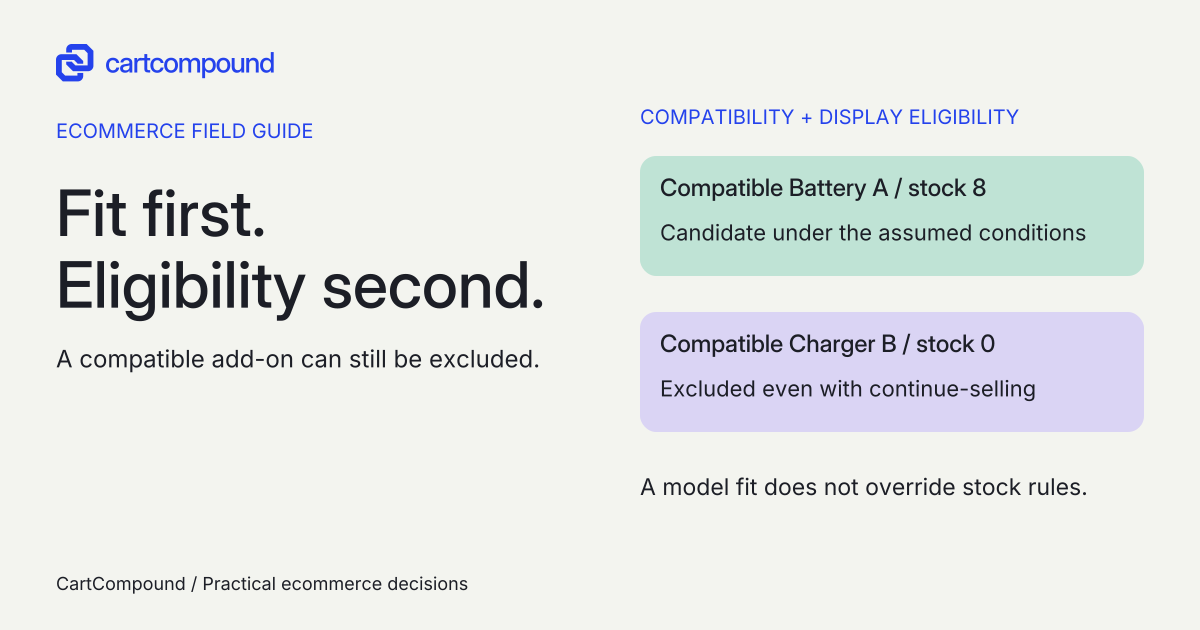
Illustrative example Compatible Battery A has stock 8 and is not in cart: a candidate under the stated assumptions. Compatible Charger B has stock 0 with continue-selling enabled: still excluded from complementary products.
After Battery A enters the cart, its recommendation exclusion changes. That does not invalidate its compatibility evidence.
Verify the block, template and intended display count
Search & Discovery allows up to ten manually selected complementary products and ten related products. The complementary block requires a compatible theme, and its display count/layout are theme settings. Generated related recommendations change and cannot be edited directly; manual recommendations are separate. Review selection and theme controls. A ten-product selection allowance is not a requirement to display ten cards.
Record the exact theme/version and product templates. Check whether the complementary block is actually present on the template assigned to the base product, and whether its chosen count leaves out lower-priority candidates. App preview and storefront output are different observations, especially for generated related products.
Prioritize a short useful set over filling every slot. Keep the main product purchase action clear and ensure long accessory names, prices and selection controls reflow on mobile. If an add-on needs size or capacity selection, show a supported way to make that choice rather than adding an arbitrary variant.
Shopify’s accessibility guidance covers keyboard controls, descriptive labels and communicated dynamic changes. Check accessible interaction guidance. Inspect the actual block’s controls and feedback. A decorative “Add” icon needs enough context for someone to know which product and variant will be added.
Demonstrate relevance and recovery before expanding the list
Use the actual approved compatibility sheet to compare the native block, a bounded theme change and a qualified recommendation app. Only add complexity when a necessary selection or governance requirement remains unsupported. Ask for a demonstration with your model variants and deliberately invalid pairings, not a showcase of unrelated demo products.
| Case | Required evidence |
|---|---|
| Main product variant changes | Accessory remains appropriate or the limitation is clear |
| Compatible accessory has zero stock and continue-selling | Complementary eligibility is handled correctly |
| Accessory is already in cart | Current cart state explains its absence |
| Accessory changes to zero price or Unlisted | Display follows the documented eligibility rule |
| Selected accessory is discontinued | Approved replacement or omission, never an unverified fallback |
| Theme uses another product template | Correct block and list appear where intended |
| Adding fails or needs another choice | Specific correction without a wrong variant or false success |
Save the base variant, candidate, cart state, source evidence, expected result and observed result. These scenarios have not been executed against a store. Do not write “tested compatible” on a product page merely because a designer added the relationship in Search & Discovery.
Get actual setup, content/evidence maintenance, app/usage and support costs. Include who reviews new product generations, changed suppliers and replacement parts. A small native list may be enough; a larger catalog may need a maintained content process before it needs a more elaborate recommendation engine.
Find whether the missing product failed fit, eligibility or display
| Observation | First check | Next action |
|---|---|---|
| Manually chosen accessory is absent | Native eligibility and visitor cart | Identify the actual exclusion before replacing the block |
| Zero stock but continue-selling is on | Complementary versus related intent | Do not apply the related-stock exception to add-ons |
| Alternative main products fill the add-on area | Related/complementary configuration | Restore the intended buyer task |
| Works for one variant, wrong for another | Compatibility evidence and selected variant | Narrow the mapping or require supported selection |
| App preview differs from storefront | Generated related behavior and theme output | Inspect the actual page and current settings |
| No safe add-on remains | Approved replacement evidence | Omit the offer rather than inventing fit |
Measure usefulness with actual task observations, wrong-accessory support/return reasons and purchasing context where available. A click or larger cart alone does not prove a better recommendation. Do not import a vendor’s order-value claim as your result.
Your next action is to qualify five candidate accessories for one product family, with a reason for every include, exclude or reroute. Complete the content/compatibility sheet, then ask the implementation owner to demonstrate the eligible result in the actual theme and cart states.
Hypothetical worked example
Fictional camera page: one accepted candidate and four other decisions
These camera/accessory facts and outcomes are illustrative inputs, not real product advice or store-test results. Assume the merchant has approved the specified model compatibility where stated. All candidates meet other native requirements unless the table names a failure.
| Candidate | Assumed inputs | Decision |
|---|---|---|
| Battery A | Compatible, $35, stock 8, Active/online, not in cart | Intended complementary candidate |
| Charger B | Compatible, $25, stock 0, continue-selling on | Exclude from complementary: no positive stock |
| Strap C | $0 price | Exclude: price is not above zero |
| Camera D | A substitute main product | Reroute to related-product evaluation |
| Battery E | Already in the visitor’s cart | Exclude from recommendations in that cart state |
Five candidates produce one intended add-on, three native-eligibility exclusions and one task reroute: 1 + 3 + 1 = 5. That is a qualification count, not a sales or conversion result. Battery A’s eight units exceed zero; Charger B’s zero does not, even with its assumed continue-selling setting.
The next proposed test is to add Battery A to the cart and revisit the base product. Its already-in-cart state should then be evaluated under the exclusion rule. Do not change the compatibility record merely because the expected recommendation disappeared.
Now select a second camera variant that is not covered by the merchant’s Battery A evidence. The intended decision is to resolve or clearly constrain that pairing, not to assume the same product-level relationship proves fit. If no safe add-on is available, the block can omit the offer. No replacement accessory or future stock date is invented.
Frequently asked questions
Should every product page show a full row of accessories?
No. Show the useful, approved set that fits the buying task. Empty slots do not justify unsafe or irrelevant pairings. Maintain the evidence and review replacements when products change.
Does a native recommendation prove the accessory fits every variant?
No. Preserve model/variant evidence and demonstrate the actual purchase path. The recommendation relation is not a substitute for a compatibility rule or required choice.
Why did an accessory disappear after a buyer added it?
The native requirement excludes items already in that visitor’s cart. Check the exact cart before treating the disappearance as a theme defect.
Sources and further reading
- Customize product recommendations with Shopify Search & Discovery
Source checked: October 31, 2026.
- Accessibility best practices for Shopify themes
Source checked: October 31, 2026.

About the author
Hamid Khan
Hamid co-founded CartCompound and works with ecommerce founders on their stores and growth priorities.
Profile and guides