Use a native Quick order list candidate when buyers need quantities across variants of one product on an eligible theme. A form for unrelated products, SKU search, or CSV input is a separate requirement. Choose it by its company-price context, output type, and recovery behavior, then test the complete order journey.
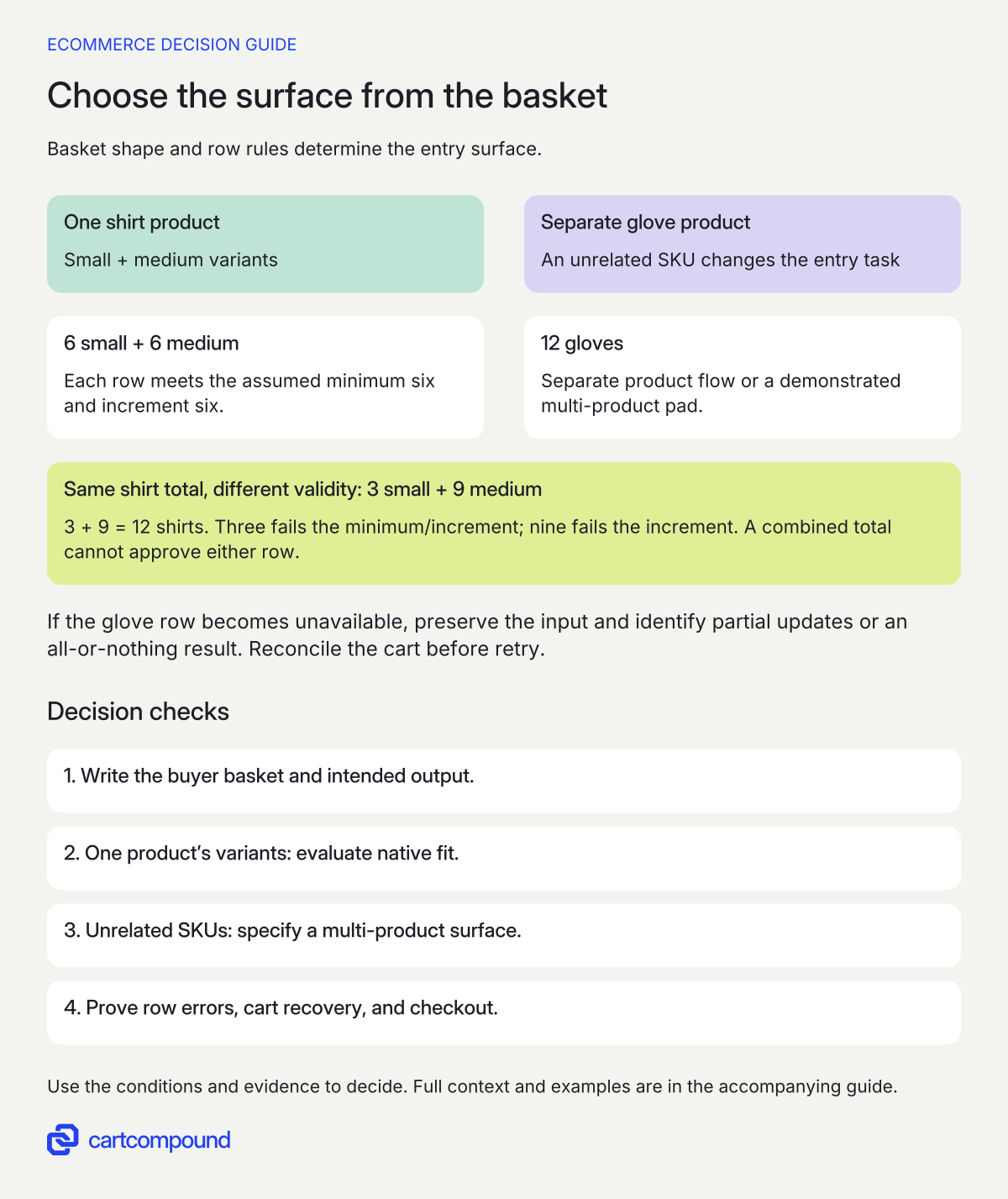
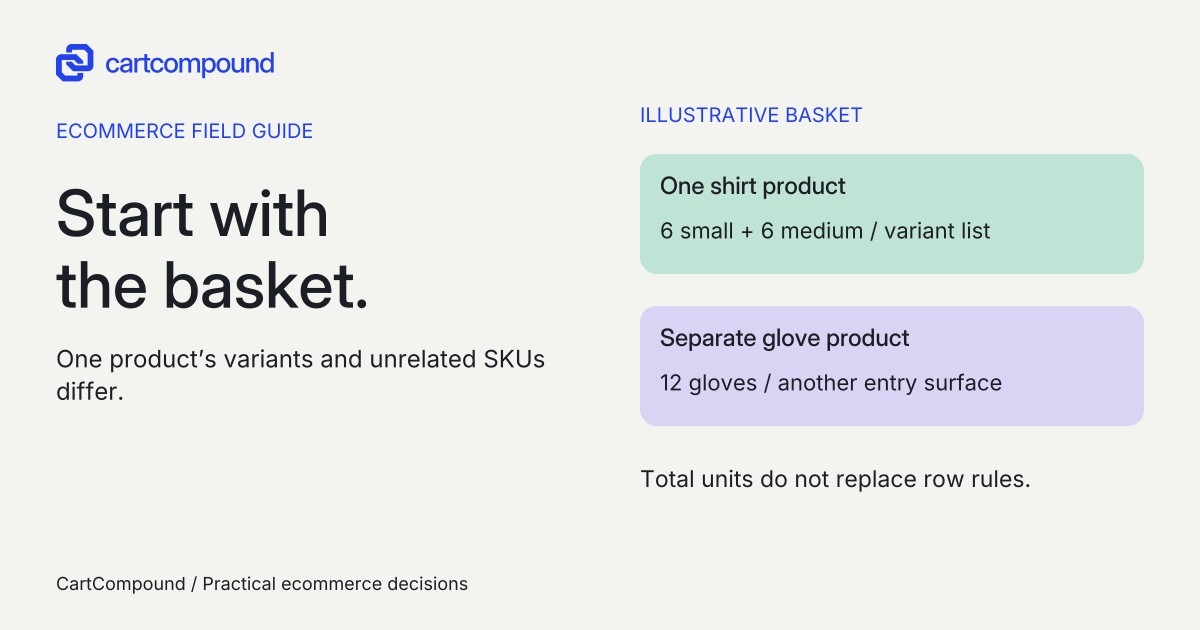
A buyer entering six small shirts, six medium shirts, and 12 pairs of gloves has two different interface needs: quantities across shirt variants and quantities across unrelated products. A product-page list may solve the first without solving the whole basket.
This guide covers the buyer entering a bulk purchase. Start by writing the basket and its destination: a cart for checkout, a draft order for staff handling, or a quote request. That distinction is more useful than a list of apps labeled wholesale.
Put it into practice
B2B catalog workbook
Specify who may see, buy, quote and approve, then test price precedence at the exact company and location.
Explore this resource1. Write the order before choosing its interface
Use three representative baskets: a frequent repeat order, a mixed product order, and one with an unavailable or invalid line. Record product and variant identifiers, buyer-facing SKU, quantity, company location, expected price, stock policy, and intended output. Avoid a demo filled with unrelated sample products that never exercises your actual buying pattern.
Ask whether buyers know their SKUs, recognize products visually, or need to inspect compatibility before ordering. SKU entry helps an experienced buyer with a parts list. It can make a first purchase harder when the buyer needs photographs, measurements, or product information. The appropriate surface follows that task.
| Buyer task | Candidate to investigate | Evidence needed |
|---|---|---|
| Many sizes of one product | Native product-page Quick order list | Theme/version, per-variant quantities, correct cart result |
| Many unrelated known SKUs | Multi-product order pad or app/custom form | Identifier search, company context, per-row validation and output type |
| Repeat a previous basket | Account reorder journey | Current availability, current prices and corrected quantities |
| Choose a few unfamiliar products | Ordinary product pages and cart | Product understanding and no unnecessary bulk-entry complexity |
I recommend retaining a normal product route unless the bulk surface adds a clear advantage for the defined basket. A special form becomes another interface your team must maintain and buyers must learn.
2. Check native theme fit without expanding its promise
As checked on October 31, 2026, Shopify documents Quick order list on the Products template of free Shopify themes, version 11.0.0 or later, for quantities across product variants. That product scope is not evidence of a catalog-wide order pad with unrelated SKU search or CSV entry. Read the native editor workflow and the theme compatibility considerations.
Record the installed theme name, version, editor, product template, and custom changes. In a copy or approved preview, check whether the section exists and appears for the intended product and buyer. Third-party or heavily customized themes need their own compatibility evidence.
The native feature and contextual placement have different eligibility. Shopify lists Quick order list on Basic, Grow, Advanced, and Plus, while contextual storefront customization through Markets requires Advanced or Plus. Check the separate plan features. “B2B-only section” needs a placement decision as well as feature availability.
If the current theme cannot use the editor route, compare a compatible update with bounded development. Shopify’s code alternative is an advanced tutorial and advises making a duplicate first. Review that route before commissioning it. Include update risk, maintained code, and acceptance work in the quote; copying a tutorial does not establish a working implementation.
Choose the entry surface from the basket
- Separate variant entry from multiple products. A list of one product’s variants is not automatically a form for unrelated SKUs.
- Validate each row. Minimums and increments apply to the relevant variant, not only the basket total.
- Specify the output and recovery. For a combined form, prove unavailable rows, preserved input, cart reconciliation and checkout before accepting it.
Illustrative example 6 small + 6 medium shirts fit a one-product variant-list candidate. Adding 12 gloves needs another product flow or a multi-product pad. Changing shirts to 3 small + 9 medium still totals 12, but fails the assumed six-unit row rules.
3. Ask what a multi-product form actually creates
Use the same completed basket when comparing vendor demos. Require the supplier to show the output, not just an editable grid. A cart, draft order, and quote have different next actions. Name the person responsible for converting or approving the result and what the buyer sees while waiting.
Write an output contract with these fields: selected company location, product/variant identifiers, quantity units, price authority, currency, availability decision, resulting cart/draft/quote identifier, and buyer confirmation. If prices need approval rather than immediate checkout, specify that openly.
For SKU search, define exact matches, ambiguous matches, unavailable products, and products the buyer is not entitled to order. For CSV input, require a documented template, accepted encoding, header rules, maximum rows, identifier matching, and a preview that explains every rejected row. These are procurement requirements to demonstrate, not capabilities assumed for every app.
Do not let a CSV input become an alternative price authority. If the buyer supplies a price column, decide whether to reject it, ignore it with an explanation, or route it as a quote request. The accepted order must use the intended commercial process.
4. Make each row’s quantity rule understandable
Shopify B2B minimums, maximums, and increments apply per variant. Volume-price eligibility also depends on the quantity of each variant. A buyer cannot combine different sizes to satisfy an individual size’s rule. Check the quantity rules. Display the applicable minimum and increment before entry rather than waiting for checkout to explain a failure.
Give invalid rows specific messages: “Enter six or another multiple of six for small blue shirts” identifies both the item and correction. Retain the buyer’s entered values so they can fix one row without rebuilding the basket. Show units clearly when the quantity means cases rather than individual pieces.
Specify zero, blank, negative, decimal, minimum, maximum, and just-outside-boundary cases. If the buyer already has a quantity in the cart, state whether the form replaces that quantity or adds to it. An input of six must not ambiguously mean six additional units or six in total.
For stock changes, choose the response the business can support: block the affected row, offer an explicit permitted adjustment, or move the request into a clearly identified quote/backorder process. Never silently substitute a variant or round a quantity to a different purchasing commitment.
5. Define partial success before it happens
A mixed basket can contain both valid and invalid lines. Ask whether the candidate submits everything together, updates valid rows only, or stops before any cart change. Any of these needs clear communication and a demonstrated recovery path. A single generic error above the grid leaves the buyer unable to tell whether anything was added.
| Case | Expected evidence |
|---|---|
| One invalid variant among valid rows | The failed row is named; successful changes and untouched rows are distinguishable |
| Connection times out after submission | Buyer can reconcile the actual cart before retrying |
| Buyer presses submit twice | Final quantities match the agreed add-versus-replace behavior |
| One SKU is unavailable or ambiguous | No silent substitution; entered values and corrective action remain visible |
| Buyer changes company location | Prices, availability, rules and final output use the newly selected context |
Write the retry instruction as part of the requirement. For an uncertain response, “Check the cart before trying again” is safer than assuming nothing happened. The implementation still needs a reliable way to reconcile quantities and prevent accidental duplicate additions.
Keep support evidence small and useful: affected row, public SKU or internal variant reference, selected company context, time, visible error, and output reference if created. Avoid asking buyers to send sensitive account details or complete customer exports to explain an order-entry problem.
6. Compare candidates through checkout and recovery
Use a candidate matrix with native/theme, named app, and custom-work columns. Mark each mandatory case demonstrated, failed, or not yet observed. An app description can justify a demo request, but it cannot fill the observed-result column.
Run the representative basket at product entry, cart, and checkout. Check exact variants, quantities, company prices, currency, and stock handling at each stage. Include an existing cart, a quantity-price break, a different authorized company location, and an unauthorized/logged-out entry. The interface should not promise a result that the next surface rejects.
At mobile sizes, keep the product identity, quantity, rule, and error together. Test keyboard movement, visible focus, row labels, error announcement, and return to the affected field. A wide desktop grid that merely shrinks is not an acceptable mobile ordering experience.
If a native section disappears in one market, inspect product-template assignment and override inheritance. Shopify notes that default sections are not automatically added where a market has custom section ordering. Check market section inheritance. If an app sends unexpected lines, compare identifiers and the output contract before changing prices.
Approve a route when it demonstrates every mandatory basket and recovery case, with the subscription, maintenance owner, data access, and removal consequences documented. Your next action is to send one realistic mixed basket and this acceptance matrix to the supplier. That provides a much stronger basis for a quote than “we need a wholesale app.”
Hypothetical worked example
Worked example: shirts fit the variant list, gloves change the task
All products, rules, and outcomes here are fictional teaching inputs. A workwear buyer wants six small blue shirts, six medium blue shirts, and 12 large gloves. Small and medium are variants of one shirt product; gloves are a separate product. Each shirt variant has minimum six and increment six. Gloves have an assumed valid quantity of 12.
| Line | Requested quantity | Decision |
|---|---|---|
| Small blue shirt | 6 | Evaluate alongside medium in a product variant list |
| Medium blue shirt | 6 | Same product-page task |
| Large gloves | 12 | Separate product flow or multi-product pad needed for one combined entry surface |
The basket totals 6 + 6 + 12 = 24 units. The two shirt rows each satisfy their assumed rules. The native candidate can be evaluated for the shirt task; it does not establish one-screen entry of the entire basket.
Change shirts to three small and nine medium. The total remains 3 + 9 = 12 shirts, but three fails the six-unit minimum and increment, and nine fails the six-unit increment. Validating the combined total would be wrong.
For a proposed multi-product form, specify one further unexecuted test: the glove row becomes unavailable before submission. If the candidate updates valid rows, it must identify the shirt changes and glove failure, preserve the input, and reconcile the cart before a retry. If it stops all changes instead, it must make that result equally clear. Neither behavior is claimed tested here.
Frequently asked questions
Is bulk ordering the same as importing orders in Shopify admin?
No. Here the buyer enters a purchase through the storefront or account journey. Staff importing or processing existing orders is a different workflow with different permissions and reconciliation requirements.
Do we need a catalog-wide form for every wholesale buyer?
No. A product variant list may suit a size run, and a normal product page or account reorder journey may suit a small or familiar basket. Use observed buyer tasks and acceptance results to justify a more complex surface.
Does an app automatically preserve native B2B prices and quantities?
Do not assume that. Require a demonstration using the correct company location, variants, quantity rules, and checkout path. Include a price break and a deliberately invalid row so a superficial demo cannot pass accidentally.
Sources and further reading
- Adding the Quick order list section to your theme code
Source checked: October 31, 2026.
- Customizing your theme for specific markets or Shopify B2B
Source checked: October 31, 2026.
- Shopify B2B features by plan
Source checked: October 31, 2026.
- Setting up quantity rules and volume pricing in B2B
Source checked: October 31, 2026.

About the author
Hamid Khan
Hamid co-founded CartCompound and works with ecommerce founders on their stores and growth priorities.
Profile and guides