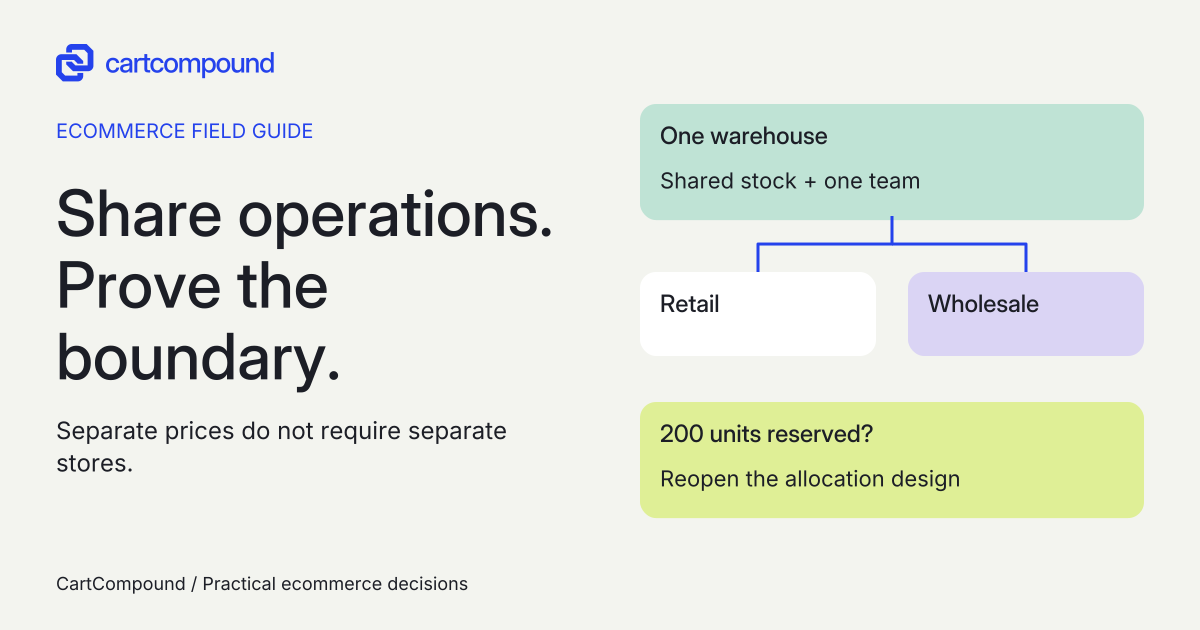
Investigate a blended store when B2B and D2C share products, inventory, and operators. Investigate a dedicated store when separate stock, administration, or a distinct storefront is mandatory. Different wholesale prices alone do not establish a need for a second store.
A wholesale price list is a pricing requirement. Reserved wholesale inventory is an operating requirement. Treating both as reasons for a second storefront can leave you paying for separation you do not need, or approving a shared store that cannot support your stock policy.
I recommend making this decision with an operating-boundary sheet: what is shared, what must be separate, who controls each part, and which unresolved requirement can stop the build. The useful output is a structure decision your warehouse, sales team, and developer can all interpret.
Put it into practice
B2B catalog workbook
Specify who may see, buy, quote and approve, then test price precedence at the exact company and location.
Explore this resource1. Identify the requirement that can rule a structure out
Start with six inputs: shared SKUs, stock ownership and allocation, staff responsibilities, current plan and market design, connected systems, and public discovery needs. For each requirement, write mandatory or preferred. A preference can be traded against cost. A mandatory requirement needs a demonstrated solution before approval.
Replace broad statements with observable behavior. “Wholesale is different” does not tell a developer what to separate. “Retail orders must never consume the 200 units reserved for trade customers” does. Name the system that owns that reservation and the person allowed to release it.
| Requirement | Evidence to collect | Decision consequence |
|---|---|---|
| Stock reservation | Allocation rule, stock owner, replenishment and release process | A shared pool cannot be accepted as a native buyer-type reservation. |
| Separate administration | Who needs access to which orders, products and settings | Determine whether separation is mandatory or permissions and procedures are sufficient. |
| Different prices or product ranges | Company-location and product examples | Investigate catalog segmentation before adding a store. |
| Trade-only experience | Public versus private pages and applicant entry route | Separate visual presentation from access and onboarding requirements. |
Choose the hardest row first. A beautiful B2B homepage cannot compensate for a mandatory stock rule that the proposed architecture has not solved.
2. Draw the stock and system boundary
Shopify documents a blended store as one admin with shared stock, without inventory allocation by customer type. A dedicated store has a separate admin and inventory, and its integrations need reconfiguration. Read the store-type comparison.
Draw a line from the inventory authority to each storefront and order destination. Label every connection with its owner, sync direction, identifier, and failure response. “ERP connected” is insufficient: identify whether it controls available stock, prices, fulfillment, company records, or several of these.
If a warehouse serves two stores, separate store inventory does not itself design the warehouse allocation process. Require a written answer for simultaneous orders, transfers, oversells, cancellations, and sync delays. If an outside system is proposed to allocate shared stock, treat that as a separate dependency to demonstrate, with its own support owner.
I would keep a stock reservation requirement open until the person responsible for inventory can explain what happens during a failed sync. Entering an assumed app capability as “solved” only moves the decision into launch week.
Choose the boundary from shared operations
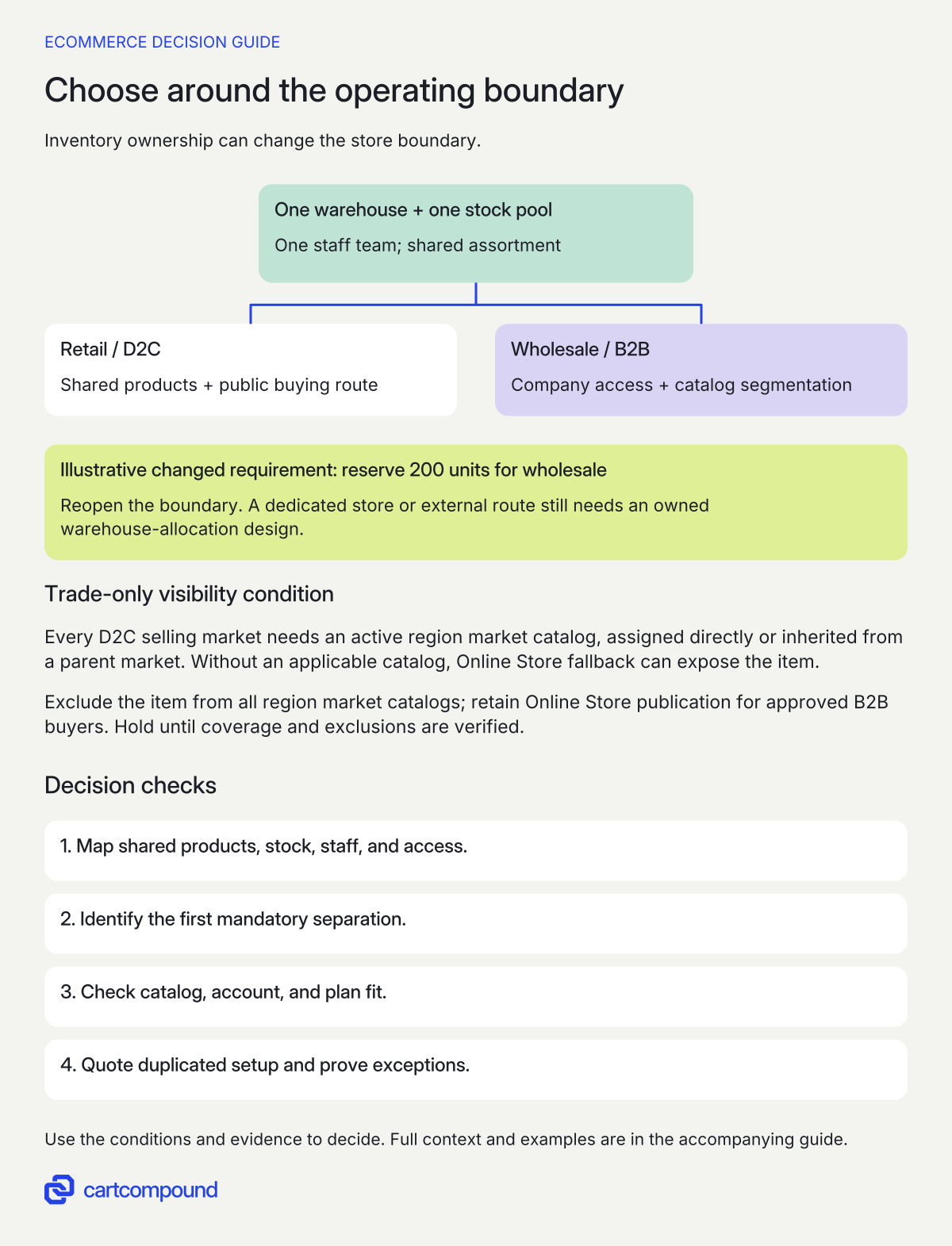
- Map what is shared. Identify products, stock, staff and access. Different prices alone do not require a second store.
- Find the mandatory separation. A dedicated store or external solution still needs a demonstrated stock-allocation design.
- Prove trade-only visibility. Every D2C selling market needs an active region market catalog, assigned directly or inherited from a parent market. Without one, Online Store fallback can expose the product. Exclude it from all region catalogs; retain Online Store publication for approved B2B buyers. Hold until coverage and exclusions are verified.
- Then confirm the operating route. Check plan, accounts, integration ownership, duplicated setup and recovery before approval.
Illustrative example Shared stock and one team support investigating blended. Requiring 200 units reserved for wholesale reopens the decision; company pricing does not create that allocation.
3. Separate price segmentation from a second store
Catalogs can define B2B product access and prices inside the same store. In a blended store, merely adding an item to a B2B catalog does not make it trade-only. First verify that every D2C market where you sell has an active region market catalog, assigned directly or inherited from a parent market. Without an applicable region market catalog, that market falls back to products published to Online Store and can expose the trade-only item. Then include the item in the appropriate B2B catalogs, exclude it from all region market catalogs, and keep it published to Online Store so approved B2B buyers can browse it after login. Hold approval of the trade-only setup until this coverage and the exclusions are verified in every D2C selling market. Check the current catalog and availability rules.
List the products that are shared, wholesale-only, retail-only, or packaged differently. A case pack sold as a separate product needs a deliberate stock and fulfillment mapping. Do not assume that two product records automatically consume a common underlying stock component correctly.
Record what a logged-out visitor, D2C customer, and approved company buyer should see for the same product URL. If prices are private, add a separate data-access review. Hiding a price label is not proof that the information is protected across every data surface.
Check plan fit independently of store type. As checked on October 31, 2026, native B2B is available on Basic, Grow, Advanced, and Plus, excluding Starter and Retail. Contextual storefront and checkout customization through Markets requires Advanced or Plus. Read the plan-specific feature list. Choosing dedicated does not remove the need to verify the exact capability.
For B2B/D2C content changes through the native theme editor, Shopify’s store-type guidance also scopes the free-theme route to version 11.0 or later. Older or custom themes need their own implementation review. Check the theme-specific scope. Put the installed theme and version in the brief rather than approving the design from plan eligibility alone.
4. Map entry, sign-in, and approval before gating
B2B uses customer accounts. A blended store can keep legacy accounts for D2C; if both audiences use customer accounts, they share the login page. Check account behavior by store type. Decide whether the business needs different account presentation, different access, or both.
A fully gated dedicated storefront cannot expose the public Shopify Forms company-request journey to applicants who cannot enter. Plan the public application route before selecting the gate. The request feature creates a new company, location, and customer; it does not add a colleague to an existing company. Read company-request scope and the gated-store limitation.
Write four acceptance scenarios: a new applicant finds the entry route; a pending applicant receives no unapproved buying access; an approved buyer reaches the intended company location; and an existing company can follow its separately defined add-user process. Define who approves access and how support handles a buyer assigned to the wrong location. Do not use a successful login as proof of correct commercial access.
5. Quote the work that a second store adds
For every app and integration, record installed store, data scope, subscription basis, credentials owner, configuration owner, support terms, and removal consequences. Ask each supplier whether a second installation, license, connector endpoint, or separate configuration is needed. Keep an unanswered quote line marked unknown rather than zero.
| Work item | Blended proposal must specify | Dedicated proposal must specify |
|---|---|---|
| Product and price maintenance | Segmentation, exclusions and update authority | Data ownership and synchronization between stores |
| Warehouse connection | One-store routing and exception handling | Two-store routing, allocation and reconciliation |
| Storefront and accounts | Shared surfaces and audience-specific changes | Separate theme, account setup and applicant route |
| Operations | Permissions, reporting and staff instructions | Separate settings, reporting and staff instructions |
| Release and recovery | Changed settings, rollback and support owner | Both affected stores, connector recovery and support owner |
Compare actual setup charges, recurring licenses, implementation work, maintenance, operator time, and the cost of recovering a failed update over the same planning period. Store count alone does not produce a reliable project price. Require currency, taxes, contract term, exclusions, and who maintains custom work.
6. Approve the boundary with observable buyer and staff tasks
Before build approval, retain the operating map, chosen route, rejected alternative, unresolved exceptions, and an owner for each dependency. A useful decision sentence is: “Investigate blended because stock and operators are shared; hold approval until trade-only visibility and case-pack stock mapping are demonstrated.” It states both the direction and what can change it.
For acceptance, run the logged-out, D2C, approved-company, and pending-company scenarios with representative shared and exclusive products. Include order routing, inventory changes, cancellation, staff access, and a failed connector update. Record expected and observed behavior against the exact candidate configuration.
If a wholesale product leaks publicly, inspect catalog and D2C market exclusions. If a buyer cannot apply, inspect the gate and public entry path. If stock is consumed by the wrong audience, reopen the allocation design instead of adjusting the storefront label. If two stores create repeated manual updates, inspect the ownership and integration assumptions in the quote.
Changing structure later is significant: Shopify says most company, catalog, and storefront setup must be redone. Review the switching warning. Save the migration and recovery owner now, while the work can still be scoped. Your next step is to fill the stock row and the applicant-entry row. Those two answers usually make the remaining comparison much more concrete.
Hypothetical worked example
Worked example: shared parts inventory, then a changed reservation rule
Fictional teaching example, not a tested store. A spare-parts seller lists 80 products shared by retail and trade, plus six wholesale-only case-pack products. One warehouse and the same staff serve both channels. Trade prices and approval are required, but stock does not need to be reserved by audience.
| Requirement | Base case decision | Changed assumption |
|---|---|---|
| 80 shared products | Investigate one maintained product set and shared stock | Unchanged |
| 6 wholesale-only case packs | Specify B2B inclusion, D2C exclusion and stock-component mapping | Unchanged |
| One warehouse and stock pool | Blended remains a candidate | Warehouse must reserve 200 units for wholesale |
| Trade pricing and approval | Specify catalogs and company access | Still not a stock allocation mechanism |
The product requirement count is 80 + 6 = 86. That count describes the assortment, not an integration count or a predicted cost. The base case supports investigating blended, conditional on visibility and case-pack mapping. No configuration has passed acceptance in this example.
Now make the 200-unit wholesale reservation mandatory. The previous shared-stock assumption is no longer acceptable. Reopen the decision: evaluate a dedicated store with a defined warehouse allocation process, or an explicitly scoped external allocation solution. The current proposal cannot be approved by claiming blended stock is natively reserved by customer type.
Frequently asked questions
Does wholesale pricing require a separate Shopify store?
No. Catalogs provide product and price segmentation within a blended store. Decide separately whether stock, administration, access, and the required storefront experience need separation. See catalog scope.
Can we separate the storefront without duplicating every connected system?
A dedicated store requires integration reconfiguration. Ask each vendor which data, setup, license, and support work can be shared. Reusing an ERP does not establish that the second-store connection is already configured. See dedicated-store responsibilities.
When should we revisit an earlier blended decision?
Revisit it when a mandatory assumption changes: stock must be ring-fenced, teams need separate administration, or required buyer tasks fail the agreed implementation. Record the trigger and its operational evidence before commissioning a migration.
Sources and further reading
- Choosing a store type for your B2B business on Shopify
Source checked: October 31, 2026.
- Shopify B2B features by plan
Source checked: October 31, 2026.
- Customizing B2B pricing using catalogs
Source checked: October 31, 2026.
- Allowing new B2B customers to request access to your store
Source checked: October 31, 2026.

About the author
Hamid Khan
Hamid co-founded CartCompound and works with ecommerce founders on their stores and growth priorities.
Profile and guides