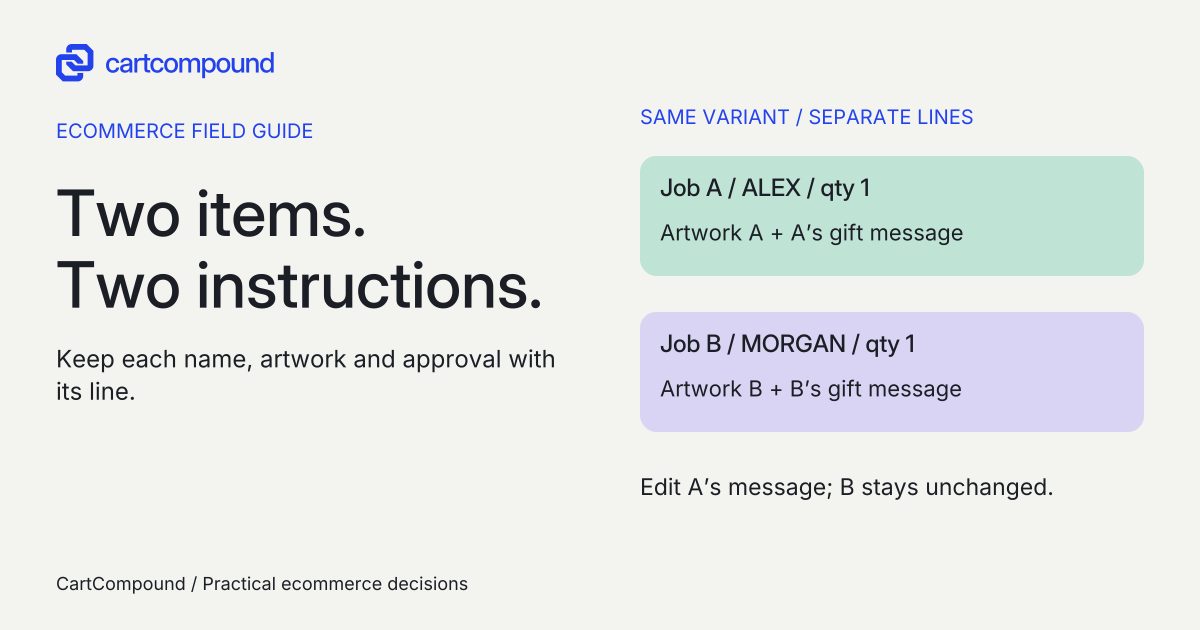
Capture personalization for the purchased line, show it back to the buyer and verify that the same text, file reference and approval state reach production. Two copies of one variant with different instructions need a data model that keeps those instructions distinct.
An order for two identical tumblers can contain two different jobs: engrave ALEX on one and MORGAN on the other. A quantity of two with one ambiguous note leaves production guessing even when payment succeeds.
I recommend defining the production fields and failure response before adding inputs to the product page. This guide focuses on preserving each item’s instructions through purchase and fulfillment. Dependent manufacturing rules and advanced configuration belong in a separate configurator brief.
Put it into practice
Theme change and launch QA pack
Preserve behavior through a theme change, compare expected and observed results, and plan recovery across shared dependencies.
Explore this resourceStart with a field dictionary production can approve
Ask the maker what must be known before work can start: exact text, placement, typeface or treatment, artwork reference, quantity, proof requirement and approval owner. Record which fields are required and which are optional. Do not collect a telephone number or extra personal information just because a form builder offers the field.
| Field | Definition to agree | Failure response |
|---|---|---|
| Engraving | Allowed characters, case, length and line breaks | Retain input; explain the exact correction |
| Artwork | Formats, quality criteria, storage and access | Keep the job pending if the upload or review fails |
| Placement | Named area tied to product/variant | Ask for a choice; do not infer from a mockup |
| Proof approval | Approver, version and recorded state | Hold production until the agreed release condition |
| Production reference | Stable order-line mapping in your workflow | Resolve an unmatched job before work starts |
These are merchant policies, not universal Shopify limits. Have production confirm character counting, accents, emoji, whitespace and intentional line breaks. Set actual file size/type and image-quality rules from the selected implementation and maker’s requirements. This guide does not claim a platform-wide upload limit or retention period.
Use line-level information for line-level work
Shopify product forms can collect supplementary line item properties, including engraving text and file input. See the official product form documentation. A property describes the purchased item; a selected variant and supported pricing route still need to represent what is sold and charged.
Use a variant for a stocked size, finish or capacity when it identifies the actual sellable item. Use a line property for the customer’s requested text. If personalization carries a fee, specify an explicit supported charge architecture and check its removal/edit behavior. Do not assume a field labeled “paid engraving” collects money.
Cart notes and attributes apply at cart/order level, while line properties accompany an item. Review the cart template’s separate data roles. I would keep per-item instructions off a general order note unless there is a deliberately specified mapping that production can follow without guessing.
Different properties can keep identical variants as separate cart lines, as Shopify’s cart guide explains. That is useful for two names on two tumblers. It does not prove that every drawer, reorder action or fulfillment connector preserves those properties. Check separate-line behavior.
Keep every production instruction with its purchased line
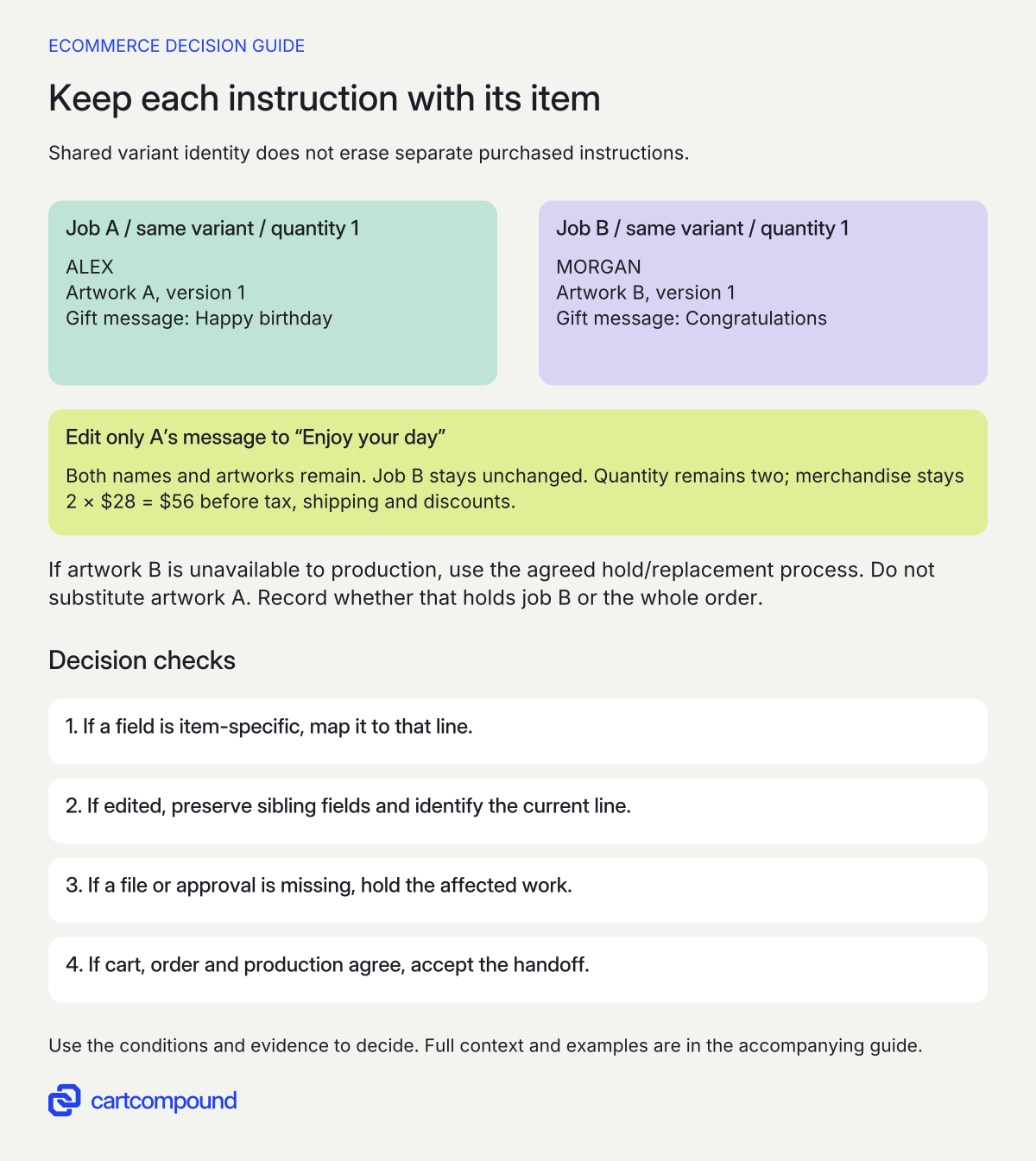
- Map item-specific fields to the line. Two units of one variant can still need distinct names, files and approval states.
- Edit the current line precisely. Preserve sibling fields and the other line’s instructions when changing one message.
- Hold missing artwork or approval. Do not reuse another job’s file as a fallback. Accept the handoff only when cart, order and production agree.
Illustrative example ALEX and artwork A belong to job A; MORGAN and artwork B belong to job B, each quantity one. Editing A’s gift message must leave both names and artworks intact. The assumed merchandise remains 2 × $28 = $56 before tax, shipping and discounts.
Let buyers inspect the exact accepted input
Label a field “Engraving text” rather than “Customization.” Show an example without making it look pre-entered. State whether capitalization and line breaks are reproduced exactly, and whether a proof follows. If the preview changes case or crops an image, explain whether that change also applies to the manufactured item.
Before purchase, show the accepted text and a useful file label beside the relevant item. Offer a clear correction route. A successful upload message needs a resulting reference; a spinner or local filename alone is not enough evidence that production can retrieve the file.
Specify empty, overlong, unsupported-character and failed-upload states. Keep valid input after an error, identify the affected field and show the next action. Use actual mobile and keyboard checks, including a long filename and multiline text. Shopify’s accessibility guidance calls for labeled inputs, clear errors and communicated dynamic changes. Read the theme accessibility guidance.
Protect the right line when buyers edit a cart
The Cart Ajax API allows multiple lines with the same variant ID and recommends identifying the intended line by its key. Keys can change when properties or discounts change. It also replaces the entire properties object when a properties update is sent. Read the cart identity and properties warnings.
Your developer should design edits from the current cart state and preserve every required sibling value. Changing the gift message must not erase the engraving or artwork reference. This is a requirement to demonstrate, not an untested code recipe.
| Action | What must remain true |
|---|---|
| Add ALEX, then MORGAN on the same variant | Two distinguishable jobs and the intended total quantity |
| Edit ALEX’s message | MORGAN stays unchanged; ALEX’s artwork/text remain |
| Increase ALEX quantity | Buyer understands whether every additional unit repeats ALEX |
| Remove one line, then edit the remaining line | The correct current line changes |
| Reorder an old personalized item | Old text and file availability are reviewed before acceptance |
If the business supports several names in one quantity line, require an explicit per-unit schema and production output. Do not label an unstructured comma-separated note as a proven multi-unit model. A simple separate-line approach is often easier to review when each unit needs distinct work.
Treat file persistence and customer data as explicit dependencies
A field that captures a file is only the start of the chain. Agree where the uploaded original lives, which reference is saved, who can open it, when access expires, and how deletion or replacement is handled. Ask the chosen supplier to demonstrate access from the production user’s actual role after checkout and after any expected processing delay.
Define accepted, uploading, failed, review-required, rejected and approved states. Do not release a job because a customer clicked upload if the file transfer failed or the maker has not approved required artwork. Keep a replacement file tied to a version so an older downloaded proof cannot silently authorize new production.
Underscore-prefixed line properties are hidden at checkout but remain available through Liquid/Ajax and visible in admin; storefront hiding also needs theme handling. Check private-property scope. Treat that as display behavior. Use a separately approved storage/access model for sensitive files rather than assuming an underscore protects them.
Collect only necessary text and artwork, and tell buyers how it will be used and retained under the actual store policy. Keep credentials and real artwork out of general QA sheets. Use synthetic samples for checks, and have the responsible owner approve access and retention choices. No particular vendor’s storage behavior is assumed here.
Trace the accepted instruction to the actual production output
Create a field map with product page input, cart display, order field, connector field, production document and approval condition columns. Ask the fulfillment owner to locate the exact text and open the correct artwork from the received job. Seeing it in Shopify admin alone does not validate the connector.
Define what happens when the connector drops a field, the file cannot be opened, approval is missing or the buyer changes instructions after payment. Assign a person to hold and resolve the job. Set the actual approved lead-time rule around artwork acceptance if that is how the business operates; do not invent a production deadline.
Compare a small theme customization, a named personalization app and a custom production integration against this same chain. A basic field may fit straightforward engraving; proofs, file handling and production queues can add requirements. Require a demonstrated fit rather than choosing by a live-preview feature alone.
Get real setup, subscription/usage, storage, integration, support and migration terms. Include the operator time needed to review proofs and resolve exceptions. Record what happens to existing file references if an app is removed. Do not assume a free input field makes the complete production workflow free.
Use missing-data symptoms to choose the next check
| Symptom | Inspect first | Required evidence |
|---|---|---|
| Wrong name is edited | Current line identity and mapping | Only the intended line changed |
| Artwork disappears after a message edit | Properties before and after update | All required values survive |
| Admin shows the text but maker does not | Connector mapping and job template | Received production record includes the value |
| Old upload is unavailable on reorder | Storage/access/retention and fresh approval | Buyer can replace or reconfirm before acceptance |
| Quick add places a blank personalized order | Alternate entry point and required-field handling | Route collects or explicitly blocks missing instructions |
These checks are recommendations and have not been executed against a store. Include the main product form, drawer, cart page, quick add, sticky purchase bar, accelerated checkout and repeat-order entry where used. Either collect the required information on a supported route or direct the buyer to one that does.
The release criterion is specific: buyer review, accepted order and production job agree on the same line’s instructions, and every missing-data case has a clear hold or recovery action. Your next step is to complete two differently personalized copies of one SKU in the QA worksheet and ask the supplier to demonstrate that exact order.
Hypothetical worked example
Two tumblers, two names, one changed message
This is a fictional acceptance specification, not a tested order. One tumbler variant costs an assumed $28 including engraving. The merchant’s fictional limit is 15 characters, counting the accepted letters in these simple names. The buyer requests quantity 1 with ALEX and quantity 1 with MORGAN. ALEX has 4 letters and MORGAN has 6, so both meet that assumed policy. Total units are 1 + 1 = 2 and the assumed merchandise amount is 2 × $28 = $56 before shipping, tax and discounts.
| Job | Engraving | Artwork reference | Gift message |
|---|---|---|---|
| A, same tumbler variant, qty 1 | ALEX | Synthetic artwork A, version 1 | Happy birthday |
| B, same tumbler variant, qty 1 | MORGAN | Synthetic artwork B, version 1 | Congratulations |
The buyer changes only job A’s gift message to “Enjoy your day.” Expected result: ALEX remains, artwork A remains, MORGAN and artwork B remain unchanged, quantity stays 2 and merchandise stays $56. A review screen should show those accepted results, and production should receive two correctly mapped jobs.
A single quantity-2 line with only “ALEX” would instead describe two ALEX units under a simple shared-property model. If the supplier proposes another model, it must show an explicit allocation of the two names to the two units.
Run one further proposed failure case: artwork B is unavailable to the production user. Job B must follow the agreed hold/replacement process; job A’s artwork must not be reused as a fallback. Whether the business holds the whole order or only job B is an operational decision to record before launch.
Frequently asked questions
Can a buyer upload a logo and immediately receive a guaranteed print result?
Only make a production promise supported by your actual review process. Define quality, permitted content, placement and proof requirements with the maker. Successful file transfer does not establish printable quality or rights to reproduce the artwork.
Should personalized products automatically have a no-returns policy?
Use the store’s approved policy and applicable market review. Capturing personalization does not authorize changing return terms. Show the relevant terms before purchase, and preserve the accepted instructions for resolving a dispute.
Can a previous personalization be reused on reorder?
Require an explicit review of the text, current product and accessible file version. A stored name or URL does not prove the original artwork remains available or appropriate. Specify recovery when a file has expired or been deleted.
Sources and further reading
- product template
Source checked: October 31, 2026.
- cart template
Source checked: October 31, 2026.
- Cart API reference
Source checked: October 31, 2026.
- Accessibility best practices for Shopify themes
Source checked: October 31, 2026.

About the author
Hamid Khan
Hamid co-founded CartCompound and works with ecommerce founders on their stores and growth priorities.
Profile and guides