Treat pickup as a location-based promise. Check the full basket, country, stock and eligible transfers, then verify the checkout estimate and staff readiness process. Product-page availability is an early signal, not proof that a complete order is ready to collect.
A tray can show pickup availability while a basket containing two mugs and that tray cannot be filled from the same store. A transfer may make the basket eligible, but it does not mean the transferred mug has arrived or the order has been set aside.
I recommend tracing one realistic basket from product availability through checkout, transfer, preparation and collection before advertising pickup. Keep the native admin workflow, POS entitlement and optional custom or mixed-method features separate. This guide is an acceptance specification, not a tested store setup.
Put it into practice
Theme change and launch QA pack
Preserve behavior through a theme change, compare expected and observed results, and plan recovery across shared dependencies.
Explore this resourceMap the promise to a physical pickup location
Collect the actual product variants and stock by location, online-order fulfillment settings, pickup-enabled locations/countries, transfer sources/exclusions, theme/version, checkout feature state and operating surface. Add approved processing estimates, collection instructions, opening information and staff owners.
The native admin setup requires an online-order-fulfilling location and current checkout; each pickup location is configured separately. Plus is required for replacing the native feature with a custom app, not for every native pickup setup. Read native requirements and custom-app scope.
| Area | Decision to confirm |
|---|---|
| Basket | Exact physical variants and quantities |
| Location | Enabled pickup site, country and online fulfillment |
| Stock | Current availability at that site, not a global count |
| Transfer | Permitted sources, excluded collections and processing estimate |
| Customer promise | Checkout estimate and approved instructions |
| Operations | Who prepares, sends readiness and records collection |
| Implementation | Actual theme/checkout and admin or POS workflow |
Use the merchant’s supported estimate rather than choosing a universal pickup time. Include receiving, finding stock, checking items, packing and customer handoff in the operating review. A short estimate is not useful if staff cannot meet it consistently.
Check the complete basket in the same customer context
By default, native pickup requires the entire order in stock at the pickup location. Configured transfers can supply unavailable stock and use a different processing estimate. Country context affects checkout locations, and theme pickup display applies to eligible stocked physical products. Check transfers, checkout and product availability.
Reproduce a missing-location problem with the same variants, quantities, country and cart. A product-page message about one item cannot answer whether every other item can be collected there. Global positive inventory also does not prove that the chosen store can prepare the basket.
Check the actual product template and theme support. If pickup is configured in checkout but the theme lacks the availability section, commission a supported display change rather than inventing an availability badge. If the block is present, compare each variant and the available-store details with checkout.
Record whether the buyer’s country is correct when a location is missing. Diagnose the country/context mismatch before changing stock or moving a pickup location. A location available to one customer context is not a promise to every visitor.
Confirm the whole basket before promising pickup
- Check the requested location. Product availability alone does not establish whole basket eligibility for the customer’s country.
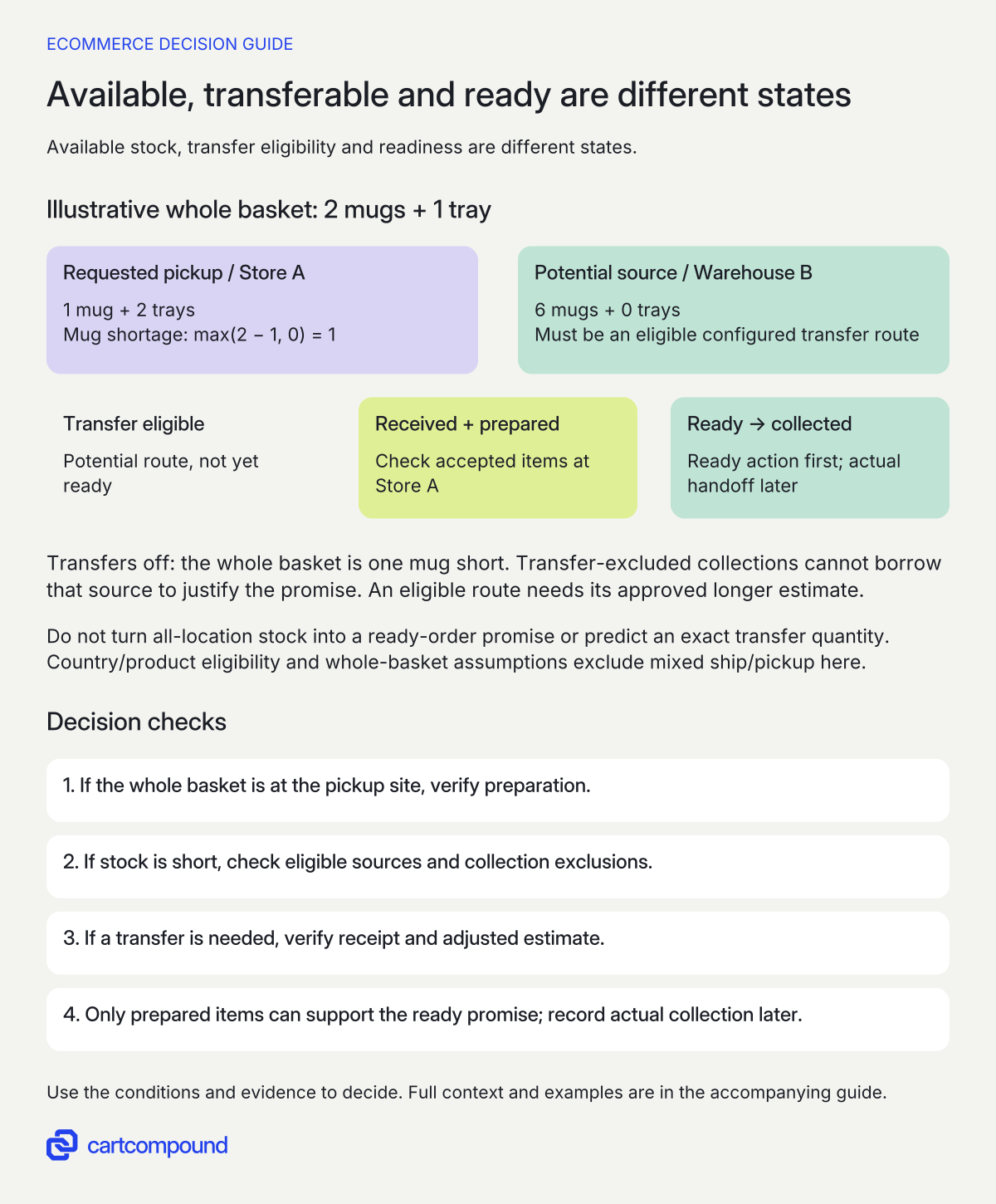
- Qualify a transfer if stock is short. Verify eligible sources, excluded collections and an approved adjusted estimate; do not sum all locations into a ready promise.
- Separate receipt, preparation and collection. Only accepted items prepared at the pickup site can support the ready action. Record collected after the actual handoff.
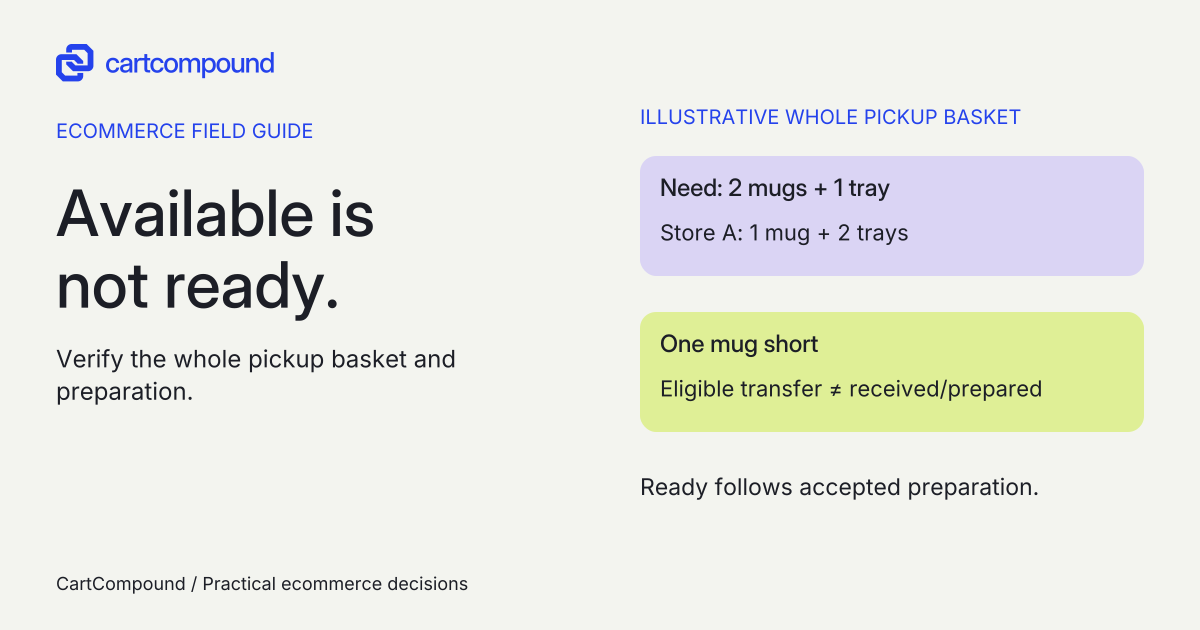
Illustrative example Store A has one mug and two trays for a basket needing two mugs and one tray: one mug short. Warehouse B’s six mugs may support an eligible transfer, but unreceived or unprepared goods are not ready.
This whole-basket example excludes mixed ship/pickup and does not predict a transfer quantity or collection time.
Separate eligible transfer stock from collection-ready stock
Transfer exclusions are configured by collection rather than individual product. The native guide also distinguishes changing a fulfillment source from the customer’s selected pickup site, which cannot be changed after checkout. Review exclusions and location-change boundaries.
For every transfer case, record the shortage, allowed source locations, exclusion status, expected processing estimate, actual transfer evidence and receiving/preparation owner. Do not infer the transfer quantity or routing solely from the shortage arithmetic; inspect the created workflow in the actual implementation.
A planned transfer is an incoming dependency. Staff still need to receive and verify the intended items at the pickup site and prepare the accepted order. A positive source-location stock count should not trigger a ready notification before that work has happened.
Where an item cannot be transferred, decide the supported alternative before promoting it: collect from a genuinely eligible location, use an approved delivery route, wait for verified availability or follow the existing order-resolution process. Do not silently substitute products or tell a customer to visit a different site after checkout.
Verify mixed ship/pickup and POS as separate feature scopes
The current guide describes ship/pickup together while also retaining a Plus/Enterprise feature-test-drive note. Confirm the exact store’s rollout before offering that mixed method; the worked example here assumes a whole-basket pickup decision. Inspect current mixed-method scope. Do not market split shipping and pickup as universally available from this article.
The described POS pickup-management workflow requires POS Pro at the relevant location and the applicable staff fulfillment permission. It supports preparing orders and recording actual collection; order edits in that workflow use admin/mobile rather than POS. Read the POS-specific requirements. That entitlement is separate from native admin pickup setup.
Choose the actual operating surface, then demonstrate its staff tasks. An admin screenshot does not prove a retail device has the required access or correct notifications. A push alert to an employee is also different from a customer’s ready-for-pickup message.
Compare native admin operation, the eligible POS workflow and a qualified Plus custom replacement only against a documented need. Obtain actual configuration, theme work, POS/location subscriptions, app/integration, transfer handling, staff training and maintenance costs. Do not buy a custom app merely because a location or template setting is wrong.
Give placed, transfer-required, ready and collected different meanings
Native admin fulfillment separates ready-for-pickup from picked-up states. For Online Store orders, marking ready sends the ready notification; the documented Facebook/Instagram exception needs separate handling. Review readiness and notification behavior. Never infer inbox receipt solely from an order-state change.
| State | Evidence required in your process | Owner action |
|---|---|---|
| Order placed | Accepted basket, pickup location and payment/order state | Assign preparation |
| Transfer required | Needed stock and supported transfer workflow | Arrange/receive and reconcile items |
| Prepared and ready | Correct items physically set aside at chosen location | Use supported readiness action and instructions |
| Collected | Actual handoff confirmed through approved process | Record pickup completion |
| Exception | Shortage, damage, no-show or incorrect promise identified | Follow approved resolution; preserve current state |
Define readiness in terms staff can verify. Include product identity, quantity, condition, any required preparation and the selected collection site. Do not use a generic time delay after checkout as a substitute for preparation evidence.
Inspect the actual pickup instructions and language versions. Keep address, entry point, hours, identification/order-reference process and support route accurate under the merchant’s approved policy. Do not expose private customer details in a shared pickup QA sheet.
For a changed or impossible promise, route the issue to the designated operations owner before staff mark the order ready. Keep the customer’s accepted location and the real order state visible. A support workaround must follow the store’s approved process rather than hiding the defect with an optimistic notification.
Run location, transfer and readiness cases before the campaign
The following are proposed scenarios, not executed store or notification tests. Use an approved test process with synthetic customer data, controlled stock and the actual checkout/operating surface. Save expected versus observed product message, location options, estimate, transfer and order-state evidence.
| Case | What must be demonstrated |
|---|---|
| Whole basket available at one pickup site | Correct site/estimate and preparation process |
| One item short with transfers off | No unsupported whole-basket pickup promise |
| Eligible transfer source configured | Adjusted estimate and actual transfer/preparation evidence |
| Short item belongs to an excluded collection | Exclusion reflected in eligibility |
| Buyer country differs | Displayed locations follow actual context |
| Wrong theme/template or nonphysical item | No misleading product availability display |
| Ready action attempted before preparation | Operating control keeps the promise tied to real readiness |
| Customer collects | Actual handoff precedes pickup completion |
Inspect mobile and desktop availability, the checkout location selection and long collection instructions. Include a keyboard journey and errors that preserve the chosen basket. Test the actual staff device and role if POS is in scope.
Keep optional mixed ship/pickup and custom-app cases unresolved until their feature/plan prerequisites and exact behavior are demonstrated. Do not let an ordinary whole-basket test fill those evidence fields automatically.
Trace the first false promise to its boundary
| Observation | Inspect first | Next action |
|---|---|---|
| Product says available; checkout omits location | Full basket, country, physical status, stock and transfers | Reproduce one consistent context |
| Checkout estimate ignores transfer handling | Configured transfer estimate and actual workflow | Correct or reapprove the displayed promise |
| Ready message precedes arrival | Transfer receipt and staff-prepared condition | Hold readiness until items are verified |
| Staff cannot find expected POS controls | Location’s POS Pro entitlement and permissions | Use the approved supported operating surface |
| Customer asks for another pickup site | Accepted site and supported post-order boundary | Use approved resolution; do not promise a silent site change |
| Site stock changes before preparation | Actual stock and exception owner | Reconcile and resolve before a false ready state |
Your next action is to fill the two-location stock sheet for a real-shaped basket and nominate the preparation/collection owners. Ask the implementation team to show the shortage, eligible-transfer and transfer-excluded cases. Promote pickup only when the storefront promise and the store’s actual handoff process agree.
Hypothetical worked example
Fictional Store A: one mug short is not ready for collection
All locations, stock counts and outcomes are illustrative; no inventory, transfer, checkout or notification was tested. A buyer wants two mugs and one tray at Store A. Assume the relevant physical products and customer country are eligible, the checkout uses the default whole-basket pickup case, and mixed ship/pickup is outside this example.
| Location | Mugs available | Trays available | Role |
|---|---|---|---|
| Store A | 1 | 2 | Requested pickup site |
| Warehouse B | 6 | 0 | Potential configured transfer source |
Store A’s mug shortage is max(2 − 1, 0) = 1. Its tray stock is sufficient because 2 ≥ 1. Total requested units are 2 + 1 = 3. Adding all locations’ mugs gives 1 + 6 = 7, but that total does not establish a ready three-unit order at Store A.
| Configuration or state | Expected decision under these assumptions |
|---|---|
| Transfers off | Store A lacks the complete basket; do not infer eligibility from the tray page |
| Warehouse B configured as eligible transfer source | Verify actual transfer eligibility/workflow and its longer approved processing estimate |
| Mugs in a transfer-excluded collection | Do not use Warehouse B mug stock to promise this transfer-enabled basket |
| Transfer arranged, items not received/prepared | Not ready for collection |
| Accepted items verified/set aside at Store A | Eligible to use the supported ready action, subject to actual order state |
| Actual customer handoff complete | Record collected through the approved process |
This is a shortage calculation, not a prediction that Shopify transfers exactly one mug or chooses a particular routing. If a hypothetical receipt supplies one missing mug, Store A would have 1 + 1 = 2 mugs before allocating the requested two; the actual transfer quantity, source and stock updates must be observed.
The merchant must supply separate approved standard and transfer processing estimates. No number of hours or pickup-time improvement is invented here. The product signal, accepted checkout estimate, transfer state and readiness message should agree with the observed workflow before a campaign promises collection.
Frequently asked questions
Does native pickup require Shopify Plus?
The native admin setup is separate from the Plus-only custom replacement app. Check the feature you actually need, and keep POS Pro and mixed-method rollout requirements in their own compatibility rows.
Does pickup available on one product mean the cart is ready?
No. Check the whole basket, location, country and permitted transfer workflow. Even an eligible order needs actual preparation before it is ready for collection.
Can staff change the customer’s chosen pickup site after checkout?
The current native guide says the chosen pickup location cannot be changed. Changing a fulfillment source is a different operation. Follow the approved order-resolution process rather than promising a silent pickup-site switch.
Sources and further reading
- Setting up pickup in store for online orders
Source checked: October 31, 2026.
- Managing pickup in store orders in Shopify POS
Source checked: October 31, 2026.

About the author
Hamid Khan
Hamid co-founded CartCompound and works with ecommerce founders on their stores and growth priorities.
Profile and guides