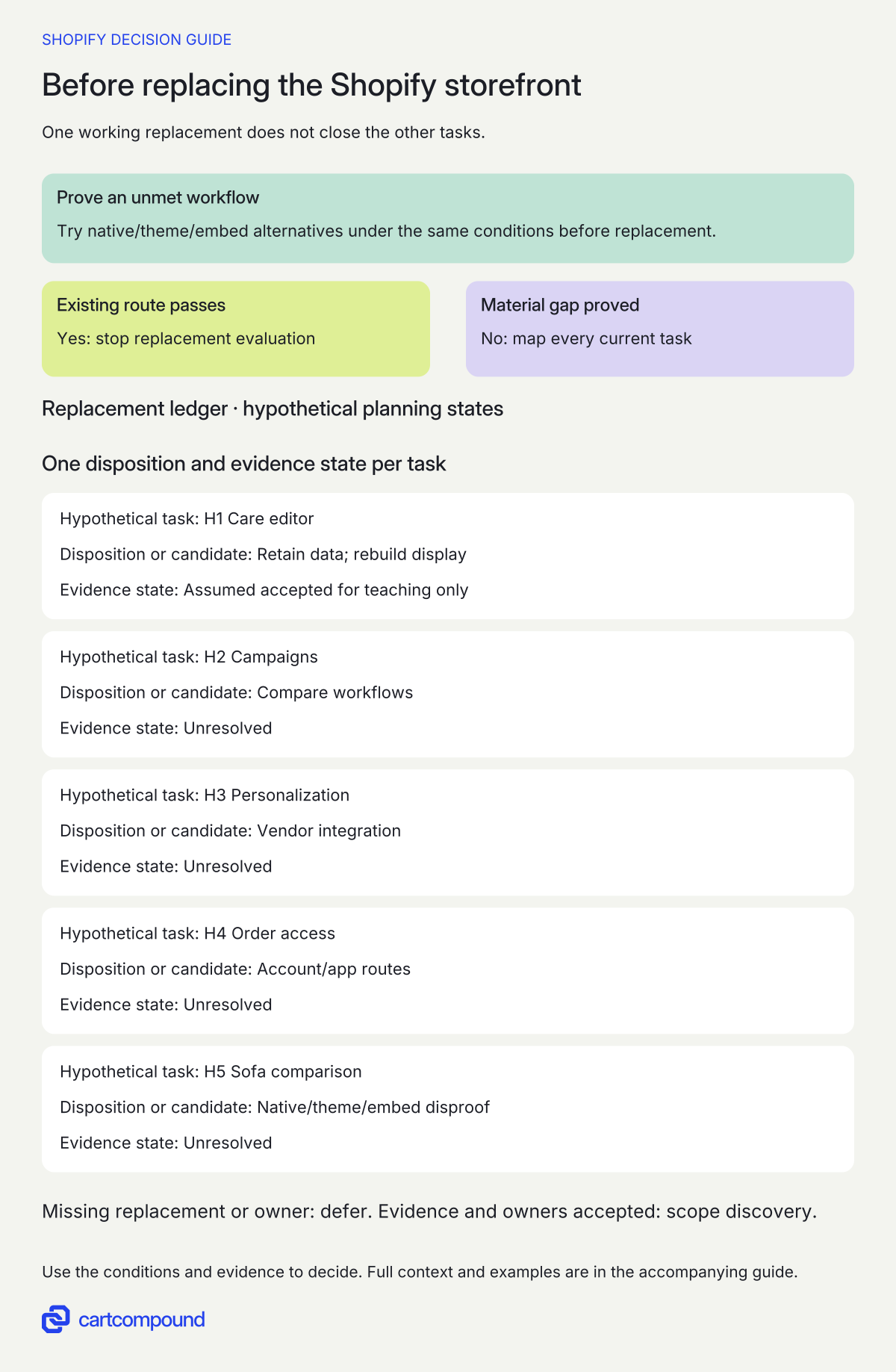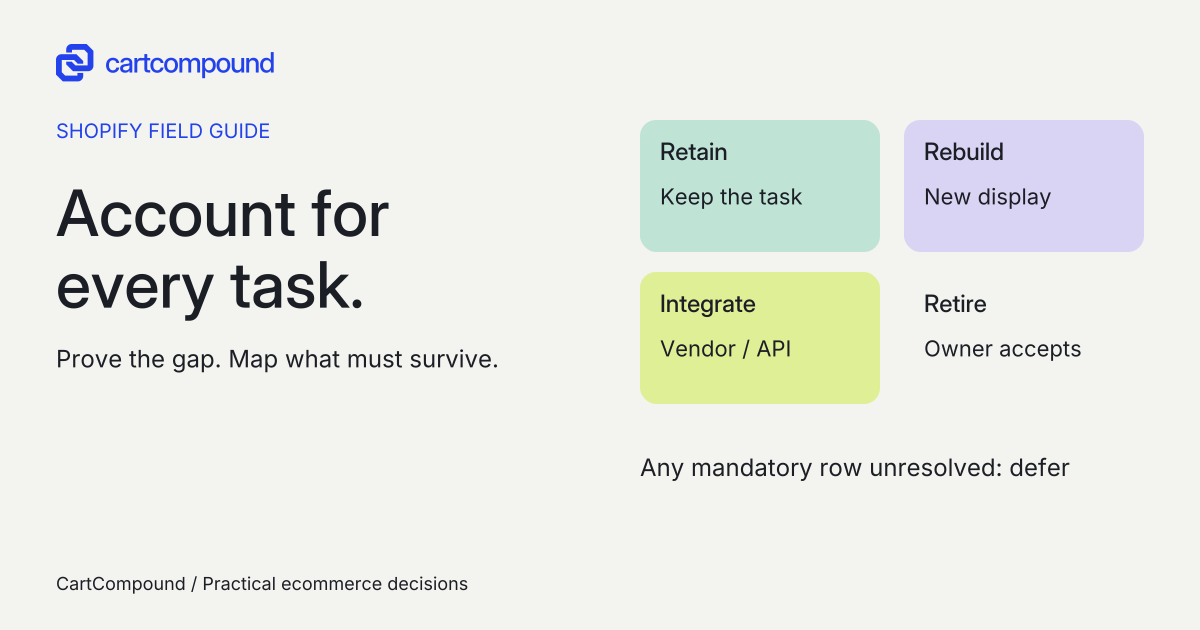
Prove one important workflow your current theme, apps or native tools cannot meet, then account for every existing shopper and operator task. Defer when a required replacement has no evidence or owner.
A headless proposal can show an impressive product page while leaving the store team unable to schedule a campaign, maintain care content, or support an existing subscription customer. Those missing tasks matter as much as the new experience.
This checklist starts from the Shopify store you operate today. It produces two records: proof of the workflow that requires a different storefront, and a ledger explaining what happens to everything customers and staff already rely on.
Put it into practice
Store build decision pack
Turn a store requirement into comparable route evidence, explicit ownership and a cost model you can challenge.
Explore this resourceProve the missing workflow in one sentence
Write: [Actor] must complete [task] under [conditions], but our present store cannot do it because [observed limitation]. Add a sample product, market, input, expected output and failure recording. “We need a modern frontend” does not describe a customer or operator task.
Set a disproof exercise before selecting architecture. Can a supported theme section, app integration or small embedded experience meet the same conditions? For editable product care content, native metafields are an existing option worth testing. Shopify documents care instructions as a metafield use. That fact establishes a plausible alternative, not a completed solution for your store.
Ask the proposer to demonstrate the narrow requirement in an agreed environment. If the existing route passes, stop the replacement evaluation for that requirement. If it fails, record what failed and why the alternative cannot reasonably address it. A failed quick prototype alone does not establish a platform limitation.
For example, replace “interactive showroom” with a task such as comparing three available sofa variants in a room layout, changing fabric and room width, and adding the chosen variant without losing the configuration. Specify the market, input range, keyboard/touch behavior and observable cart result. Then compare native sections, a theme component and a bounded embed against those same cases before claiming a storefront replacement is necessary.
Prove the gap before replacing the storefront
- Test the existing-store alternative. Use the same task, conditions and cart result for native, theme, app or bounded-embed candidates. If one meets the need, stop replacement evaluation.
- If a material gap remains, map every task. Record what will be retained, rebuilt, integrated or retired, with its evidence and owner.
- If a mandatory row is unresolved, defer. Scope discovery only when the missing workflow is proved and replacements have credible owners.
Illustrative example The care-editor row is assumed accepted solely for this fictional exercise. Campaigns, personalization, order access and sofa comparison remain unresolved. One assumed row cannot approve the replacement.
Mark what stays in Shopify and what your team must deliver
Shopify's Storefront API provides product, collection, search and cart capabilities and checkout handoff; the Customer Account API supports customer sign-in and customer data. See Shopify's headless API overview. Replacing the storefront does not mean rebuilding Shopify's order system or gaining unrestricted checkout control.
For the proposed frontend, name the pages, components, content model, integrations and hosting route. The Headless channel manages access for self-hosted storefronts; the Hydrogen channel connects Hydrogen storefronts deployed on Oxygen. Check the channel distinctions. Record the store's actual plan, channel eligibility, storefront allowances and backend feature requirements as separate checks. Do not infer a general Plus requirement from the word headless.
The inspected Hydrogen reference displayed version 2026-10 and described a JavaScript toolkit with React and Vue bindings. Current Hydrogen reference. Older React-only advice can mislead a new proposal. Oxygen uses a Web Worker runtime, so server dependencies need compatibility checks. Oxygen deployment requirements. Neither statement proves your team's framework, hosting allowance or deployment is ready.
Build the replacement ledger from real store tasks
Walk the current store with merchandising, support, fulfillment and the developer. Inventory app blocks, embeds, custom snippets, forms, account links and campaign controls. Shopify documents different theme app integration methods and compatibility limits. Theme app integration reference. A working theme block is not evidence that a custom frontend has the same integration.
| Current task | Replacement question | Required acceptance evidence |
|---|---|---|
| Products and collections | Where do filtering, sorting, variant availability and empty states render? | Representative catalog cases, including unavailable combinations and no results. |
| Care and editorial content | Who edits, previews and approves content? Does Shopify data stay authoritative? | A merchandiser publishes and corrects a sample without developer assistance. |
| Campaigns and localization | How are market content, navigation, campaign timing and preview handled? | Correct market/language context, expired campaign and unpublished preview cases. |
| Cart and checkout handoff | How do discounts, bundles, subscriptions and personalized inputs reach checkout? | Each actual feature tested from selection through the resulting order. |
| Accounts and apps | Where do orders, loyalty, returns and subscription management appear? | Signed-in/out and recovery journeys with named vendor integration evidence. |
| Search, consent and measurement | Who replaces existing search controls, consent behavior and event mapping? | Agreed empty/error states and permitted event behavior, without silently activating tracking. Include existing inbound product and cart links in retained-journey checks. |
Give every row an ID and one disposition: retain, rebuild, integrate, or retire. “Retain” must identify how the shopper or operator reaches the retained capability. “Retire” needs the business owner's explicit acceptance. Never hide an unimplemented feature in an out-of-scope footnote.
Use evidence states instead of a percentage-complete badge
Add these fields to each ledger row: current location; task owner; future location; data source; vendor/API dependency; documentation URL and date; proposed implementation owner; acceptance case; evidence state; unresolved question. Make the evidence state precise:
- Documented: official or vendor material describes the relevant integration, but your store has not demonstrated it.
- Demonstrated: an agreed representative case worked in a named preview or test environment, with evidence saved.
- Accepted: the responsible business operator has approved the behavior and limitations.
- Unresolved: the necessary support, behavior or ownership has not been established.
Use documented as a reason to investigate, not as a synonym for ready. Ask app vendors about the exact headless interface, authentication, data export, contract and support boundary. A generic “headless compatible” page can still leave your subscription portal or personalization data unresolved.
Keep private credentials out of the worksheet. It needs the kind of access and its owner, not secret values. Record the merchant's rights to source, content, configuration and exported data separately from whether the code happens to be custom.
Check editing and recovery before accepting parity
Give the merchandiser an actual task: change a care statement for one product, preview it in the relevant market, approve it, publish it and correct it. Record every developer action required. If the proposed workflow adds a new CMS, require the same exercise there before choosing it.
Give support a second task: help a signed-in customer find an order and reach the relevant return or subscription action. Do not accept “Customer Account API included” as evidence that all installed app actions survive.
For maintenance, name the person or provider responsible for API updates, app-vendor changes, dependencies, hosting, access, incident response and rollback. Shopify's versioned APIs use quarterly releases with stable support for at least 12 months; unversioned surfaces can change outside that cycle. API versioning documentation. Record an actual supported version and review date, not only “latest.”
Agree how to restore a previously accepted frontend and reconcile changes made during the incident. Verify preview access and approval roles. A developer's successful deployment does not establish that merchandising or support can operate the storefront.
Make stop, defer and scope concrete
- Inventory first. Save the existing tasks, integrations and baseline behavior before removing any capability from scope.
- Challenge the missing workflow. Attempt the agreed theme/native/app alternative and record its result.
- Verify the replacement route. Confirm exact plan/channel eligibility and vendor/API support for every mandatory row.
- Demonstrate representative journeys. Use mobile and desktop, relevant markets, unavailable products, failed integrations, and the actual cart/account cases.
- Accept operation and recovery. Have merchandising and support perform their tasks, and have the maintenance owner demonstrate the recovery procedure.
- Record the decision. Stop if no important unmet workflow remains. Defer if mandatory parity, plan allowance, ownership or acceptance is unresolved. Scope discovery when the gap is proved and replacement responsibilities are credible.
This ledger answers what changes and who must preserve each task. Keep full ongoing-cost modeling and search-rendering diagnosis as separate exercises. A frontend choice alone does not establish a speed, ranking or conversion gain.
Hypothetical worked example
Worked example: turn a showroom request into a falsifiable task
Hypothetical planning exercise. The following products, conditions, roles and assumed care-editor acceptance are teaching inputs. No actual store, prototype, vendor integration or platform limitation has been tested.
A fictional homewares operator wants editable care content, localized campaigns, a personalization app, customer order access and a showroom. Define the showroom requirement H5 this way: A shopper in the US market must compare three currently available sofa variants in a room layout, enter a room width from 2.5 to 5 meters, switch fabric on each sofa, and add the chosen variant while preserving the chosen configuration. The agreed cases use 390px touch and desktop keyboard input, include an unavailable fabric, and require the cart to identify the intended variant and quantity without adding an unavailable choice. The layout must also offer a usable nonvisual selection route. These are fictional acceptance conditions, not a universal showroom specification.
Disprove the need for replacement before commissioning it
- Use the same three products, availability snapshot, market and width inputs for each candidate.
- Try supported native/theme sections for product comparison and selection. Record which requirement passes and which needs an additional component.
- Evaluate a bounded theme component or embedded room-planning tool for the remaining layout task. Check whether it can return the intended variant/configuration to the existing cart and leave merchandising able to change the product set.
- Exercise unavailable fabric, width boundaries, repeated add-to-cart, touch, keyboard and the nonvisual route. Save the result against each case rather than recording only “showroom works.”
A possible observation that stops this evaluation: the existing theme plus a bounded embed meets all H5 cases, including correct cart data and operator editing. If that is observed and the other tasks work in the current store, stop the storefront-replacement case. If one candidate fails, diagnose the failed case and compare the remaining feasible routes; that failure alone does not establish a Shopify limitation.
| Task | Disposition or candidate | Evidence state |
|---|---|---|
| H1: care editor | Retain product data; rebuild the storefront care display if replacement proceeds. | Completed hypothetical record below; acceptance is assumed for teaching only. |
| H2: localized campaigns | Compare current controls with proposed workflow. | Unresolved: market preview, timing and approval. |
| H3: personalization | Integrate the actual vendor or explicitly replace/retire its task. | Unresolved: vendor interface and checkout/order proof. |
| H4: order access | Evaluate customer-account and retained app destinations. | Unresolved: sign-in, order access and app actions. |
| H5: sofa comparison and selection | Test native/theme/embed alternatives before replacement. | Unresolved: the disproof exercise above has not occurred. |
A filled replacement record for H1
To show a completed ledger row, assume solely for this fictional example that a preview care-editor exercise passed and its operator accepted it. No such preview exists as evidence for this guide.
| Disposition | Retain the product care metafield; rebuild its storefront accordion. No content retirement. |
|---|---|
| Current location | Shopify product care metafield edited in admin; theme product-page accordion displays it. |
| Future location | Same Shopify field and editing location; custom product-page care component in the proposed frontend. |
| Data and dependencies | Product ID plus the agreed care-field definition; storefront read access and renderer. No separate CMS or care-content vendor assumed. |
| Responsible roles | Merchandising lead owns wording and acceptance. Frontend maintainer owns query, empty state and display recovery. |
| Acceptance case | Edit care text on product A without changing B; preview in the US market; publish and correct it. Blank content removes the empty heading. Check touch, keyboard and text reading. |
| Evidence record | A real evaluation would attach a dated preview URL/version, A/B field samples, recording and merchandising sign-off. Here these are assumed artifacts only. |
| Evidence state | Illustrative assumed accepted result; no actual demonstration or production approval claimed. |
Native metafields provide a documented data candidate, and Shopify APIs provide storefront/account capabilities. That does not establish the proposed care component or H4 integration has been built. In a real evaluation, replace the assumed H1 acceptance with actual evidence. Defer while any mandatory replacement, such as H3, is unresolved. Scope discovery only when the material missing workflow is proved and the replacement plan has credible owners. Keep cost modeling and search-rendering diagnosis in their separate exercises.
Frequently asked questions
Will my Shopify apps work after going headless?
Inventory each app task and ask for evidence for its exact future surface. Theme blocks, embeds and injected theme code have their own integration mechanisms. Vendor/API support and a representative journey must establish the replacement. See theme app integration methods.
Does Hydrogen require React?
The inspected 2026-10 reference describes framework choice with React and Vue bindings. Pin the proposed toolkit version and verify the chosen deployment route. Hydrogen reference.
Should we approve headless while one mandatory workflow is unresolved?
Defer the build commitment. Put a specific evidence task, owner and decision condition against that row. Discovery can investigate it, but do not price or approve feature parity as if it were already established.
Sources and further reading
- About headless commerce
Source checked: October 31, 2026.
- Hydrogen API reference, 2026-10 displayed
Source checked: October 31, 2026.
- Deploy to Oxygen
Source checked: October 31, 2026.
- Extend your theme with apps
Source checked: October 31, 2026.
- Metafields
Source checked: October 31, 2026.
- Shopify API versioning
Source checked: October 31, 2026.

About the author
Hamid Khan
Hamid co-founded CartCompound and works with ecommerce founders on their stores and growth priorities.
Profile and guides