Start with the current theme if it can meet the recurring campaign tasks. Add reusable custom sections for specific missing controls, or evaluate a builder when the required layout freedom and operating workflow justify its dependencies. Compare all routes with the same clone, update, rollback and retirement exercise.
The campaign page is only the first deliverable. The operating system also needs to support the next campaign, a changed product price and the day the offer ends.
I would choose the route by watching the intended editor work through those changes. A polished preview alone cannot show whether editing one campaign alters an unrelated page or leaves stale copied product information.
Put it into practice
Theme change and launch QA pack
Preserve behavior through a theme change, compare expected and observed results, and plan recovery across shared dependencies.
Explore this resourceDescribe the repeated campaign workload
Write the modules and routine changes before comparing tools. Separate fixed brand decisions from editor controls: replacing an approved image is different from changing global typography. Include unusual weeks, such as long promotional copy, a sold-out hero product or a campaign spanning two markets.
| Module | Routine editor task | Data rule | Protected control |
|---|---|---|---|
| Hero | Replace approved image, heading and CTA | Campaign-owned copy and link | Heading hierarchy and contrast rules |
| Product selector | Choose and reorder products | Reference product records; confirm rendered price and availability | No manual invented stock or price text |
| Benefit cards | Choose approved claims | Campaign copy or approved shared records, explicitly identified | No unreviewed product claims |
| FAQ | Replace or reorder answers | Track which answers are shared | Required disclosures remain present |
| Delivery note | Select approved US/UK wording | Market-specific approval and selection rule | No automatic overwrite across markets |
Record frequency, structural variety, who edits, who approves and who can publish. Ask whether reviews, subscriptions or product actions must appear inside these modules. The answer belongs in the test workload, not in an assumption that any editor supports every app block.
Clone the content without changing another page
- Separate the edit owners. Distinguish page copy/references, shared layout, product price/availability and shared benefit wording.
- Isolate a gift-only reorder. Do not change a shared template until the unrelated support page is protected.
- Preview the real conditions. Check changed/unavailable products, US/UK content and mobile. Approve the exact version and retain restoration steps.
- Retire deliberately. Remove expired copy, update owned links and give the URL decision to its owner.
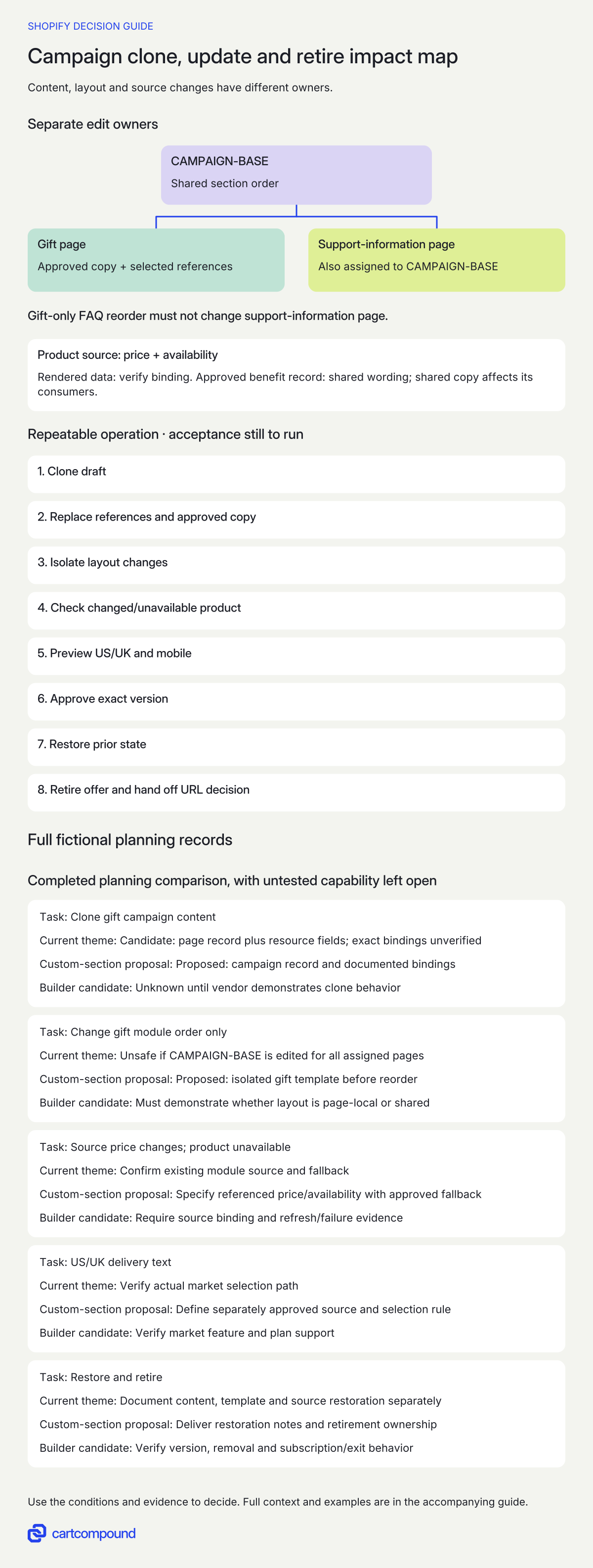
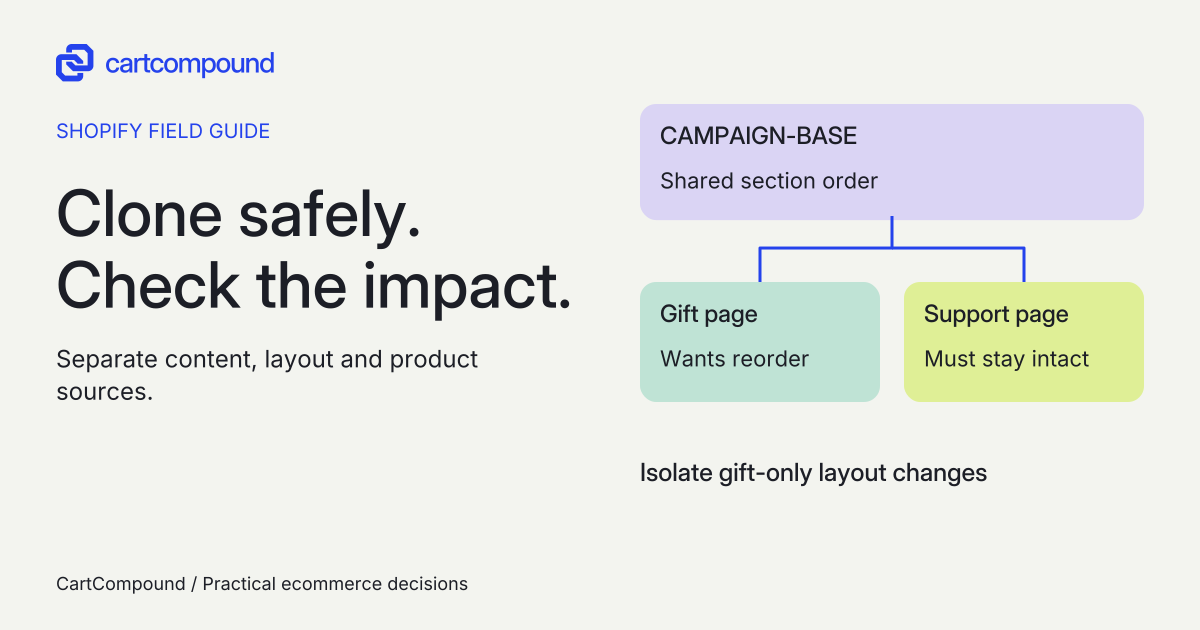
Illustrative example Gift and support pages both use CAMPAIGN-BASE. Reordering that shared layout affects both. The proposed gift-only correction must isolate layout changes; its behavior still needs demonstration.
Compare operating routes against the same tasks
The current theme is the first route to demonstrate. Its actual version determines the controls available. Reusable custom sections are a candidate when a specific control is missing but a constrained, repeatable layout fits. An external builder is a candidate when editors need a different level of composition and its dependencies are acceptable.
| Route | Useful when | Evidence still required |
|---|---|---|
| Current theme sections | Existing controls cover recurring changes | Editor demonstration of every required task and failure state |
| Reusable custom sections/templates | A defined gap can be solved with stable modules | Settings specification, source/support owner and theme-update responsibility |
| External page builder | Required composition freedom exceeds the accepted section workflow | Current vendor docs plus demonstration of product data, app support, exit and editing behavior |
| Canvas, where eligible | Its present capabilities match the store and workload | Eligibility and limitations checked against this exact campaign requirement |
As checked on October 31, 2026, Canvas is early access for certain stores and desktop only. It supports Shopify-developed and custom themes, excludes third-party themes, cannot configure app blocks or embeds, and cannot customize themes by market. Edited themes stay in Canvas, cannot be downloaded and do not receive theme updates. Recheck the current requirements before treating it as a fit.
Separate page content, template structure and shared sources
Shopify template edits affect all pages assigned to that template. A separate page record is not evidence of a separate layout. Alternative templates can isolate structure, while compatible resource-driven content can allow several pages to use one structure with different values. The exact connection needs demonstration.
| Change | Intended affected set | Evidence to request |
|---|---|---|
| Page-specific campaign headline | Only the new campaign | Content owner and two-page comparison |
| Shared template section order | Every assigned page | Assignment inventory before changing order |
| Shared benefit entry | Every consumer of that entry | Reference list and approved impact set |
| Product price/availability | Consumers of the selected product source | Source update and rendered comparison |
| Market delivery wording | Only intended market/version | Explicit selection rule and both market previews |
Choose a separate template when the structure must differ and cannot safely remain shared. Do not create a new template just to disguise unmanaged copied data. I would ask the supplier to label every setting as page-specific, shared-template or shared-record before handing it to marketing.
Ask the editor to complete the campaign operation
Use a draft or other agreed safe environment. Shopify recommends duplicating a theme before customization; keep a separate record of campaign copy and data assignments because a theme copy is not the entire operating state.
- Clone the prior campaign using the proposed route. Identify the new page, template and data assignments explicitly.
- Replace product references, approved hero copy and destination links. Confirm the original campaign has not changed.
- Move the FAQ above the benefit cards for this campaign only. If that changes another assigned page, stop and isolate the structure before proceeding.
- Change a source product price in the agreed test data and make another selected product unavailable. Check the page against the chosen product source, including market currency and the agreed unavailable-product behavior.
- Preview approved US and UK delivery versions separately. Inspect long text, headings, keyboard order, visible focus and product actions at desktop and mobile widths.
- Record approval of the exact version. Verify assignment and scheduling mechanisms separately; do not assume a builder or theme provides the workflow you need.
- Restore the previous version and assignments. Confirm which app or shared-record changes require their own restoration.
- Rehearse retirement: remove expired offer copy, change owned campaign links, and send the URL/destination decision to the responsible owner.
For every step, save expected result, observed result, environment, editor role, page/template IDs, evidence location, reviewer and unresolved issue. These are planned acceptance tasks, not checks performed by this guide.
Price the operating responsibility and the exit
Compare one-time build/configuration, current subscription inputs, page or feature limits, paid theme requirements, support, content entry and future module changes. Ask what triggers another charge. Record quote currency and tax treatment as supplier inputs. No price or time saving can be inferred from choosing native sections or a builder.
For a builder, verify rendering after removal separately from continued editability, hosted content, scripts, branding and support. Obtain the provider's current documentation and agree a safe exit exercise before any real uninstall. For custom sections, ask who maintains the source and adapts it when the theme changes. For Canvas, account for the documented download and theme-update restrictions.
If performance matters to the decision, compare equivalent content, images, product actions and app conditions in the same test environment. Record method and results instead of declaring one category faster. Keep unresolved required tasks open; do not hide a missing product action behind a favorable design score.
Make retirement part of the handover
Name who ends the offer, at what time and time zone, and what happens if that person is unavailable. Keep the approved offer version and a record of inbound links you control. Assign a decision about the campaign URL to its search/content owner rather than universally deleting, redirecting or excluding it from search.
Retirement acceptance should show the expired claim removed, promotional links updated, the selected destination working, unrelated pages unchanged and a rollback available if the wrong version was retired. A later campaign should begin from an approved reusable structure and fresh content, not an unchecked clone containing an old promise.
Hypothetical worked example
Fictional repeated-campaign exercise. A new-product campaign and a support-information page initially use template CAMPAIGN-BASE. The next gift campaign needs FAQ above benefits on mobile. All three routes below receive the same hero, product selector, approved benefit cards, FAQ and delivery-note requirement. No product trial, installation or campaign launch occurred.
| Task | Current theme | Custom-section proposal | Builder candidate |
|---|---|---|---|
| Clone gift campaign content | Candidate: page record plus resource fields; exact bindings unverified | Proposed: campaign record and documented bindings | Unknown until vendor demonstrates clone behavior |
| Change gift module order only | Unsafe if CAMPAIGN-BASE is edited for all assigned pages | Proposed: isolated gift template before reorder | Must demonstrate whether layout is page-local or shared |
| Source price changes; product unavailable | Confirm existing module source and fallback | Specify referenced price/availability with approved fallback | Require source binding and refresh/failure evidence |
| US/UK delivery text | Verify actual market selection path | Define separately approved source and selection rule | Verify market feature and plan support |
| Restore and retire | Document content, template and source restoration separately | Deliver restoration notes and retirement ownership | Verify version, removal and subscription/exit behavior |
The first planning finding is already actionable: editing CAMPAIGN-BASE order would affect the support-information page as well as the campaign. A preview of the gift page could look right while the operation is wrong. The proposed correction is an isolated gift layout or another demonstrated page-local layout mechanism.
There is no winning tool yet. The current theme remains a candidate if the safe layout and source behavior can be demonstrated. The custom proposal names an implementation approach but still needs acceptance evidence. The builder remains unknown until the same tasks and exit are demonstrated. No completion time, speed result or conversion change is invented.
Frequently asked questions
Do I need a new template for every campaign?
Not necessarily. Several pages can share a structure while using different resource content where supported. A new layout may need isolation because template edits affect every assigned page. Document the intended sharing rule first.
Will a builder keep product prices current?
Verify the specific provider, module and source binding. Ask for a source-price and unavailable-product demonstration. Copied text and referenced product data are different operating choices.
Can I assume builder content survives uninstall?
No universal rule is established here. Request current provider documentation and a separately authorized safe exit exercise covering visible output, editability, hosted dependencies and retained data.
Is Canvas the same workflow as the theme editor?
No. Current Canvas-edited themes open only in Canvas and have documented theme, app-block, market, download and update restrictions. Recheck eligibility and capability for your exact workload.
Sources and further reading
- Shopify Help: Sections and blocks
Source checked: October 31, 2026.
- Shopify Help: Templates
Source checked: October 31, 2026.
- Shopify Help: Customizing themes
Source checked: October 31, 2026.
- Shopify Help: Canvas requirements and considerations
Source checked: October 31, 2026.

About the author
Hamid Khan
Hamid co-founded CartCompound and works with ecommerce founders on their stores and growth priorities.
Profile and guides