Use fixed bundles for a predetermined set, multipacks for repeated products and a separately qualified route for mix-and-match. Check component inventory, price maintenance, shipping, returns and purchase-option compatibility before choosing the implementation.
“We want a bundle” can mean a fixed desk-care kit, three of the same bottle or a box the customer fills from several products. Those orders have different selection and inventory requirements. A discount on independent products may not provide the grouped order you need.
I recommend writing the component recipe and one partial-return case first. Then compare the free Shopify Bundles app with a named third-party app or eligible custom build. This guide helps you choose and accept the order model; it does not rank apps or promise a higher order value.
Put it into practice
Theme change and launch QA pack
Preserve behavior through a theme change, compare expected and observed results, and plan recovery across shared dependencies.
Explore this resourceDefine the sellable recipe and buyer choices
List every component variant, required units, optional substitutions and the total quantity a buyer must select. State whether customers can change colors or sizes within a fixed set, exchange one product for another, choose repeated copies, or leave a slot empty. “Pick any three” needs rules for duplicates, excluded products and out-of-stock choices.
| Buyer task | Model to evaluate | Important boundary |
|---|---|---|
| One bottle plus one cloth, with allowed bottle colors | Fixed bundle | The recipe is predetermined even if variants are selectable |
| Three copies of a product | Multipack | Required repeated quantities must remain clear |
| Choose any three eligible products from a range | Mix-and-match | Customer assembles the recipe |
| Independent recommended accessory | Separate add-on | Do not call it a grouped bundle without that behavior |
Collect the current plan, app/API route, checkout, channels, component stock settings, prices, shipping profiles, fulfillment connector and approved returns policy. Include subscriptions, preorders or try-before-you-buy in the requirements if needed. They can change the architecture decision before any design work begins.
Check the free app’s actual scope and limits
Shopify Bundles is a free first-party app available on all plans for fixed bundles and multipacks. Its documented limits include 30 components for fixed bundles and three options with 100 variants per bundle. Component price changes do not update the bundle price automatically. Read the current app scope and limitations. Those are app-specific limits, not the ordinary-product variant limit.
The native model does not support mix-and-match in this app, nested bundles, custom products or purchase options, including subscriptions, preorders and try-before-you-buy. The documented mix-and-match alternatives are third-party apps or a Plus custom Bundles API offering. Review eligibility and incompatibilities. A table row labeled “dynamic” is not permission to assume the free app meets your mix-and-match requirement.
For any vendor claiming a subscription bundle, ask exactly how it represents the order and synchronizes stock. It may be selling a different grouping architecture. Require evidence from that exact app and subscription provider rather than treating the native incompatibility as either a universal ban on every possible architecture or a problem already solved by a vendor name.
Check the upgraded-checkout requirement and the actual buying channels before procurement. Use a quote column for eligibility confirmed, unsupported and unresolved. An unresolved mandatory purchase option is a reason to pause the candidate, not an item to average into a favorable feature score.
Calculate the limiting complete-kit capacity
- Choose the bundle model. A fixed recipe or multipack differs from buyer-composed mix-and-match.
- Resolve purchase options first. A required purchase option can conflict with the native route; qualify the exact implementation.
- Use relevant available components. For tracked components that do not continue selling out of stock, take the lowest whole-set capacity. Recheck after individual sales.
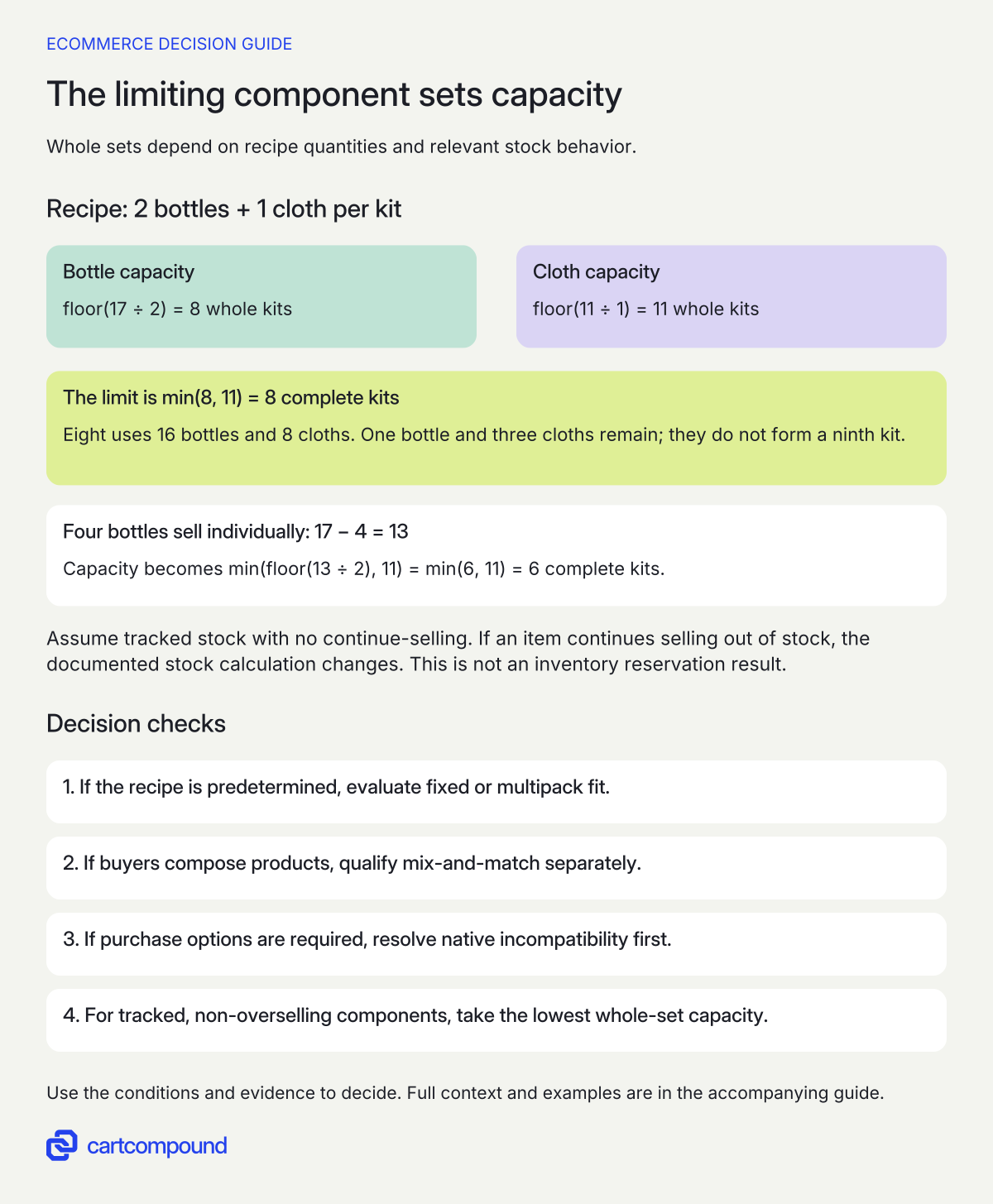
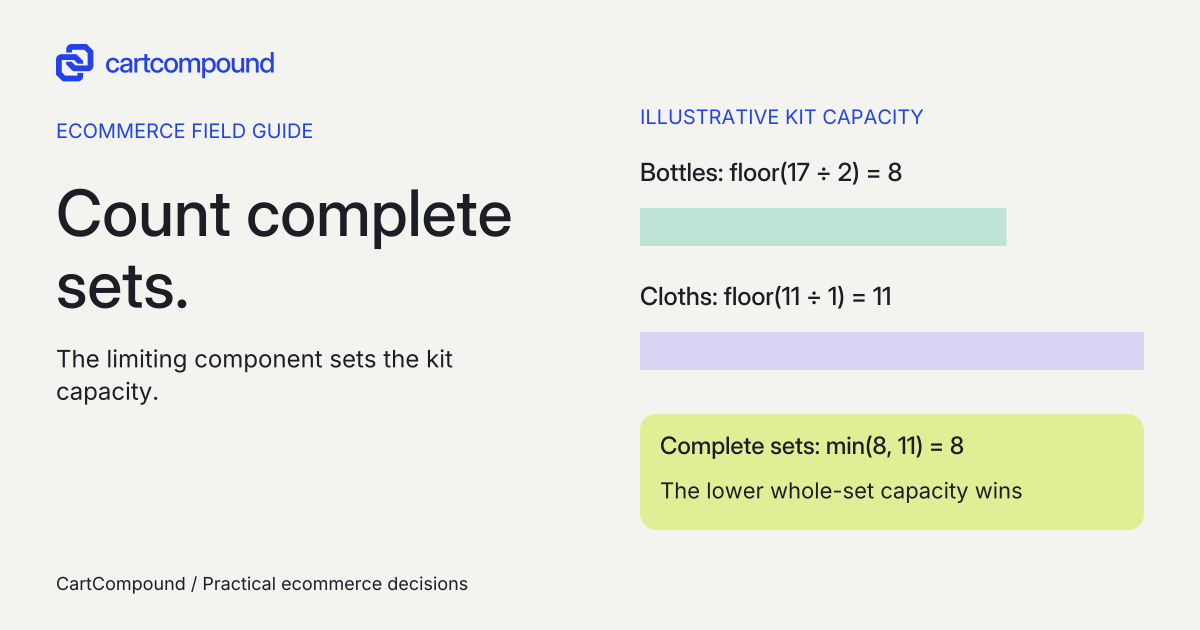
Illustrative example Each kit needs two bottles and one cloth. With 17 bottles and 11 cloths, min(floor(17 ÷ 2), 11) = 8 kits. After four bottles sell, 13 remain and min(floor(13 ÷ 2), 11) = 6.
Turning on continue-selling changes the documented stock calculation. This arithmetic is not a reservation or inventory-test result.
Calculate complete sets from component quantities
For tracked components without continue-selling exceptions, calculate each component’s available quantity divided by the units required per bundle, round down, then take the smallest result. Untracked components and components allowed to continue selling out of stock are excluded from Shopify’s bundle availability calculation. See the inventory calculation and exceptions.
Use the exact variants and quantities from the recipe. Adding stock counts together is wrong because a spare cloth cannot replace a missing bottle. When a component is shared across several bundles and also sold alone, changes in that component affect the sets it can complete.
Record the inventory observation time and location/fulfillment assumptions. The first-party app describes inventory using overall stock, so a displayed capacity is not evidence that one location can pack every item or that a buyer has reserved a set. Check the inventory limitation. Require a separate operational check of the fulfillment route.
A capacity sheet should include component variant, available quantity, units per set, tracking/continue-selling setting, calculated capacity and exception owner. If the merchant deliberately permits backorders, state the approved delivery promise separately. Do not use a large or ignored stock value to imply immediate availability.
Keep bundle pricing and promotion targeting deliberate
Name the owner of the parent bundle price and the event that triggers a review: supplier cost changes, component retail-price updates, imports or a campaign. A fixed selling price can be intentional, but an unattended price after a component change can undermine the intended economics.
For product- or collection-specific bundle discounts, Shopify says to include the parent bundle product; selecting only components does not apply that discount to the bundle. Discounts allocate from the parent to components by weighted price, with taxes on individual components. Check parent targeting and allocation. General discount-combination eligibility still needs its own check.
Have the merchant specify the actual bundle price, intended saving statement, discount policy, margin inputs, shipping subsidy and refund treatment. Use real cost data in the operating model. The example here calculates stock capacity, not profitability, and cannot support a claim that a bundle increases contribution.
Do not promise that a partial refund equals one third of a three-part bundle merely because three items are visible. Inspect the actual allocation and approved refund policy for the order. Keep an acceptance record showing the parent amount, component allocation and final order total. A shopper-facing saving should reconcile with the actual current comparable prices.
Inspect the order your warehouse and returns team receive
The first-party app documents component SKUs and component-derived weights in orders. Shipping uses component profiles, while return eligibility follows individual products; native bundles cannot be used in exchanges. Components also appear separately in areas such as split fulfillment and returns. Check order processing and the shipping and returns considerations.
Ask the warehouse to demonstrate picking the correct quantities from the real connector output. Check whether a set arrives grouped, flattened or split across jobs, and how a packer knows it is complete. Include packing materials and any manually added insert in the operational recipe rather than assuming they are tracked components.
Use a representative address and mixed cart to inspect shipping charges and delivery grouping. A bundle photograph showing one box does not establish one shipment. If a component has special handling, make the actual delivery promise clear before payment.
Write a partial-return case with approved component eligibility and allocation, a full return, a damaged component and an exchange request. Native return rules do not let you mark the bundle itself final sale; eligibility follows the component rules. Do not invent final-sale or no-partial-return terms to simplify the implementation. Confirm what customer self-service offers and where staff must handle an exception.
Treat component SKU changes as controlled maintenance: Shopify’s current native guidance says a changed component SKU requires deleting and recreating the bundle. Check component changes. Record the owner and verify the replacement listing, component mapping and purchase paths in the actual release process.
Compare candidates using one acceptance matrix
For a straightforward fixed set that fits the documented limits, start by evaluating the free first-party app. For customer-built combinations or an unsupported purchasing requirement, request a named vendor demonstration or eligible custom design. Keep the same recipe, depleted-stock case and partial-return case across candidates.
| Case | Pass condition |
|---|---|
| Required component becomes unavailable | Capacity and buyer message follow approved stock policy |
| Buyer changes one allowed variant | Correct recipe and quantity reach cart/order |
| Component price changes | Parent price follows the merchant’s explicit maintenance process |
| Promotion selects the bundle | Correct target and final amount are visible |
| One component is returned | Actual allocation and approved policy are handled |
| App is removed or configuration replaced | Supported recovery and retained order data are documented |
Obtain actual implementation, app/usage, support, data maintenance and connector costs. Include any plan dependency and the operational work for packing, returns and price reviews. Do not compare a free app with a custom quote as if either amount covers all ongoing work.
These are proposed checks, not observed app results. A supplier’s claim stays unconfirmed until it demonstrates the exact workflow. Your next step is to fill the component-capacity sheet, attach the approved return case and ask each candidate to show both.
Diagnose the mismatch at its first boundary
| Observation | First thing to inspect | Useful next action |
|---|---|---|
| More sets appear sellable than expected | Component ratios and ignored-stock settings | Recompute capacity from the actual recipe |
| Enough total stock, but one warehouse cannot pack | Overall stock vs fulfillment location | Review actual source locations and delivery promise |
| Component price changed but parent did not | Bundle price-maintenance ownership | Review and explicitly update the parent amount |
| Component promotion misses the bundle | Parent product targeting | Correct the target and recheck the cart |
| Required subscription option is absent | Native incompatibility vs proposed vendor model | Requalify the architecture before launch |
Inspect desktop and mobile selection, long component names, quantity changes, unavailable choices and keyboard operation. Keep the recipe readable in the cart so buyers can confirm what the set contains. Accept the bundle when the customer’s selected set, charged order, pick list and exception process agree.
Hypothetical worked example
Fictional desk-care kit: eight complete sets, then six
These stock counts and decisions are hypothetical, not a reservation or inventory test. Each kit requires two bottles of the same specified variant and one cloth. Bottles have 17 available units; cloths have 11. Both are tracked, neither continues selling out of stock, and this teaching calculation assumes those counts are the relevant available stock.
| Component | Available | Units per kit | Whole-kit capacity |
|---|---|---|---|
| Bottle | 17 | 2 | floor(17 ÷ 2) = 8 |
| Cloth | 11 | 1 | floor(11 ÷ 1) = 11 |
The limiting capacity is min(8, 11) = 8 complete kits. Making eight consumes 16 bottles and 8 cloths, leaving 1 bottle and 3 cloths. Those leftovers cannot make a ninth complete kit.
Now assume four bottles sell individually before the bundle purchase: 17 − 4 = 13 bottles remain. With the cloth count still 11, capacity becomes min(floor(13 ÷ 2), 11) = min(6, 11) = 6 kits. Six would consume 12 bottles and 6 cloths, leaving 1 bottle and 5 cloths.
If bottles were switched to continue selling when out of stock, their stock would be ignored for Shopify’s documented calculation. The same minimum calculation would no longer describe the configured behavior. That is an exception to inspect, not permission to promise more immediately packable sets.
For acceptance, ask the supplier to reproduce the stock change in an approved test process and show the product page, cart and warehouse output. Add a hypothetical one-cloth return and inspect the actual recorded allocation against approved policy. No expected refund amount is invented here.
Frequently asked questions
Can a fixed bundle still offer size or color choices?
Yes. Shopify describes fixed bundles with predetermined products and associated variants that the buyer can select. The recipe can stay fixed while permitted variants change. Confirm the exact option and variant count in the chosen route.
Does the free Shopify Bundles app support pick-any-three?
Do not assume it does. Shopify says the free app does not support mix-and-match. Specify the allowed products, duplicate rules and required total, then qualify a listed third-party or eligible custom route.
Is a bundle discount the same as a bundle product?
No. A price rule on independent products does not by itself specify a grouped recipe, component stock calculation or fulfillment output. Choose the order representation needed for the actual customer and operational task.
Sources and further reading
- Shopify Bundles
Source checked: October 31, 2026.
- Eligibility and considerations for using product bundles
Source checked: October 31, 2026.

About the author
Hamid Khan
Hamid co-founded CartCompound and works with ecommerce founders on their stores and growth priorities.
Profile and guides