Compare required workflows on exact product and extension versions. Adobe Commerce B2B is an installed and configured extension route; Open Source needs its own named extension/custom evidence. A PO payment method alone does not enforce company purchase approval.
A proposal can tick “purchase orders” while letting a buyer complete a purchase without a manager. That is the sort of mismatch I would resolve before comparing license prices.
Use this guide when you need company accounts, negotiated prices, quotes or approval rules and are choosing between a Magento Open Source solution and Adobe Commerce with B2B. It gives you the inputs and evidence needed to compare complete buying workflows, including the exceptions that affect finance and support.
Put it into practice
B2B catalog workbook
Specify who may see, buy, quote and approve, then test price precedence at the exact company and location.
Explore this resourceIdentify the actual product being proposed
“Magento” is not a sufficiently precise procurement specification. Record Magento Open Source or Adobe Commerce, the exact release and security patch, hosting/deployment model, storefront, PHP/runtime dependencies, installed extensions and proposed changes. For Adobe Commerce B2B, record the B2B package version separately from the Commerce version.
Adobe’s installation guide, checked October 31, 2026, scopes this extension route to Adobe Commerce on cloud infrastructure (PaaS) and on-premises. The B2B extension is installed after Commerce. These instructions do not establish entitlement or workflow parity for Magento Open Source or Adobe Commerce as a Cloud Service (SaaS). Treat a SaaS proposal as a separate product with its own current feature evidence. Install the Adobe Commerce B2B extension.
Do not buy against “latest compatible” alone. Ask the supplier to attach the applicable version-support row and release notes to the proposal, then repeat that check before an upgrade. Adobe’s product availability matrix is dated October 26, 2026 and lists extension support by Commerce release. For example, that matrix lists B2B 1.5.3 for Adobe Commerce 2.4.8. This is a version-support reference, not a recommendation to adopt that pair without checking your exact patch, runtime and dependent extensions. An older version working in a demo does not establish vendor support. Runtime requirements must be checked for the exact pair; this article does not prescribe a universal PHP version.
Prove purchase approval beyond the PO field
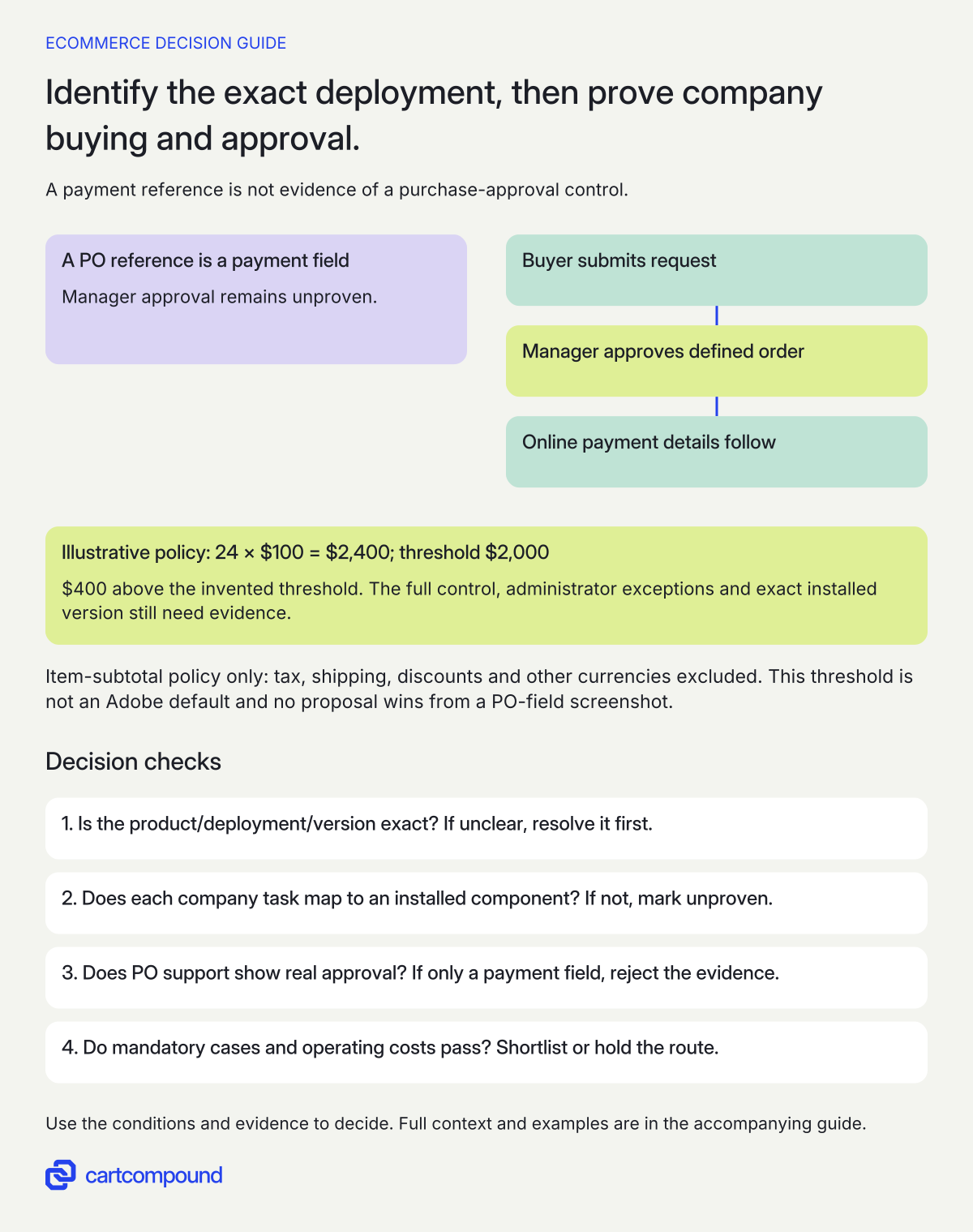
- Name the exact deployment. Record product, version, installed components and operating ownership; unresolved scope stays unproven.
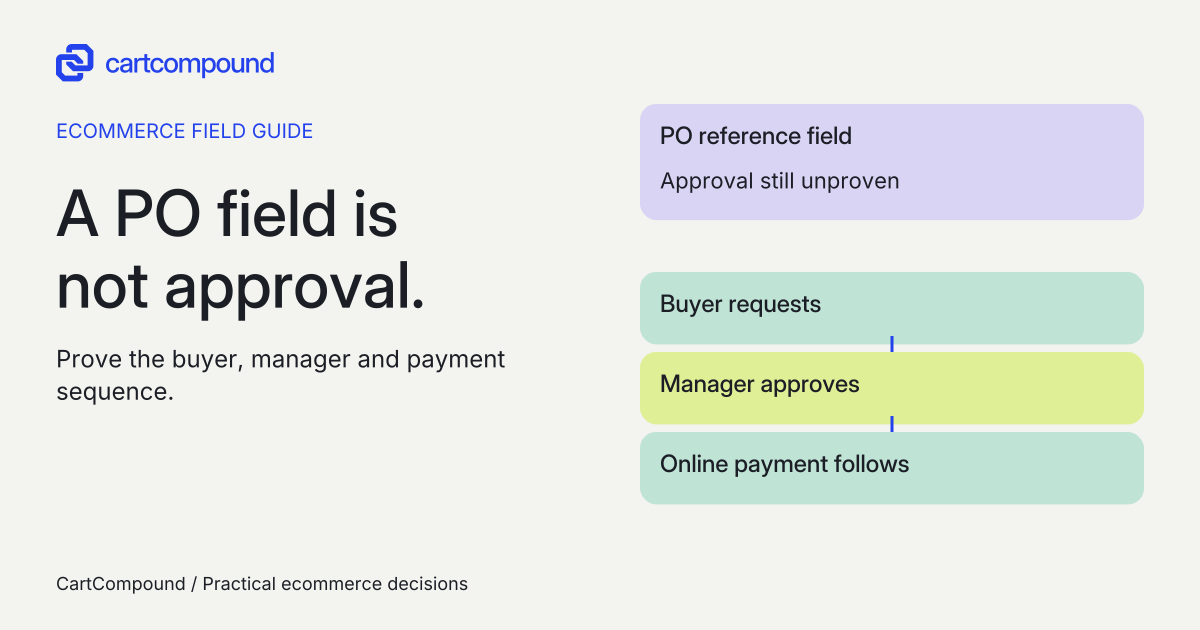
- Demonstrate the approval path. A PO payment field alone does not establish manager approval. Check buyer, manager, payment timing and administrator exceptions.
- Accept the whole requirement. Shortlist only after mandatory company tasks, integration evidence and operating costs are understood; otherwise hold.
Illustrative example 24 units × $100 = $2,400 exceeds an invented $2,000 approval threshold by $400. A PO reference leaves approval unproven. The candidate must demonstrate the buyer-to-manager-to-payment control.
The simplified item-subtotal policy excludes tax, shipping, discounts and other currencies. The threshold is not an Adobe default.
Compare complete buyer tasks
| Required outcome | Adobe Commerce B2B route | Open Source proposal must identify |
|---|---|---|
| Several buyers act for one company | Company accounts, structure and role permissions, with the extension configured | Named extension/custom company model; buyer and administrator permissions |
| Company-specific selection and prices | Shared Catalog with assigned products/companies and permissions | Named pricing/catalog implementation, precedence and unauthorized-access tests |
| Sales negotiates an offer | Negotiable Quotes with company support and the relevant settings | Quote owner, revisions, acceptance, expiry and resulting order behavior |
| A purchase needs approval | Company Purchase Orders with defined approval rules | Actual approval engine, approvers, exceptions and payment timing |
| Buyer saves a repeat list | Requisition Lists, independently enabled as needed | List owner, permissions, quantity/price refresh and conversion behavior |
The documented package is magento/extension-b2b; installation and enablement are separate checks. Adobe says B2B features are initially disabled, so a package in the project is not evidence that Company, Shared Catalog, Quotes or Purchase Orders are configured for your website and company. These Adobe workflows depend on installed and enabled features. Company structures, permissioned buying, shared catalogs and quotes are described in Adobe’s B2B introduction. Quick Order and Requisition List can be enabled independently; the configuration is available only where the B2B extension is installed. Feature enablement documentation.
The third column is a procurement request, not a claim that any Open Source extension implements all of it. Ask for product name, publisher, version, support policy and the specific feature documentation. A custom implementation can be suitable when someone owns its maintenance and acceptance evidence. A blank row means unproven, even if a sales slide says “B2B ready.”
Reject the purchase-order payment false positive
A purchase-order number at checkout can mean only an offline payment method. Adobe documents that payment method in both Adobe Commerce and Magento Open Source. Its B2B company purchase-order approval process is separate and requires B2B installation plus company enablement. Purchase orders for companies.
Write the approval test in business terms: which buyer, amount basis, currency, approver and consequence? Say whether the threshold uses item subtotal, tax-inclusive total or another defined measure. Define who may edit, reject or resubmit, and when the payment instrument is supplied. A PO reference does not prove any of these controls.
Adobe’s documented flow permits company administrators to bypass approval rules; online payment details are entered after approval. Where multiple approval rules apply, all unique required approvers must approve. Demonstrate these cases rather than assuming every company user is stopped at the same point. Confirm whether administrator bypass is acceptable to your actual policy. Purchase-order flow and exceptions.
If “every purchase must be approved by an independent manager” is mandatory, a demonstration by the ordinary buyer is insufficient. Include the administrator, an alternate checkout path and each intended payment method in acceptance. Require the supplier to explain any additional control needed for exceptions.
Test public and company catalogs before comparing screenshots
Adobe Shared Catalog distinguishes the public catalog from custom catalogs assigned to companies. The default public shared catalog needs products assigned; an empty public storefront is therefore a configuration case to check. When Shared Catalog is enabled, it controls category permissions rather than preserving the previous group-permission behavior. Shared catalog overview.
Prepare one public product, one company-only product and different fictional contract prices for Company A and Company B. Run the same search, product, cart and ordering tasks anonymously, as A and as B. Include a buyer removed from a company. Record expected visibility and effective price for each context. A company-only product appearing on a public collection is a failed requirement even when its product page looks right.
For either route, ask who owns contract-price imports and what happens to a missing or stale price. Agree whether the result is fallback, blocked ordering or manual sales review. Do not silently accept a default public price when the business expects a negotiated offer. Scope feeds, APIs and documents separately when confidentiality matters.
Use an ordered demonstration instead of a feature count
- Prepare representative inputs. Supply the company hierarchy, users/roles, public/company product sets, contract prices, quote stages, repeat-list needs, approval policy, payment methods and ERP boundaries. Use fictional records in the demonstration.
- Map each requirement to an owner. Label it core platform, Adobe B2B extension, a named third-party extension or custom work. Record exact versions, configuration and support responsibility.
- Run the normal purchase. The intended company buyer finds permitted products, receives its own price, saves/reuses a list where required and places an order through the correct workflow.
- Run the exceptions. Cross-company access, changed permissions, rejected approval, revised quote, unavailable stock, failed payment and an upgrade rehearsal deserve explicit expected outcomes.
- Check the downstream handoff. Sales and finance identify the quote, PO, order, customer and price used. An ERP connector must prove the selected field/status mapping; a general connector logo is not enough.
- Record the decision. Each mandatory row is demonstrated, documented but untested, unsupported or awaiting a named owner. Select only when mandatory rows have accepted evidence.
Ask to see the buyer’s and approver’s accounts, not only the merchant administrator. Keep a dated evidence reference per case. This guide supplies the evaluation model; it does not claim a vendor demo, extension installation or store test has been performed.
Compare lifecycle costs using actual proposals
Compare the same scope, currency and planning period. Request real proposals for license/subscription, hosting/infrastructure, implementation, named extensions, ERP integration, migration if applicable, training, monitoring, patching and support. Separate one-time cash costs from annual or monthly commitments. Record tax treatment, renewal changes, usage terms, termination and excluded work.
A useful model is planning-period cost = one-time implementation and transition + recurring platform/infrastructure + extension renewals + support/upgrade work + integration operations. Add a cost only once. If a managed hosting proposal includes patching, do not count the same patching allowance again in support. Keep unknowns visible; do not substitute an assumed average project price.
For Open Source, ask who fixes compatibility conflicts across extension publishers and who pays for a publisher abandoning support. For Commerce B2B, ask what the commercial agreement includes and which storefront, payment or integration adaptations remain project work. An included feature is not a completed process.
I favor the route with accepted mandatory workflows and a credible operating owner. Fewer custom components can be useful, but only if the configured workflow fits. A lower license line can also be a sound choice when a maintained extension route meets the requirements. Neither judgment follows from license labels alone.
Use a failed row to narrow the next step
| Failure | Likely evidence gap | Next action |
|---|---|---|
| PO support demonstrated only as a checkout field | Payment method confused with approval | Require buyer, manager and post-approval payment cases. |
| Company A can see B’s assortment | Assignment/permission boundary unproven | Recheck catalog and category behavior in each actor context. |
| Demo works, proposed release differs | Version/patch/runtime scope changed | Attach current compatibility evidence and repeat affected cases. |
| ERP says one price, accepted order another | Price or revision ownership unclear | Identify the authoritative record and prove reconciliation. |
| Supplier promises a future fix | Mandatory workflow is not delivered | Hold that route or remove the requirement through an explicit business decision. |
Keep workarounds concrete. A sales-assisted order may be acceptable for an occasional exception if someone owns the queue and response expectation. It is a poor substitute for a required automated purchase block on every order. Document the consequence and ongoing effort before accepting a workaround.
Make the shortlist conditional on the evidence
Choose an Adobe Commerce B2B evaluation when its company, catalog and purchasing model appears close to your required workflow and the commercial/operating commitment is acceptable. Choose an Open Source extension/custom evaluation when a named maintained solution can satisfy those same tasks with support ownership you can accept. Keep either route on hold when mandatory approval, privacy or downstream data remains unproven.
The final handoff should fit on a procurement sheet: requirement, actor, expected result, implementation component, version/deployment scope, demonstration reference, cost dependency, support owner and decision. Use that sheet to scope development and acceptance. You do not need to resolve a general “best Magento edition” argument to reject one missing approval step.
Hypothetical worked example
Worked example: a $2,400 order that “supports PO” cannot yet be accepted
Fictional distributor and policy. The company requires a manager to approve a buyer’s item subtotal above $2,000. Tax, shipping, discounts and other currencies are excluded from this simplified policy. The basket contains 24 units at an assumed negotiated price of $100 each: 24 × $100 = $2,400. It exceeds the threshold by $400. The threshold is invented for this example, not an Adobe default.
| Proposal | What has been shown | Decision |
|---|---|---|
| Open Source plus PO offline payment | Buyer enters a PO reference and completes the normal payment-method flow | Unproven: no manager approval evidence |
| Commerce plus B2B extension | Documentation describes approval; proposed configuration has not been demonstrated | Candidate: demonstrate buyer, manager and online-payment sequence |
| Either route with accepted custom control | Supplier must prove the required block and exceptions on the exact proposed release | Evaluate only after evidence and support scope exist |
The buyer must not place the required order before the defined manager approval. With an online payment method in the Adobe documented process, payment details follow approval. Separately test what the company administrator can do and whether that exception fits the policy. A successful PO-field screenshot satisfies none of those checks.
The decision is not automatically “buy Commerce.” The Open Source supplier may propose a suitable maintained approval extension; the Commerce supplier may still fail the required exception or integration. Keep negotiated pricing and repeat-list requirements as their own rows. Accept the route only after its complete mandatory workflow is demonstrated.
Frequently asked questions
Does Magento Open Source support B2B?
It can be used as the basis for a B2B solution through the specific features, extensions and custom work you select. That is different from proving native parity with Adobe’s B2B extension. Require the same buyer, company, approval and support evidence from each proposal.
Is the purchase-order payment option enough for manager approvals?
No. It records an offline payment choice; it does not establish the company purchase-approval process. Adobe documents those as separate capabilities. Ask for the approval, exception and payment-timing demonstration. Purchase orders for companies.
Does this comparison cover Adobe Commerce SaaS?
The extension installation route cited here is for Adobe Commerce on cloud infrastructure (PaaS) and on-premises. Evaluate a SaaS proposal against its own current feature and deployment documentation rather than carrying these instructions across. Install the Adobe Commerce B2B extension.
Sources and further reading
- Install the Adobe Commerce B2B extension
Source checked: October 31, 2026.
- Introduction to Adobe Commerce B2B
Source checked: October 31, 2026.
- Purchase orders for companies
Source checked: October 31, 2026.
- Shared catalog overview
Source checked: October 31, 2026.
- Adobe Commerce product availability
Source checked: October 31, 2026.
- Enable B2B features
Source checked: October 31, 2026.

About the author
Hamid Khan
Hamid co-founded CartCompound and works with ecommerce founders on their stores and growth priorities.
Profile and guides