Define the quote-to-order state contract before connecting Buyer Portal and ERP. Separate unsent drafts, submitted RFQs, approved revisions, checkout links and orders. Enforce approval in the authorized backend and reconcile uncertain outcomes before retrying.
The buyer sees a quote in the portal. Sales sees a revised price in the ERP. Finance sees an order. If nobody can show which revision the buyer accepted, adding another sync job will not settle the disagreement.
I recommend writing the state and ownership contract first. This guide shows the inputs, acceptance tests and recovery rules for that handoff, including an alternate checkout path that can bypass a hidden portal button unless the backend enforces your policy.
Put it into practice
B2B catalog workbook
Specify who may see, buy, quote and approve, then test price precedence at the exact company and location.
Explore this resourceVerify the store, portal and connector you actually have
Before mapping events, record the store and channel, B2B Edition provisioning, Buyer Portal or legacy storefront experience, customized portal build/version, ERP product/version and any connector publisher/version. Identify sales, company buyers, approvers, finance and support. The connector’s current field/status documentation belongs in the specification.
BigCommerce describes B2B Edition as adding company accounts, sales quotes, invoices and role-based tools, with Buyer Portal available as default or customized experiences. Provisioning is a separate step, not proof supplied by access to ordinary catalog APIs. B2B Edition Overview.
Commercial names need care. On October 31, 2026, the public US pricing page uses Core, Growth, Scale and Performance, while the B2B Edition listing still says Enterprise and contact-for-pricing. Verify your actual contract and B2B provisioning. Do not infer inclusion from either label or automatically rename an existing agreement.
Separate the browser draft from the RFQ and the order
An unsent quote draft on the front end is not yet an API Request for Quote record. BigCommerce’s developer course says those drafts stay in browser local storage until submission. The submitted request enters the managed quote process. A buyer closing the browser before sending is therefore a different incident from a submitted RFQ failing to reach the ERP. Purchasing Entities and Relationships.
| Business state | Record or authority to specify | Required decision |
|---|---|---|
| Unsent buyer draft | Front-end/browser state in the documented flow | Do you need explicit draft sync, or only submitted requests? |
| Submitted RFQ | B2B RFQ ID and receiving sales queue | Who accepts ownership, and how is ERP receipt confirmed? |
| Negotiating / revised | One authoritative quote revision | Who can change SKU, quantity, price and terms? |
| Business-approved offer | Approval evidence and accepted revision | Who may authorize checkout and when does approval expire? |
| Checkout issued / order outcome uncertain | Cart/checkout evidence and order search | Which operation occurred, and what is safe to retry? |
| Ordered / expired / canceled by business | Reconciled order or explicit terminal decision | Which records change, and how is the buyer informed? |
These are proposed business states for your contract, not API status enum names. Preserve the platform’s actual status values alongside them. An invoice is also a separate financial record, not proof that the quote was accepted or the payment settled. Avoid a universal two-way “status sync” field that overwrites different meanings.
Accept the current quote, then reconcile one order
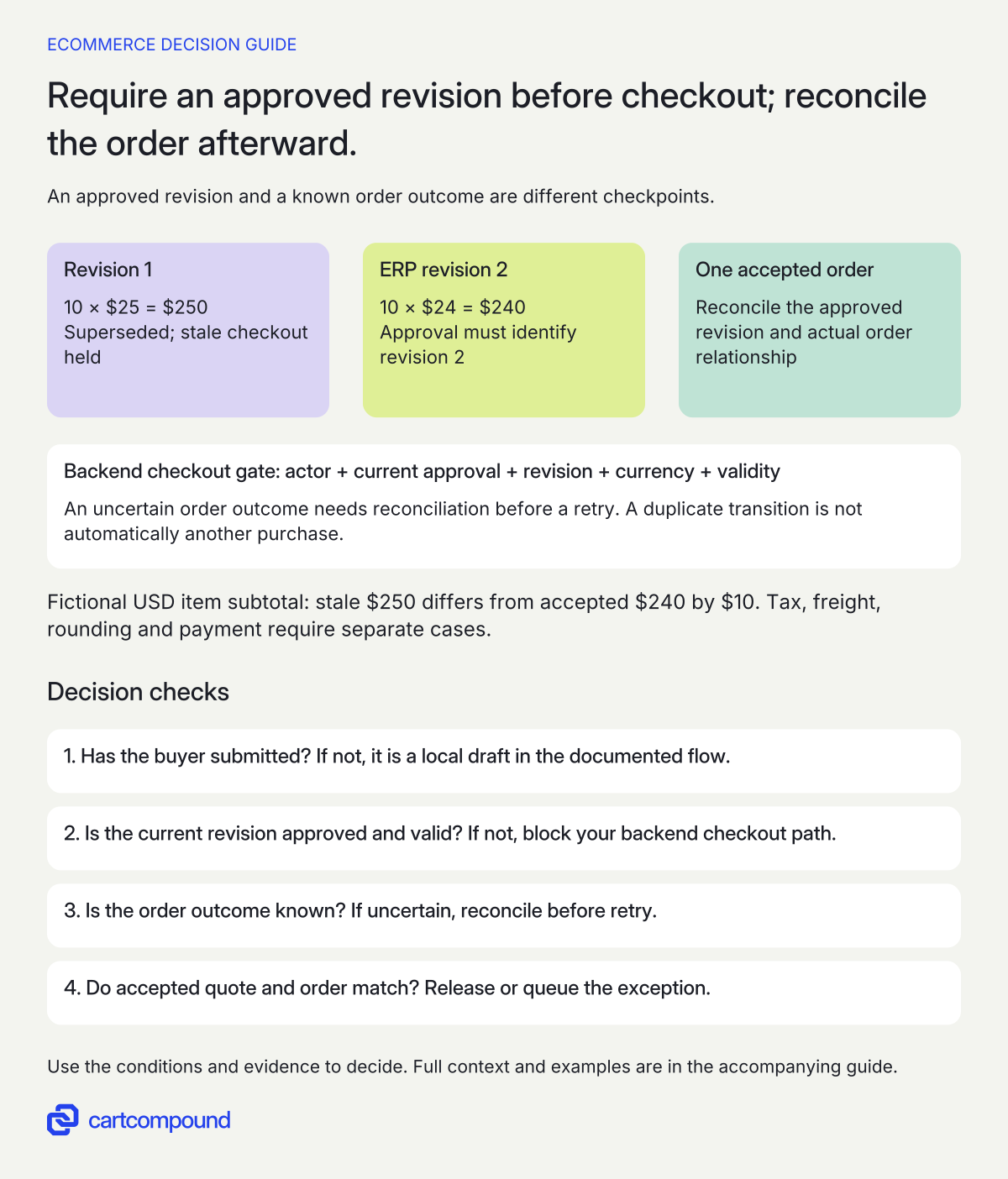
- Separate draft from submission. An unsent local draft is not the submitted RFQ in the documented flow.
- Gate checkout in the authorized backend. Require the allowed actor, current approved revision, currency and validity; hold a stale revision.
- Reconcile before retry. If the order outcome is uncertain, inspect durable relationships and authoritative order state before another attempt.
- Compare quote and order. Release only a matching accepted revision; queue exceptions rather than treating a repeated event as a new purchase.
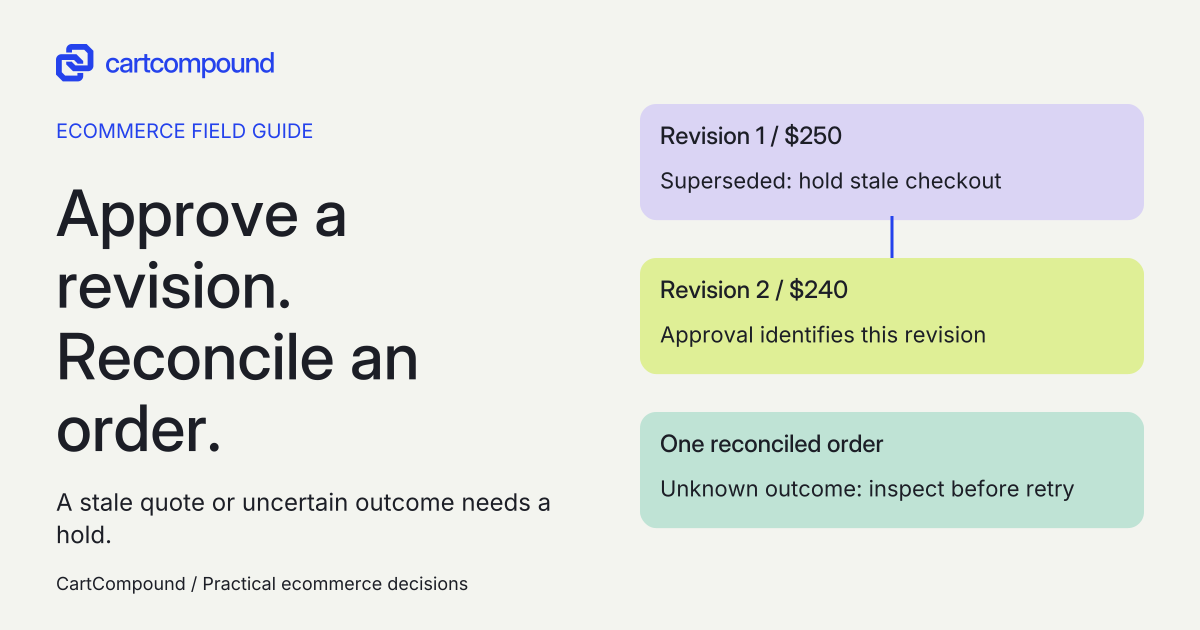
Illustrative example Revision 1 is 10 × $25 = $250; ERP revision 2 is 10 × $24 = $240. Hold stale $250 checkout and reconcile one order at the approved $240 subtotal.
USD item amounts only; tax, freight, discounts, rounding and payment require separate cases.
Give every important field and transition one owner
Pick the system of record for product identity, company identity, quantity, negotiated unit price, discount, currency, tax/shipping calculation, expiry and credit terms. For each field, record the write owner, permitted reader, update trigger, validation and conflict behavior. A two-way connection still needs a rule for simultaneous changes.
If the ERP owns approved price, a portal edit must either create a new proposed revision for ERP approval or follow an explicitly accepted alternative. It must not silently replace the approved amount. Likewise, a buyer address or quantity change may affect tax, freight, availability or approval. Define which changes invalidate the earlier acceptance and require review.
Persist a durable relationship between store/channel, company, internal RFQ ID, displayed quote number, ERP reference, revision, currency, expiry and any cart or order IDs. Distinguish display references from API identifiers. State the timezone and timestamp format used for comparisons. Keep personal details and privileged links out of routine public logs.
The Get Quote Details response exposes candidate mapping fields including quote number, status, channel, expiry/update times, reference, currency, order IDs and allowCheckout. A documented response field does not prove a connector syncs it. Request an example mapping and actual approved test evidence before relying on it.
Enforce approval at the backend checkout boundary
Hiding the Buyer Portal checkout button is not an approval control for every path. The documented v3 management endpoint for generating a quote cart/checkout URL can issue a checkout link even when that button is hidden. It currently permits New (0), In Process (2) and Updated by Customer (3). Those are API eligibility states, not your ERP’s business approval. Generate Cart and Checkout URL for Quote.
I recommend making the authorized backend path check the current company, permitted actor, approved revision, currency and expiry before requesting or releasing a checkout link. A direct integration path must not bypass that decision simply because the portal button is absent. Keep privileged API access on the server under appropriate permissions.
Define what happens after issuance too. If the price changes, the approval is revoked or the quote expires, establish whether an already issued cart/link can still be used and how that route is stopped or replaced. Do not assume updating the portal’s visible state invalidates every existing link. Treat a missing documented control as an unresolved implementation requirement and demonstrate it in the selected environment.
This is an acceptance requirement, not executable endpoint code. A provider’s ability to issue a link is not proof that your required policy is enforced. The article does not publish unverified order-assignment instructions or promise that a generic connector supplies the backend guard.
Reconcile the order before repeating an uncertain action
For every transition, save an operation/correlation reference, input revision, attempted action, time, response evidence and known resulting IDs. Set a single responsible worker or other durable duplicate-control mechanism for a given transition. Keep this integration policy separate from whatever idempotency a particular API explicitly documents.
If an order-creation step times out, the result may be unknown rather than failed. Search the authoritative order records and stored relationships before deciding to retry. If you cannot establish whether the first action succeeded, put the case in a recovery queue with an owner. A second request is not a safe way to discover whether the first created an order.
Reconciliation should compare line identity, quantity, accepted unit price, discounts, currency, shipping, tax, final total, company and revision. Apply explicit documented rounding rules. A matching order count alone can conceal an order with the wrong price. A displayed checkout URL alone proves neither order creation nor payment.
Define which operation creates an order and which only links an existing record in the chosen integration. These are not interchangeable. BigCommerce’s course describes order records in both BigCommerce and B2B Edition, with the order lifecycle managed in BigCommerce. That does not establish identical side effects for every quote operation. Ask the implementer to verify the exact operation before enabling it. Purchasing Entities and Relationships.
Prove the exceptions in a controlled environment
- Submit a real test RFQ. Use approved fictional records. Confirm submission produces the expected managed quote and ERP relationship. Keep unsent-draft behavior as a separate case.
- Revise the approved price. Change the authoritative revision before checkout. Confirm the buyer accepts the current amount and a stale revision cannot slip into the resulting order.
- Try every checkout path. Include the hidden-button case through the authorized backend test harness. An unapproved offer must remain blocked by business policy, not merely absent from the page.
- Exercise expiry and permission changes. Check expired offers, revoked buyers and changed company context, including previously generated links. Record what the actual implementation can invalidate.
- Replay and interrupt. Duplicate a permitted test event and simulate an ambiguous outcome using controlled integration tests. Confirm the recovery logic reconciles rather than blindly creating another order.
- Reconcile and hand off. Compare the accepted revision to order values, record the durable relationships and show support how to resolve a queued exception.
Include stock and payment in the specification: when, if ever, is stock reserved, what happens when it changes, and which event proves payment or credit acceptance? A quote is not a reservation promise without documented, demonstrated behavior. Do not tell a buyer that stock is secured merely because a quote exists.
Record test inputs, expected outcome, actual outcome, evidence and responsible owner. These tests require an approved environment and selected connector. None has been run against a store for this article.
Diagnose the state mismatch before replacing the connector
| Symptom | Check | Next action |
|---|---|---|
| ERP cannot find the buyer’s draft | Was the RFQ actually submitted? | Recover or submit the browser draft through the intended workflow; draft sync is a separate feature. |
| Unapproved offer gets a checkout link | Was only the portal button hidden? | Review the authorized backend approval guard and all alternate paths. |
| Order uses the previous price | Accepted revision versus cart/order revision | Hold the exception; reconcile the exact values before correcting or retrying. |
| Two orders appear after a retry | First outcome and correlation history | Reconcile authoritative records; do not delete or recreate orders automatically. |
| Quote becomes stale after an ERP change | Write ownership and update acknowledgment | Block acceptance until the current revision is confirmed, or use the documented accepted alternative. |
| Invoice exists, buyer says not paid | Order/invoice/payment records conflated | Ask finance to reconcile the payment authority and status. |
Set a recovery owner and response expectation per failure. Preserve enough evidence to resolve it without exposing a checkout link or customer data to every operator. A queue with no owner is another disconnected system.
Choose the smallest integration that meets the state contract
A sales-assisted process can be suitable when quote volume is low and a named person can update the accepted records reliably. A maintained connector can fit when its documented fields, transitions and recovery controls match your contract. Custom middleware is worth evaluating when the required approval, revision or reconciliation rules remain unsupported. These are conditional choices, not a claim that custom work is always necessary.
Request actual licensing, implementation and support proposals for the chosen scope. Include mapping changes, custom portal maintenance, connector upgrades, monitoring and recovery operations. Do not compare a manual handoff’s setup cost with an automated route’s full operating cost while ignoring ongoing sales work.
Finish with a signed-off state table, field owners, ID map, acceptance results and recovery runbook. Keep unsupported transitions on hold. That package lets sales, finance and development describe one process even though the portal, ERP, order and invoice remain separate records.
Hypothetical worked example
Worked example: Q-17 must become one order at the accepted revision
Fictional labels and amounts. Q-17 is a teaching RFQ label, E-81 the ERP reference and O-44 the later order label. They are not production identifiers or API payloads. Assume one item, ten units, USD, no tax, shipping, discounts or other products. ERP owns the negotiated unit price.
| Checkpoint | Inputs and result | Decision |
|---|---|---|
| Revision 1 | 10 × $25 = $250 item subtotal | Superseded before acceptance |
| ERP revision 2 | 10 × $24 = $240 item subtotal | Approval must identify revision 2 |
| Stale checkout attempt | $250 instead of $240 | Hold; difference is $10 |
| Accepted checkout/order | $240 with Q-17 / E-81 / O-44 relationship | Reconcile the actual order and accepted revision |
| Duplicate event for same transition | Existing O-44 relationship and recorded outcome | Reconcile; do not interpret as a second purchase |
The unit-price reduction is $1; across ten units the subtotal falls by $10, or $10 ÷ $250 = 4% of the original subtotal. That is arithmetic on assumed inputs, not a discount result achieved by an integration.
Before releasing checkout, the backend must establish the allowed actor, current approval and revision, currency and validity. If order creation returns an uncertain outcome, the integration searches its durable relationships and authoritative order state before retrying. The acceptance condition is one reconciled order at the accepted $240 item subtotal for this scenario, with no stale $250 order. Real tax, freight, rounding and payment need their own cases.
Frequently asked questions
Why can the ERP not see a quote the buyer is still editing?
The documented unsent front-end draft stays in browser local storage until submission and is not an API RFQ. Confirm whether it was submitted before diagnosing a sync failure. Sharing drafts earlier requires a separately designed and verified feature. Purchasing Entities and Relationships.
Does hiding checkout prevent unapproved orders?
It does not cover every path. The management quote checkout endpoint can generate a link despite the hidden Buyer Portal button. Enforce the required approval and actor checks in the authorized backend and test existing-link behavior too. Generate Cart and Checkout URL for Quote.
Does an ERP connector guarantee quote, approval and invoice parity?
No such guarantee is established here. Obtain the selected connector’s current field, status, operation and recovery documentation. Demonstrate the required workflow on the proposed versions before treating an unsupported transition as delivered.
Does a quote reserve inventory?
Do not assume that. Specify the required reservation moment and release behavior, then obtain documentation and acceptance evidence from the selected store/integration. Keep any unproved stock promise out of the buyer’s quote terms.
Sources and further reading
- B2B Edition Overview
Source checked: October 31, 2026.
- B2B Edition app listing
Source checked: October 31, 2026.
- Purchasing Entities and Relationships
Source checked: October 31, 2026.
- Get Quote Details
Source checked: October 31, 2026.
- Generate Cart and Checkout URL for Quote
Source checked: October 31, 2026.
- BigCommerce Pricing and Plan Information
Source checked: October 31, 2026.

About the author
Hamid Khan
Hamid co-founded CartCompound and works with ecommerce founders on their stores and growth priorities.
Profile and guides