Compare named platform routes against the same company, private-price, bulk-order, quote and approval scenarios. Reject or hold a route with an unresolved mandatory requirement, then compare operating responsibility and actual quotes among the remaining candidates. There is no universal best platform from a feature count.
The best B2B ecommerce platform for your business is the one that can complete your required buying and operating workflows within an acceptable commercial and maintenance scope. A company-account checkbox does not prove branch permissions, a quote button does not prove approval enforcement, and a connector logo does not prove ERP reconciliation.
I would shortlist from three representative buying scenarios before requesting a full build proposal. This guide compares four specific routes: Shopify native B2B, Adobe Commerce with its B2B extension, BigCommerce B2B Edition, and WooCommerce with Addify’s B2B for WooCommerce extension. The tables separate documented capability from the evidence your own purchase still needs. They are not hands-on platform test results.
Put it into practice
B2B catalog workbook
Specify who may see, buy, quote and approve, then test price precedence at the exact company and location.
Explore this resourceWrite the three transactions your shortlist must survive
Choose a routine order, a negotiated order and a permission exception. Use your actual requirements with synthetic company and product data. For each, name the actor, starting information, actions, expected amount, approval, destination order and exception. If two departments disagree on the required result, resolve that business policy before asking vendors to implement it.
- Routine reorder: a branch buyer signs in, sees only the permitted assortment and contract price, adds a representative multi-SKU basket, handles one unavailable item and reaches the correct delivery/payment options.
- Negotiated purchase: sales revises a quote, the commercial owner approves its price, the buyer completes any required purchasing approval, and the final order reconciles to the ERP reference.
- Permission exception: an unapproved buyer, another company, or a buyer from a different branch attempts to access the private product, price, quote or checkout path. The attempt must be handled according to your policy.
Label each requirement mandatory or optional and name who may change it. Use a hard stop for a mandatory access, pricing, approval or integration failure. Optional styling or an attractive feature total cannot compensate for an unauthorized order.
Collect your company structure, contract-price examples, representative basket, ERP ownership rules, current platform/version, internal support capacity and supplier terms. These inputs make the comparison specific enough to buy from. If a requirement can be met by changing a business process, show that as an explicit alternative with an owner, rather than silently weakening the test.
Name the route before comparing its features
| Route | Documented scope | What the proposal must identify |
|---|---|---|
| Shopify native B2B | Basic, Grow, Advanced and Plus; not Starter or Retail. Basic/Grow/Advanced have three active catalog-to-active-market assignments; Plus removes that limit and adds direct company/location catalogs. | Exact plan, catalog assignment design and any separate app/custom approval or quoting work |
| Adobe Commerce plus B2B extension | Licensed Adobe Commerce with the additional installed/enabled B2B module. The cited installation guide applies to cloud infrastructure/PaaS and on-premises. | Deployment, Commerce version, compatible B2B version, enabled features, license scope and implementation owner |
| BigCommerce B2B Edition | Separate B2B provisioning and custom commercial terms. Current public US plans use Core/Growth/Scale/Performance; the B2B listing still says Enterprise. | Actual store contract, Price Lists entitlement, B2B Edition provisioning, Buyer Portal or legacy experience, and customizations |
| WooCommerce plus Addify B2B for WooCommerce | An extension route, not a statement of core WooCommerce B2B parity. The product listing displayed version 4.2.3 when checked. | WooCommerce/WordPress/PHP and extension versions, hosting, checkout mode, other dependencies and support/renewal terms |
Sources: Shopify plan scope, Adobe B2B installation scope, BigCommerce current US plan table, B2B Edition listing, and Addify product/version listing.
Do not map the BigCommerce listing’s Enterprise label automatically onto a current Performance contract. The public table marks Price Lists only for Performance, but it does not establish the terms of an existing or negotiated B2B agreement. Ask for the purchased capabilities in writing. Likewise, Adobe’s cited installation path is not a SaaS installation recipe or an entitlement for Magento Open Source. An exact compatible version pair remains a procurement input.
Shortlist platforms by mandatory buying tasks
- Use the same scenarios. Define company access, price ownership, baskets and purchase approval for every route.
- Reject or re-scope a failed limit. If plan/module scope fails, do not treat another feature as compensation.
- Hold unresolved mandatory workflows. Require observed evidence for approval, ERP reconciliation and operating handover.
- Compare acceptable routes. Only then compare lifecycle quotes and terms. Keep migration checks with the conditional selection.
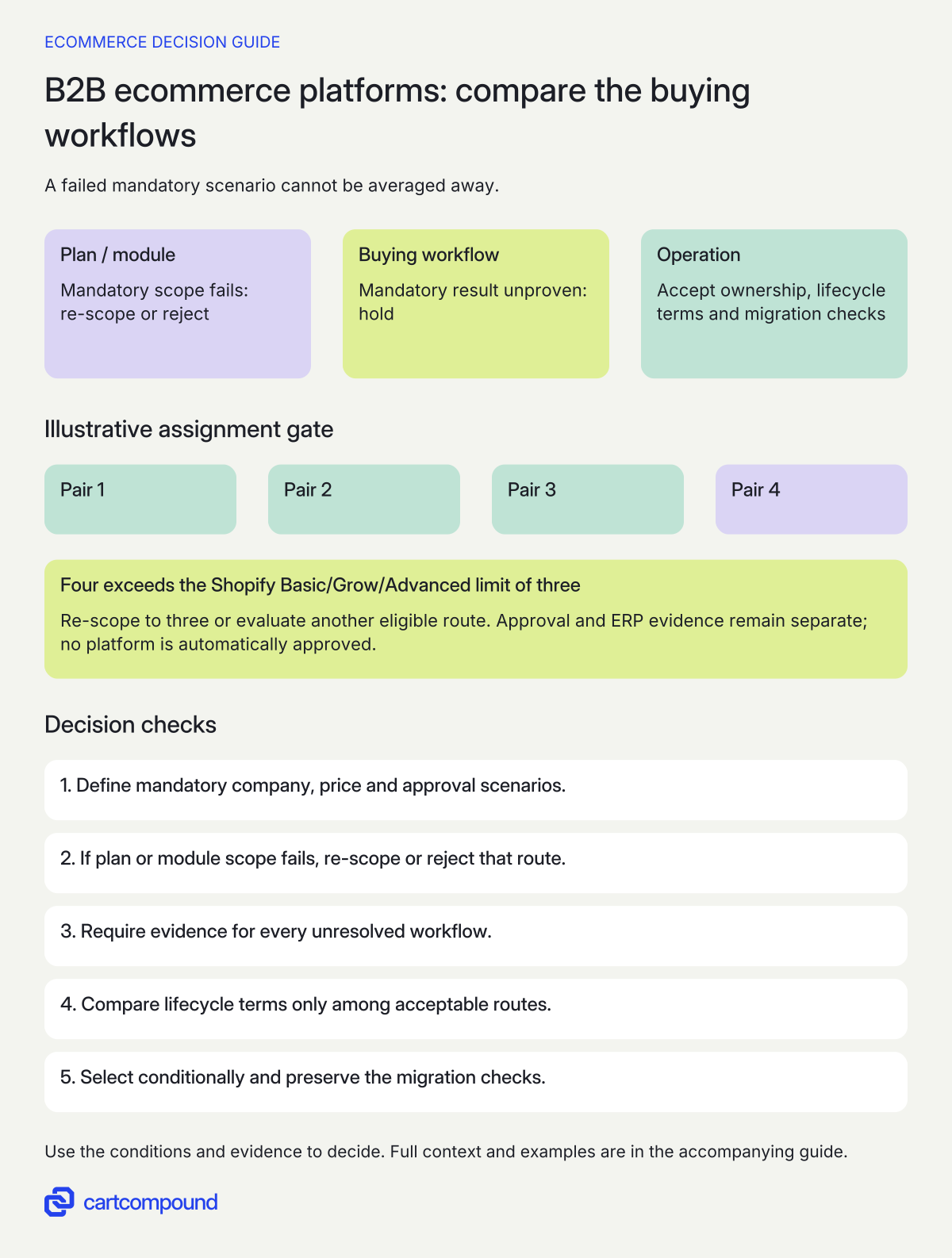
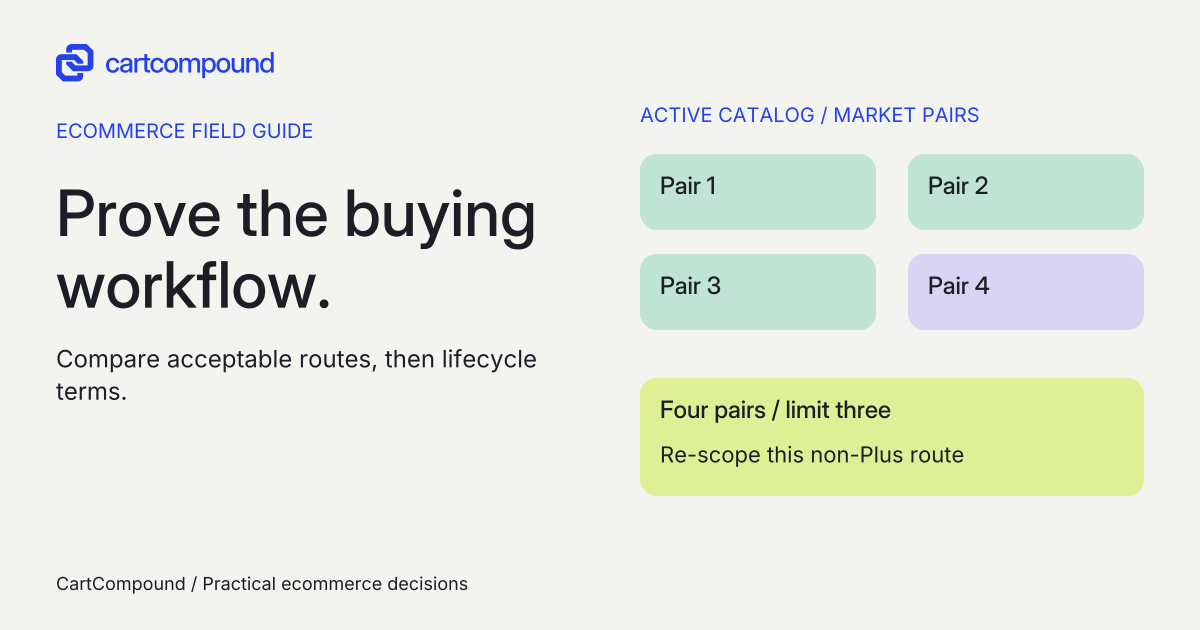
Illustrative example Four active assignments exceed Shopify Basic/Grow/Advanced’s limit of three. Reducing to three reopens that route; it does not prove the separate approval or ERP requirements. None is automatically approved.
Compare complete workflows with the same evidence requirement
Read each cell as documented starting capability followed by the unresolved buying question. “Demonstrate” means store-specific evidence is required; it does not mean the platform lacks the feature. An additional extension or custom implementation must be named, priced and maintained separately.
| Buying workflow | Shopify native B2B | Adobe Commerce + B2B module | BigCommerce B2B Edition | WooCommerce + Addify | Evidence required to close the row |
|---|---|---|---|---|---|
| Company buyers and access | Companies, locations and location-level permissions. Demonstrate the required branch and buyer policy. | Company structures, roles and permissions. Demonstrate the intended hierarchy with enabled module settings. | Company accounts, roles and Buyer Portal. Demonstrate the selected role policy and denied access. | Role management and registration approval. Company hierarchy and delegated administration equivalence remain unproven. | Allowed buyer succeeds; unrelated company/branch cannot access protected records; operator can maintain membership |
| Private contract assortment and prices | Market catalogs within plan limits; Plus direct company/location catalogs. Demonstrate conflicting contexts and privacy. | Shared catalogs require company-account configuration. Demonstrate permitted assortment and price. | Price-list records and group/channel assignment need entitlement and correct context. Demonstrate company-to-price mapping. | Role/customer pricing and visibility settings are extension capabilities. Demonstrate precedence and private-data exposure. | Two buyers, two prices, one forbidden product and a currency exception, checked through product/cart/checkout |
| Multi-SKU buying and repeat purchase | Self-serve ordering/reorders are documented. Demonstrate your basket and required entry method. | Quick Order and requisition lists are documented. Demonstrate unavailable items and current contract amounts. | Listing describes quick order pad and buy again. Demonstrate the actual Buyer Portal basket. | Do not infer a catalog-wide order pad from pricing features. Name any extra extension/custom entry route. | Buyer enters representative SKUs/quantities, sees row errors, corrects one line and reorders under current terms |
| Negotiated quote becomes an order | Draft-order/invoice and checkout-to-draft features are documented. Prove the required negotiation route; name app/custom dependencies. | Negotiable Quotes require company accounts. Demonstrate price revision, acceptance and conversion. | Sales quotes are documented. Demonstrate final approved quote, checkout and ERP/order mapping. | Extension quote management/conversion is documented. Demonstrate options, quantities and accepted price continuity. | One accepted quote version creates the intended order once, with accountable references and exception handling |
| Buyer purchase approval | Do not equate payment terms, PO number or draft review with the full policy. Require the named approval route. | Company PO approval rules are documented. Test role exceptions, applicable approvers and payment path. | Junior shopping-list approval is documented. It does not establish every quote/value-based approval policy. | Registration approval is not purchase approval. Multi-level purchase enforcement needs named evidence. | Attempt above-threshold purchase before and after approval, including alternate checkout paths |
| ERP reconciliation and operating recovery | No specific connector is assumed proven. | No version-compatible connector is assumed proven. | No quote/order connector is assumed proven. | No plugin combination or connector is assumed proven. | Price ownership, record mapping, duplicate/retry handling, stock exceptions, order acknowledgment and recovery owner demonstrated |
Platform sources for these starting capabilities: Shopify’s feature-by-plan table; Adobe’s B2B workflow overview and company PO flow; BigCommerce B2B overview, Buyer Portal feature listing and price-list context; Addify extension documentation. No vendor’s comparison page is being used as evidence about a competitor.
Test quote acceptance, purchase approval and payment as separate controls
A quote is the seller’s commercial offer. Buyer approval controls who may commit the buyer’s spend. A PO number or payment method records how an order is referenced or paid. Your business can require all three, with different owners. Name each state and the action that makes an order valid.
Adobe explicitly separates its ordinary PO offline payment method from the B2B company approval workflow. Company administrators can bypass approval rules, and all unique required approvers must approve when multiple rules apply. Online payment details come after approval. Verify those exceptions against your actual policy using the current company PO flow.
BigCommerce’s management quote endpoint can generate a checkout link even when the Buyer Portal checkout button is hidden, for its documented eligible quote statuses. A hidden button therefore cannot prove approval enforcement. See Generate Cart and Checkout URL for Quote. Require the authorized backend/integration path to respect the business approval policy before issuing checkout access.
In the demonstration, revise a quote after approval, reject it, let it expire under the agreed policy, change quantity and try the alternate checkout route. Record whether each action invalidates approval or preserves an accepted version as intended. Do not accept a supplier video that shows only the happy path. Ask who owns the rule when a portal, app or connector changes.
Decide which system owns the commercial truth
Before evaluating connectors, assign an owner to customer/company identity, product identifiers, contract prices, quote versions, inventory availability, tax inputs, order creation, credit limits and invoice/payment status. Some systems may share data, but each consequential change needs an agreed authority and reconciliation rule.
| Boundary | Demonstration | Named responsibility |
|---|---|---|
| ERP price to storefront | Publish a synthetic changed contract price; compare source, destination and buyer context | Commercial authority, integration owner and acceptance reviewer |
| Quote to order | Reconcile accepted version, line amounts, reference IDs and one intentional duplicate attempt | Sales owner, ERP owner and connector maintainer |
| Availability exception | Change stock or disable an item between quote and order under the agreed policy | Stock authority and customer-service owner |
| Failed delivery or update | Show how an acknowledged failure is detected, held, retried or reconciled without duplicate commitments | Monitoring owner and recovery owner |
| Platform/module update | Run the mandatory workflow checks against a supported candidate before release | Platform maintainer, extension supplier and release owner |
For a hosted platform proposal, ask who maintains your theme, portal customizations, apps and integrations as well as the platform service. For Adobe or WooCommerce proposals, also itemize the infrastructure, runtime, security-update and module/extension work allocated to your team or supplier. Have the proposal state exactly which responsibilities the vendor takes and which remain yours.
For the Addify route, explicitly verify the proposed checkout and order-storage configuration, other plugins, tax integration and ERP connector on the named versions. Advertised compatibility is a starting question, not your acceptance result. If the supplier cannot reproduce a mandatory workflow, keep that route on hold or budget a bounded discovery phase with a failure decision.
Request comparable lifecycle quotes after the scope is clear
Send the same scenarios and evidence matrix to the remaining suppliers. Ask for separate lines for platform/license terms, B2B modules/extensions, implementation, catalog/company migration, integrations, acceptance testing, training, hosting where applicable, maintenance, support and upgrade work. Record currency, tax treatment, billing basis, usage limits, quote expiry and the period being compared.
Use an operating-cost model with your chosen period, actual quote inputs and a named owner for unknowns. Initial cost plus recurring costs over that period plus separately quoted maintenance is a useful subtotal. Unpriced mandatory work stays an unknown; it is not zero. Do not use a generic “open source is free” or “SaaS includes everything” assumption to fill the gaps.
Ask how scope changes are priced when a demonstration uncovers a missing approval path or connector limitation. Include exit/handover deliverables, data export, custom source access, documentation and supplier transition responsibilities in the proposal. A lower platform fee cannot settle the decision if essential operating work has no owner.
Keep the current platform with a focused extension or a narrower process change in the comparison when it can pass the same requirements. Migration has data, training and operational consequences. A new platform is justified by an accepted requirement and ownership case, not by the length of its feature list.
Turn the shortlist into a conditional decision and a migration specification
For each mandatory row, save the exact route/plan/version, native/module/extension/custom classification, source, demonstration artifact, observed result, limitation, maintenance owner and pass/hold decision. A source can establish documented availability. Only the appropriate demonstration can establish that your configured workflow meets your requirement.
If a route fails, write the reason narrowly: “four active catalog assignments exceed this proposed plan’s limit,” or “the submitted approval design has not proved alternate checkout enforcement.” Avoid concluding that an entire platform can never meet the need. Change the plan or implementation scope and reevaluate, or reject the route on commercial or operational grounds.
Once a route passes, specify migration checks for company/location membership, buyer roles, product/variant identifiers, permitted assortment, contract prices and currencies, open quote versions, order references, stock and accounting reconciliation. Include disallowed-access cases, an end-to-end synthetic order, operator maintenance and a release/recovery owner. Record counts alone cannot prove that the right buyer sees the right price.
Your next action is to choose the hardest of the three scenarios and require the same evidence from two plausible routes. If neither passes, resolve the exact requirement or fund a bounded proof before commissioning the whole build.
Hypothetical worked example
Illustrative spare-parts distributor, not client work or a platform test. Assume four active catalog-to-active-B2B-market assignment pairs, a $3,000 merchandise order, manager approval above $2,500, an ERP-owned negotiated price, private company access and a representative multi-SKU reorder. The approval threshold and ERP policy are fictional business requirements.
$3,000 is $500 above $2,500, so the assumed policy requires approval. Four active assignments exceed Shopify Basic/Grow/Advanced’s documented limit of three by one. An assignment means a catalog/active-market pair: one catalog used in two active markets consumes two assignments.
| Requirement | Shopify native B2B route | Adobe Commerce + B2B route | BigCommerce B2B Edition route | WooCommerce + Addify route | Owner and next evidence |
|---|---|---|---|---|---|
| Four active market assignments; mandatory | Proposed Basic/Grow/Advanced design fails this limit. Re-scope to three assignments or evaluate Plus. | Different catalog model. Hold until the four required buying contexts are mapped. | Different assignment model. Hold until the four required contexts are mapped. | Different role/customer model. Hold until the four required contexts are mapped. | Catalog owner: document the four contexts and permitted prices, then demonstrate the proposed mapping |
| Private company/branch access; mandatory | Documented entities; not yet demonstrated for this policy | Documented hierarchy; not yet demonstrated for this policy | Documented company roles; not yet demonstrated for this policy | Documented roles; required company/delegation structure unproven | B2B operator + implementer: allowed buyer and denied cross-company/branch cases |
| $3,000 order needs manager approval; mandatory | Hold; named complete approval route required | Documented approval mechanism relevant; hold pending rule, role-bypass and payment-path evidence | Hold; shopping-list approval is not the full threshold/quote control; prove alternate checkout enforcement | Hold; registration approval does not prove purchase approval | Purchasing-policy owner + developer: preapproval attempt denied, approved order accepted, changed quote rechecked |
| ERP owns accepted quote price; mandatory | Hold; named connector/version and reconciliation unproven | Hold; named connector/version and reconciliation unproven | Hold; named connector/version and reconciliation unproven | Hold; named connector/version and reconciliation unproven | ERP + integration owner: accepted quote version and one final order reconcile after a controlled duplicate attempt |
| Repeat a multi-SKU basket; mandatory | Hold; actual basket not demonstrated | Hold; actual basket not demonstrated | Hold; actual basket not demonstrated | Hold; entry route and actual basket not demonstrated | Buyer + merchandising owner: unavailable item, quantity error and changed-price case accepted |
| Operating handover; mandatory | Hold; app/custom and integration owner required | Hold; compatible Commerce/B2B pair and module/infrastructure owner required | Hold; contract, portal and integration owner required | Hold; named runtime/plugins, hosting and update owner required | Merchant technical owner: complete supplier scope, lifecycle quote and update/recovery procedure |
This completed record produces a concrete result without pretending a demonstration occurred: the proposed non-Plus Shopify assignment design fails one documented limit, and every route has mandatory evidence still open. None is approved. Plus can be evaluated for that limit, but it does not automatically resolve approval or ERP evidence. Adobe’s documented approval mechanism is a reason to investigate that route, not a complete implementation pass.
Now change the assumed requirements to three assignments and remove manager purchase approval. The original Shopify assignment objection no longer applies: 3 is within the documented limit of 3. Reopen the shortlist for all routes against the remaining private-access, ERP and basket requirements. Do not preserve a ranking produced for the old policy, and do not treat a removed approval rule as demonstrated enforcement.
For a real decision, replace each hold with an observed result, evidence location, exact version/plan and reviewer. If the supplier offers a prototype, define which row it resolves, who maintains it and what happens if it fails. This lets you buy discovery without prematurely buying the whole platform project.
Frequently asked questions
Which B2B ecommerce platform is best for a small wholesale business?
Start with the smallest route that can prove your mandatory work and has support you can sustain. A role-based catalog and simple approved-buyer process may need less scope than branch delegation, negotiated quotes and ERP-owned approval. Compare a focused extension on the current store with a migration using the same acceptance cases.
Is Shopify B2B only available on Plus?
No. Current documentation lists Basic, Grow, Advanced and Plus. Catalog assignment limits, direct company/location catalogs and other advanced features vary by plan. Verify the exact plan against your requirements before requesting an implementation quote.
Does a PO payment method prove purchase approvals?
No. A payment method or PO reference is separate from who may authorize spend. Require evidence for the buyer roles, threshold, approvers, exceptions and alternate order paths in your actual policy.
Does WooCommerce need this specific B2B extension?
No. Addify is one explicitly named comparison route. You can substitute another supported extension or custom design, but name its versions, documented scope, dependencies, support owner and demonstrations. Do not transfer a capability claim from one plugin to all WooCommerce implementations.
Should I compare public subscription prices first?
Use them to establish possible eligibility, then request comparable quotes for the same accepted scope and time period. Missing integration, migration or maintenance prices stay unknown. A cheaper subscription does not resolve a failed mandatory workflow.
Sources and further reading
- Shopify B2B features by plan
Source checked: October 31, 2026.
- Install the Adobe Commerce B2B extension
Source checked: October 31, 2026.
- Introduction to Adobe Commerce B2B
Source checked: October 31, 2026.
- Purchase orders for companies
Source checked: October 31, 2026.
- BigCommerce Pricing and Plan Information
Source checked: October 31, 2026.
- B2B Edition app listing
Source checked: October 31, 2026.
- B2B Edition Overview
Source checked: October 31, 2026.
- Price List API
Source checked: October 31, 2026.
- Generate Cart and Checkout URL for Quote
Source checked: October 31, 2026.
- B2B for WooCommerce product listing
Source checked: October 31, 2026.
- B2B for WooCommerce documentation
Source checked: October 31, 2026.

About the author
Hamid Khan
Hamid co-founded CartCompound and works with ecommerce founders on their stores and growth priorities.
Profile and guides