Define the valid configuration and accepted price before choosing a configurator. Separate stock-bearing variants, customer instructions, priced additions and manufacturing rules. A configuration passes only when the buyer summary, cart, order and production instructions agree.
A shelving preview can look convincing while offering a width the mounting kit cannot support. The real configurator decision is whether your store can accept a buildable order, charge the right amount and tell production exactly what to make.
I recommend starting with one valid order and one attractive but invalid order. Use those two cases to compare native controls, an app demonstration and custom development. The specification below concerns dependent product rules; ordinary size and color selector design is a separate task.
Put it into practice
Store build decision pack
Turn a store requirement into comparable route evidence, explicit ownership and a cost model you can challenge.
Explore this resourceCollect the product rules before requesting a demo
Bring the current product/variant export, allowed dimensions and units, finish list, mounting or component compatibility, pricing policy, inventory owner and actual production fields. Include the Shopify plan, theme/version, installed purchasing apps, sales channels and fulfillment connector. Your supplier needs these facts to identify a suitable architecture.
Ask production to describe rejected orders in concrete terms. “Large is incompatible with heavy-wall mounting” is useful. “Some options are complicated” is not. Give each rule an owner, an effective date and an approved explanation for buyers. Resolve disagreements before the interface makes the rule public.
Use a requirements sheet with choice, data type, allowed values, dependency, invalid case, charge authority, stock authority, production field and evidence columns. Mark unknowns as unresolved. Do not hide an unknown manufacturing tolerance behind an estimated value just to finish the brief.
Separate what is sold from what describes it
Shopify currently permits 2,048 variants and three options on an ordinary product, with price, inventory and shipping settings at variant level. That capacity does not prove your theme or connector supports your proposed configuration. Check the current variant considerations.
| Choice | Model to evaluate | Acceptance question |
|---|---|---|
| Width and finish identifying a sellable SKU | Variant | Does the exact variant reach cart and order? |
| Engraving text or customer reference | Line item property | Does this value remain attached to this purchased item? |
| Charged accessory or service | Explicit supported priced variant, component or app route | Where is the accepted charge created and validated? |
| Dimension-dependent compatibility | Business rule plus supported enforcement | Which surfaces reject an impossible build? |
| Maker-only build instructions | Production mapping with an owner | Can production reconstruct the accepted configuration? |
Shopify documents line item properties for extra information such as engraving and file input. They are a way to capture information, not evidence of a surcharge or stock movement. Read the product form distinction. I would reject a proposal that puts a dollar amount in a text field and calls pricing solved.
Avoid turning every free-text value into a variant. Conversely, do not represent a stocked metal bracket only as a note if the business expects that choice to consume bracket stock. Decide whether you are configuring one made-to-order item or assembling multiple component products; the latter can require a bundle architecture.
Accept only a buildable configuration
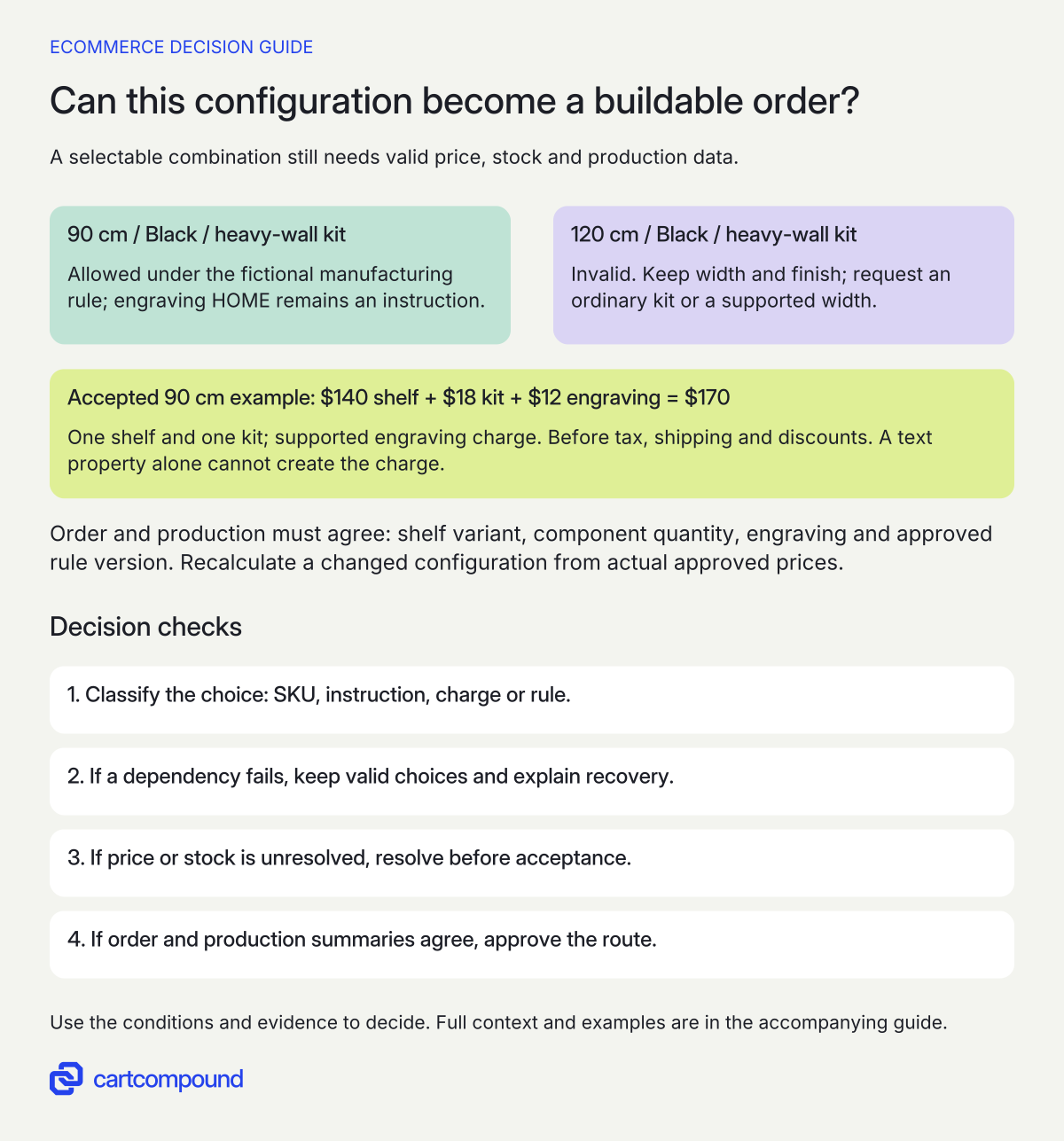
- Classify each choice. Separate a stock-bearing SKU, instruction, priced addition and manufacturing rule. A text property alone must not create a charge.
- Resolve a failed dependency. Keep valid choices and offer a supported kit or width; do not accept a forbidden combination.
- Reconcile the handoff. Approve only when price, stock, buyer summary, cart, order and production instructions agree.
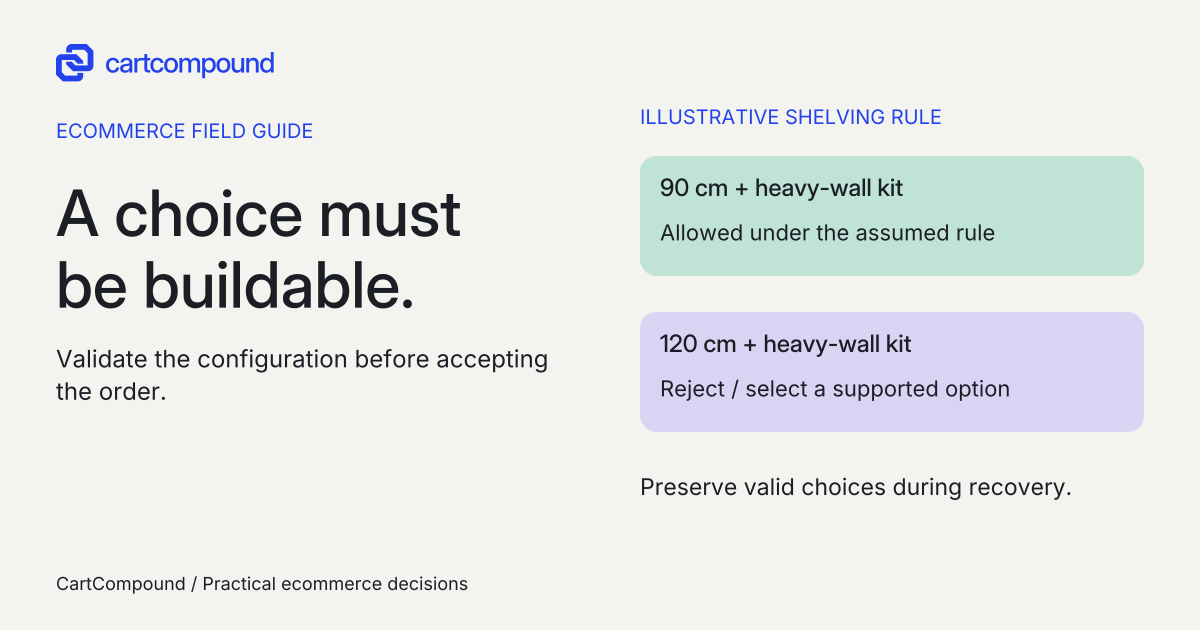
Illustrative example A heavy-wall kit is allowed at 90 cm but forbidden at 120 cm under the assumed rule. The valid 90 cm Black shelf totals $140 + $18 kit + $12 supported engraving charge = $170 before tax, shipping and discounts.
Write dependencies as cases with a recovery action
For each dependency, describe the trigger, permitted result, buyer message and next action. If a shopper changes width after choosing a mounting kit, decide whether the kit becomes invalid and requires a fresh choice, or whether the width change is blocked with an explanation. Preserve unrelated valid choices. Do not silently choose a replacement kit.
For custom dimensions, specify accepted units, precision, minimum, maximum and how rounding is handled. Distinguish a malformed value from a valid measurement that falls outside manufacturing capacity. If the latter needs a quote, say so before accepting payment. A visual slider is not the source of those limits.
Keep two kinds of rules separate. Merchandising rules guide a buyer toward a preferred finish, arrangement or accessory. Enforced rules prevent an invalid purchase. A hidden option, recommendation or disabled-looking button is not proof that alternate purchase routes reject the combination.
Describe the preview honestly. If it illustrates color and proportion but is not a production drawing, say that. If a supplier promises an exact rendering, require evidence for the chosen dimensions, text, crops and component positions. Never infer manufacturability from a successful image render.
Name the price, stock and enforcement authority
Write the accepted-price policy as inputs and output. Identify the base variant price, permitted additions, quantity treatment, currency, taxes and discount interactions. Define when a changed selection requires recalculation and how an unresolved price prevents an accidental purchase. Show a buyer-readable breakdown without letting that display become an independent price engine.
For stocked components, name which system decrements them and how shortages affect the configured parent item. For made-to-order capacity, distinguish a lead-time promise from tracked inventory. A queue estimate supplied by production needs its own owner and refresh rule.
Custom validation also has eligibility boundaries. Public App Store apps containing Functions can generally be used across plans subject to each API’s exceptions; custom apps containing Functions require Plus. Check Function API availability.
The 2026-10 Cart and Checkout Validation compatibility table includes storefront accelerated checkout, but excludes preorders, recurring subscription orders, POS, Create Order API and order edits. Inspect the actual surface table. Require the supplier to map every route you use to supported validation or an explicit restriction. “Server-side” alone does not describe that coverage.
Compare the three routes against the same order
| Candidate | Fits when demonstrated | What to request |
|---|---|---|
| Native variant controls | Finite independent combinations and straightforward data | Correct variant/price and complete order instructions |
| Named configurator app | Your dependencies, charges and output are supported | Demo using your invalid case, exact plan and integration |
| Scoped custom work | A necessary rule or integration remains unsupported | Data contract, API eligibility, maintenance and recovery plan |
For an app, record the exact product, plan, charge model, theme integration and export/removal behavior. A vendor feature page is a reason to request evidence, not a passed case. For custom work, ask which parts the merchant can maintain without code and which changes require a developer. Have a merchant operator change a finish or rule in the proposed demonstration.
Compare actual quotes with setup, recurring license or usage charges, catalog preparation, production integration, regression checks, support and removal costs shown separately. A cheap preview can become expensive if staff must rebuild every order manually. Use your actual operating assumptions rather than a generic project range.
Make the accepted order reproducible for production
Create one agreed production summary containing the order line reference, variant/SKU, selected dimensions and units, finish, kit/component identifiers and quantities, engraving or artwork reference, rule version and approval status. Your chosen implementation may store these differently; the acceptance requirement is that production can locate the complete accepted specification.
Keep descriptive instructions and priced lines aligned. If an accessory is a separate charged line, show how it links to the configured item so removing one cannot leave an unexplained charge or an unbuildable set. If production uses a connector, inspect its actual output instead of stopping at the Shopify order screen.
Define what happens after a buyer asks for a change. Reprice or reapprove through the agreed process, retain the accepted version and prevent an old preview from becoming the new work instruction. Name the person who resolves a missing field, incompatible kit or unavailable component before production starts.
Accept the workflow with failure cases, not screenshots alone
These are proposed acceptance scenarios, not tests performed for this guide. In an approved preview or test process, trace valid, invalid and changed configurations from product to cart, checkout, order and production. Save the submitted identifiers, accepted price and production output as well as the visible screens.
| Observation | First comparison | Action to require |
|---|---|---|
| Preview works; maker rejects order | Accepted choices against manufacturing constraint table | Add the missing rule and a valid recovery choice |
| Cart edit loses price or detail | Variant, priced additions and production fields before/after | Reconcile the data model and repeat the entire route |
| Quick add bypasses choices | Every purchasing entry point against enforcement coverage | Route to configuration or remove that unsupported entry |
| Long label or error hides the next action | Actual mobile and keyboard journey | Reflow controls; keep error and correction reachable |
Include boundary dimensions, wrong units, stale price, changed stock, back navigation, connection failure and repeated submit. Check quick add, sticky purchase controls, accelerated checkout and any staff-created route you actually use. Require clear labels and announced selection/price changes, plus readable mobile text and keyboard access.
Your next action is to complete the constraint sheet and request a demonstration of the invalid order first. Approve the route when it rejects that case clearly and carries the valid case all the way to the maker. That is a concrete brief for a build decision, with an owner for every rule.
Hypothetical worked example
A fictional shelving configuration that a preview must reject
All product rules, prices and outcomes here are hypothetical, not a tested Shopify build. A shelving range has widths 60, 90 and 120 cm and finishes Natural and Black. Width and finish identify 3 × 2 = 6 core variants. A fictional manufacturing policy permits a heavy-wall mounting kit at 60 or 90 cm but forbids it at 120 cm. An ordinary kit is permitted at all three widths. The kit is a separately priced component in the proposed architecture.
| Requested configuration | Decision | Required recovery or production output |
|---|---|---|
| 90 cm / Black / heavy-wall kit / HOME engraving | Valid under these assumptions | Shelf variant + one heavy-wall kit + accepted engraving |
| 120 cm / Black / heavy-wall kit | Invalid | Keep width/finish; request ordinary kit or a supported width |
| 120 cm / Natural / ordinary kit / no engraving | Valid | Shelf variant + one ordinary kit; no engraving task |
There are 6 × 2 = 12 theoretical width/finish/kit combinations. Two are forbidden, one for each finish at 120 cm with the heavy-wall kit, leaving 10 allowed combinations before engraving. That count does not mean all 10 must become variants; it is the acceptance-case space.
Assume the 90 cm Black shelf costs $140, one heavy-wall kit costs $18 and an explicitly supported engraving charge is $12 per shelf. One accepted shelf totals $140 + $18 + $12 = $170 before tax, shipping and discounts. Typing HOME into a property must not be the only mechanism creating that $12 charge.
The proposed production record reads: 90 cm Black shelf, quantity 1; heavy-wall kit, quantity 1; engraving HOME; approved rule version. If the buyer changes width to 120 cm, the previous kit is no longer valid. The interface must resolve that conflict before acceptance, then recalculate the new price from actual approved inputs. This example supplies no invented price for the replacement.
Frequently asked questions
Do I need 3D to configure a product?
Only if it helps the buyer make a necessary decision and its accuracy can be maintained. A clear summary, dimensions and compatibility rules can be enough. Commissioning 3D assets is a separate decision from enforcing a valid order.
Can the merchant maintain rules without a developer?
Make that a demonstrated requirement. Ask an operator to change an allowed value and a dependency, preview the effect and restore the previous rule. Record which changes require development and who owns them.
Should an unusual configuration be blocked or quoted?
Follow the approved production process. If the maker can assess it but cannot price or approve it instantly, route it to a clearly identified quote process. Do not accept payment as though a manufacturable configuration has already been confirmed.
Sources and further reading
- Adding variants
Source checked: October 31, 2026.
- product template
Source checked: October 31, 2026.
- Function APIs
Source checked: October 31, 2026.
- Cart and Checkout Validation Function API
Source checked: October 31, 2026.

About the author
Hamid Khan
Hamid co-founded CartCompound and works with ecommerce founders on their stores and growth priorities.
Profile and guides