The short answer
Compare like-for-like orders and revenue first, then reconcile transaction IDs and classify the residual gap. Treat sessions and channel attribution as separate questions. Shopify changed session measurement in September 2026, so comparisons across that date need an explicit measurement note.
Choose one discrepancy to investigate
“Shopify and GA4 disagree” can mean four different things: order count, revenue, sessions, or channel credit. Do not try to solve all four with one ratio. Write the exact reports, date range, filters, dimensions, metrics, time zones, and currencies being compared. Save the exports so the investigation can be reproduced.
Choose the decision that depends on the difference. Financial reporting needs the commerce and accounting records with the appropriate adjustments. Journey analysis needs reliable behavioral collection and clear scope. Campaign allocation needs attribution context and business economics. The system useful for one question may not be the authoritative record for another. A single dashboard label cannot resolve these differences.
Start with a completed period and consistent refresh timing. Very recent data may still be processing. Google's data-freshness guidance notes that processing can take 24 to 48 hours and reports can change during that period. Use an established reconciliation schedule rather than comparing a live store total with a partially processed analytics view and immediately declaring a tracking failure.
Align the eligible orders before comparing totals
List which orders belong in the exercise. Decide how to handle point-of-sale, manual or draft orders, subscriptions, wholesale, third-party channels, canceled orders, test orders, and unpaid transactions. GA4 storefront collection may not cover every order in a storewide total. Remove or separately report out-of-scope groups using an explicit rule.
Align the time boundary. An order near midnight can fall into different dates when systems use different time zones. Use a wider completed period and inspect boundary records when needed. Align currency as well: presentment, store, and analytics reporting currencies may differ. Do not compare dollar-looking values without verifying the currency basis and conversion treatment.
Then compare counts on a documented identifier mapping. An integration might send an order number, an internal order ID, or a checkout-related identifier. Preserve the exact values and the mapping method. Do not strip characters or transform identifiers simply until they appear to match. A faulty join can create both false missing orders and false matches, hiding the problem the exercise is meant to explain.
 Keep this framework
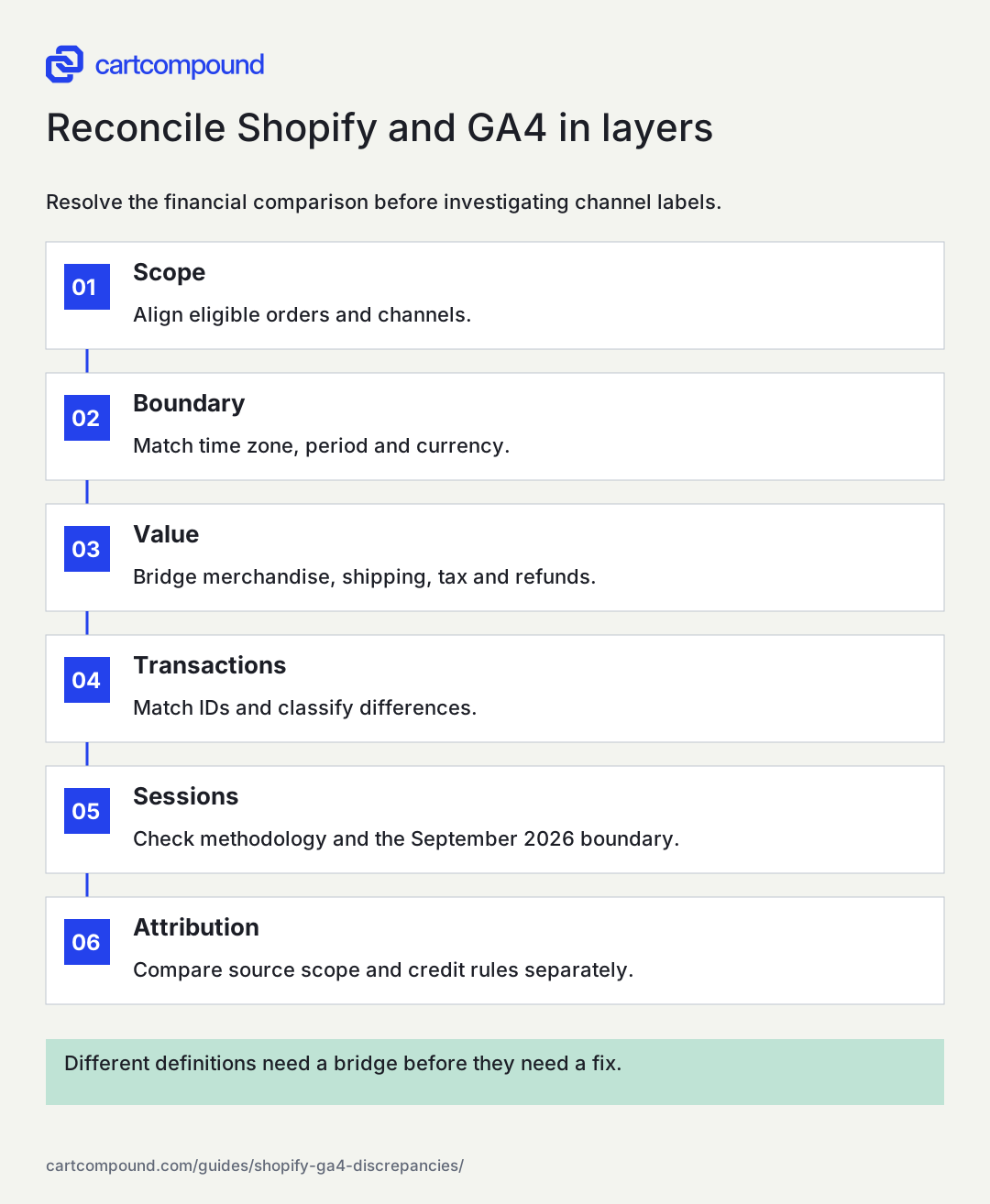
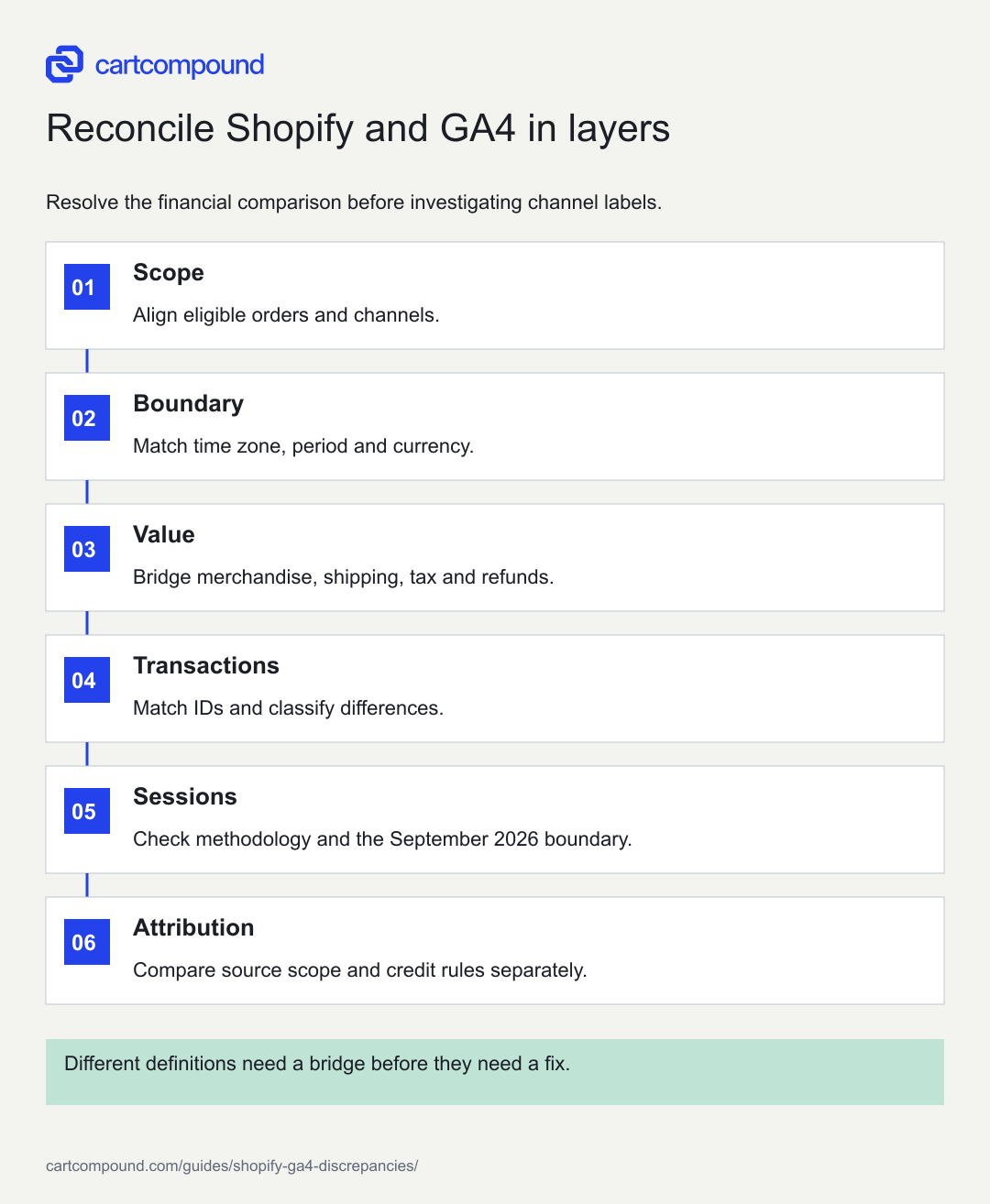
Reconcile Shopify and GA4 in layers
Resolve the financial comparison before investigating channel labels.
- ScopeAlign eligible orders and channels.
- BoundaryMatch time zone, period and currency.
- ValueBridge merchandise, shipping, tax and refunds.
- TransactionsMatch IDs and classify differences.
- SessionsCheck methodology and the September 2026 boundary.
- AttributionCompare source scope and credit rules separately.
Different definitions need a bridge before they need a fix.
Use the steps with your store data. Examples in this guide are illustrative unless a source is named.
Build a revenue bridge rather than subtracting labels
Write the composition of each revenue figure: merchandise, discounts, tax, shipping, duties or fees, returns, and refunds as applicable. Google's purchase-event reference separates merchandise value from shipping and tax parameters. Shopify's sales-discrepancy guidance also explains that report timing and treatment of returns and refunds can create differences. Use the exact metric definitions in the selected reports.
Create a bridge from the backend figure to the comparable analytics merchandise amount. If the backend total includes shipping and tax while the event value excludes them, subtract those components before testing value accuracy. If one report includes later returns and another lacks refund events, show that adjustment separately. Do not call a definitional difference a missing-event problem.
Keep order-count and value differences separate. A perfect count can coexist with wrong amounts, and a lower count can coexist with a plausible total when large orders happen to be tracked. Compare matched orders individually and inspect outliers. The bridge should explain how much of the gap is scope, timing, definition, currency, collection, or still unresolved.
Use an illustrative reconciliation ledger
Suppose a completed backend period contains 120 orders and $12,000 in the selected revenue figure. Ten orders belong to a sales route outside the storefront comparison. After the agreed scope and revenue adjustments, 110 eligible orders contain $10,000 of comparable merchandise value. GA4 shows 102 matched eligible orders and $9,300 of merchandise value. These numbers are illustrative.
The order capture ratio for that defined population is 102 divided by 110, or about 92.7%. The residual difference is eight orders and $700. That ratio describes the exercise; it is not a universal acceptable accuracy benchmark. Investigate the eight records and any matched value differences. Some may have an expected collection limitation, while others may reveal a broken route.
Do not compare 102 with the original 120 and conclude that eighteen storefront purchases were lost. Scope already explains ten. Likewise, do not inflate GA4 to the backend total with a blanket multiplier. Such a correction would assume that missing behavior and attribution resemble observed behavior, which may be false. Preserve the explained categories and the unresolved remainder.
Classify transaction-level differences
On a small screen, swipe the table to see every column.
| Record class | Possible explanation | Next check |
|---|---|---|
| Backend only | Scope, consent, blocked request or missing path | Verify eligibility and collection route |
| GA4 only | ID mismatch, test data or wrong purchase trigger | Trace identifier and completion state |
| Matched, value differs | Discounts, quantity, currency or parameter error | Compare item arithmetic and payload |
| Repeated analytics identifier | Replay or overlapping collection | Inspect all event sources |
| Daily mismatch, period aligns | Time-zone or timing boundary | Review timestamps in one basis |
| Revenue matches, channel differs | Attribution scope or model | Inspect source dimensions and windows |
Assign a status to each explanation: confirmed, plausible, or unresolved. Privacy-related collection loss can be expected, but it should not become an automatic explanation for every missing order. Conversely, do not bypass customer choices to make two reports equal. The objective is trustworthy interpretation within the approved measurement design.
For repeated patterns, inspect representative journeys. If one payment method or market appears disproportionately among unmatched records, test that route. Use sanitized evidence and avoid exporting unnecessary customer details. The identifier and order economics are usually enough to investigate the discrepancy without copying personal information into a shared worksheet.
Handle the September 2026 session change explicitly
Shopify documents a session-measurement rollout on September 21 to 23, 2026. The update changes activity-based session handling, includes some sessions without a pageview, and filters identified bots by default. Orders, sales, and customer totals are not changed by that update. Use Shopify's session-change guidance when interpreting a sudden rate or session shift around that period.
Annotate the measurement boundary and establish a new baseline using comparable post-update periods. Keep bot-filter settings consistent where reports expose them. Do not assume that identical filters make pre-update and post-update sessions directly comparable. The platform's definition changed as well as the visible filtering behavior.
Treat a session difference separately from an order-reconciliation problem. A lower session count can raise a session-based conversion rate without creating a single additional order. A higher count can lower the rate for the same reason. If the store's orders and sales remain stable while session metrics change, investigate the definition before redesigning the customer journey or attributing the movement to a marketing campaign.
Separate attribution disagreements from collection defects
Channel totals can differ even when the same purchase is present. User acquisition, session acquisition, and event attribution answer different questions. Google's acquisition-report comparison distinguishes user-scoped and session-scoped dimensions. Record which dimension and model each report uses instead of comparing rows labeled organic or paid as though their definitions were identical.
Check campaign tagging, referral behavior, and cross-domain paths where relevant. A payment provider appearing as a referral can change channel interpretation, but repair the underlying supported configuration rather than broadly excluding domains without analysis. Keep a record of configuration changes because they can move credit between channels while total revenue stays stable.
Do not sum platform-attributed revenue across services and compare it with store sales. Several systems can claim the same order under different windows and rules. Use attribution reports to examine patterns and paths, while the reconciled commerce ledger anchors the total. A disagreement can be a useful clue without implying that one system is intentionally overstating the business.
Avoid forcing equality with a blanket correction
Multiplying GA4 by a single capture-rate factor can make a chart resemble the backend total while creating false channel precision. Missing observations may differ by market, browser, consent choice, payment route, and customer behavior. The unobserved group is not automatically a random sample of the observed group.
If a planning model uses an adjustment, state its purpose, assumptions, and uncertainty separately from collected analytics. Do not relabel adjusted estimates as measured purchases. Keep the unadjusted series and the reconciled commerce total available. A forecast can use scenarios without rewriting the source data.
Also avoid backfilling historical orders merely to make reports agree. Any additional event route needs a supported design for identifiers, consent, timestamps, attribution, and duplication. Coordinate with the measurement owner and verify the result in a test scope first. A server-side route can improve a defined measurement process, but it does not make every order attributable or remove the need for a revenue bridge and scope rules.
Create a repeatable reconciliation routine
Save the report definitions, scope rules, identifier mapping, revenue bridge, and classified differences. Assign the measurement owner to investigate collection defects and the finance or operations owner to confirm order definitions. Keep unresolved records visible. A stable unexplained gap still deserves investigation when an important decision depends on it.
Repeat the same exercise after a material theme, checkout, integration, consent, or payment change. Compare the composition of the gap, not only its percentage. A constant total can conceal a new broken route offset by another source sending duplicates. Retest representative orders after fixes and annotate the historical break in the reporting series.
The next action is to choose one completed week, align the eligible order set, and match transaction identifiers. Build the revenue bridge before changing tags. Once the order and amount differences are explained, investigate sessions and attribution as separate layers. This produces a report the founder can use without pretending that every system should display the same number.
Your action checklist
Use this to decide what to do next. Your checks stay on this page and are not sent or saved.
0 of 8 checked
Common questions
What percentage difference is normal?
There is no universal threshold that establishes correctness. Scope, permissions, routes, markets, and implementation differ. Classify the gap and monitor its causes rather than adopting an unsupported industry percentage.
Which number should finance use?
Use the commerce and accounting records appropriate to the financial question, with the relevant returns, refunds, tax, and payment adjustments. GA4 is primarily a behavioral and attribution system, not a substitute for reconciliation.
Should I add server-side tracking to close the gap?
Only after diagnosing the cause and designing a supported, consent-respecting implementation. Additional routes can create duplication or attribution issues and do not remove every collection limit.
Sources and review
Source documentation checked October 27, 2026. Platform features and interfaces can change. The recommendations and illustrative examples explain how to make the decision; they do not promise results.
- Data freshness
GA4 processing and report freshness limitations. - Recommended events
Purchase value versus shipping and tax. - Sales discrepancies in Shopify Analytics
Shopify sales-report timing and return/refund differences. - Changes to sessions and conversion rate in Shopify Analytics
September 2026 session methodology and comparison limits. - User acquisition report vs. Traffic acquisition report
User- and session-scoped acquisition differences.
Talk through your store question
Bring one problem you want to solve.
A free 20-minute call with Hamid can help you decide what to investigate next.
Book a free 20-minute call
About the author
Hamid Khan
Hamid co-founded CartCompound and works with ecommerce founders on their stores and growth priorities.
Profile and guides