The short answer
Identify the product experience you support, then validate the actual public URL. Compare markup with the visible item, selected variant, current price, currency, availability and cart. Resolve contradictory outputs at their owning system, and use rich-result tests and Search Console to verify technical eligibility without assuming guaranteed display.
Choose the product experience before choosing properties
Product structured data describes products and their offers in a form search systems can process. Google distinguishes product snippets and merchant listing experiences, with different eligibility and property expectations. A review or information page and a merchant's purchasable product page do not necessarily need the same implementation. Start with what the page actually offers.
Google's Introduction to Product structured data explains the main product-result categories. Follow the relevant documentation rather than copying a schema block from an unrelated site. A property can be valid in the broader vocabulary without being supported for a particular Google feature. Conversely, a validator warning can concern an optional enhancement rather than a fundamental inability to understand the product.
Write a short implementation brief: page type, product identity, whether it is purchasable, supported markets, variant model and the system that owns the data. Identify the factual source for every field. If the store does not maintain a reliable return window or shipping promise, markup cannot create one. Correct the underlying information and approval process before representing it as a machine-readable fact.
Inventory the markup already present
Inspect representative public product pages before adding anything. The theme, SEO app, review app and commerce integration may each output structured information. Record every Product and Offer entity, its identifier and the fields it describes. Multiple blocks are not automatically invalid, but inconsistent descriptions of the same product need investigation.
Check the initial HTML and rendered document where relevant. Determine whether an app updates price or stock dynamically, whether the output reflects the default variant and whether the canonical URL represents the same page model. A copied snippet can appear correct in a developer preview but become contradictory after the live theme and apps run together.
Assign one owner for each authoritative fact and a clear place where it is transformed into markup. Do not solve an incorrect price by adding another Product block with the preferred number. That leaves consumers to resolve a contradiction. Remove or correct the offending output at its source, with regression checks for the other page types or integrations that rely on it.
 Keep this framework
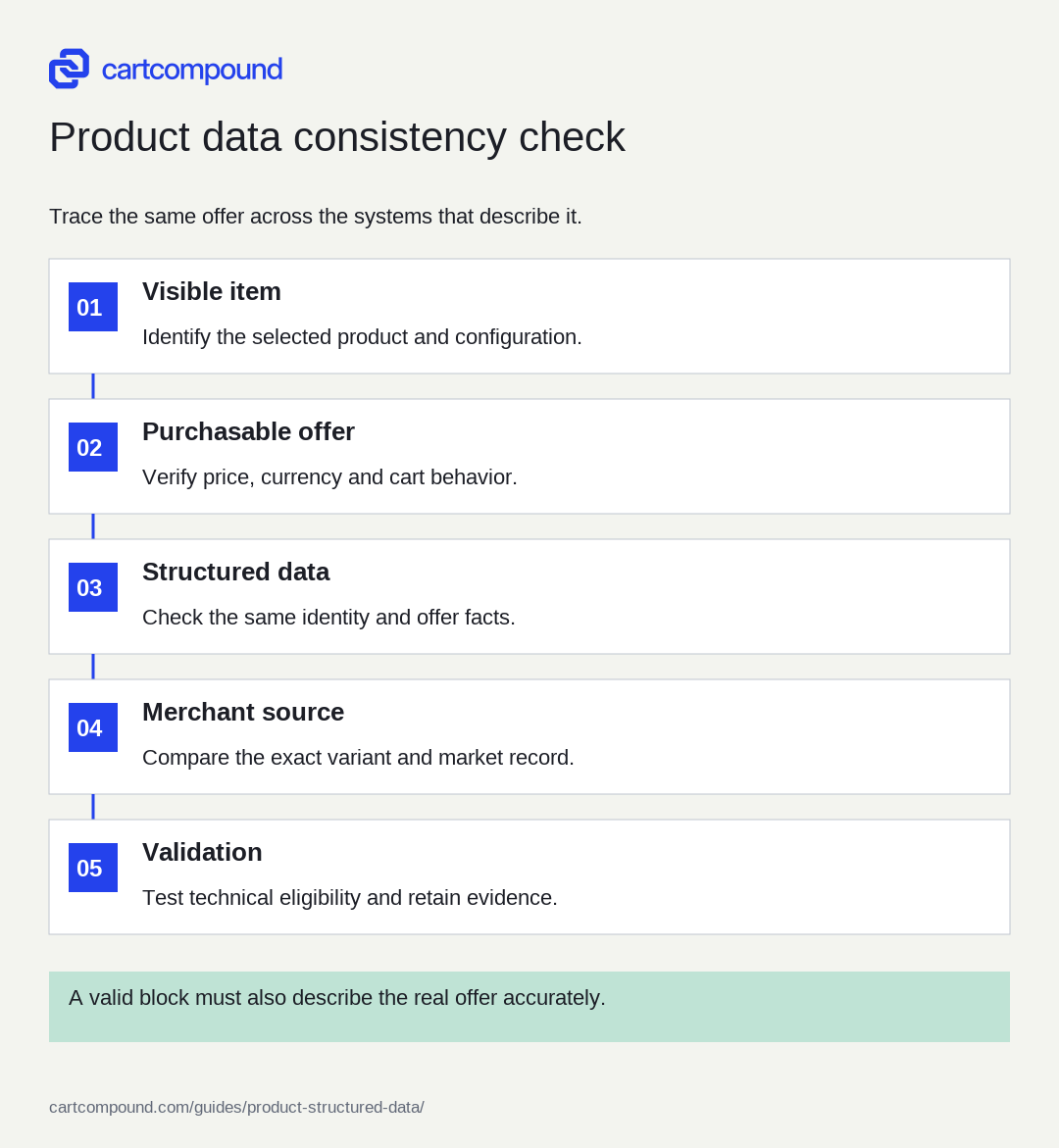
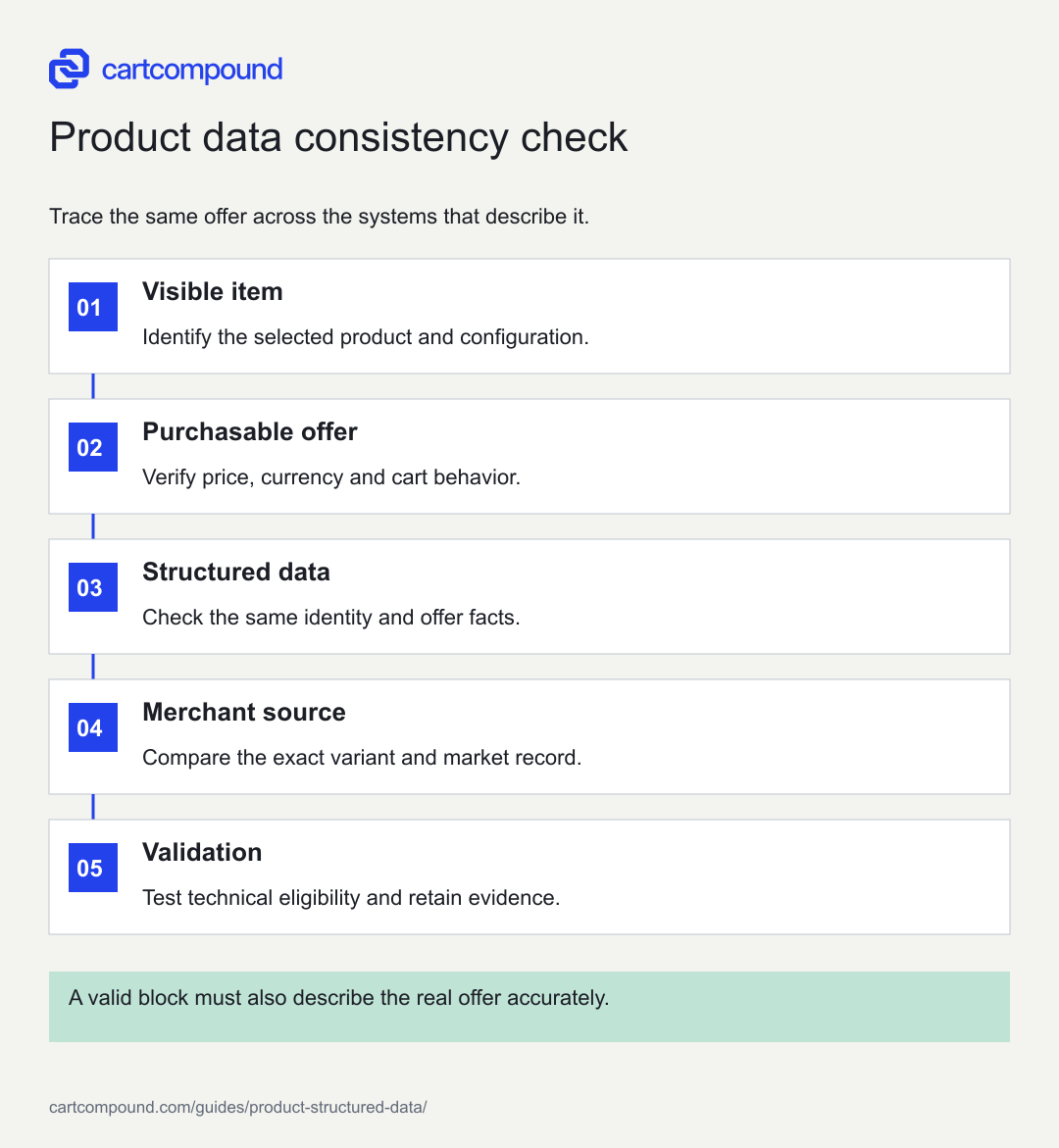
Product data consistency check
Trace the same offer across the systems that describe it.
- Visible itemIdentify the selected product and configuration.
- Purchasable offerVerify price, currency and cart behavior.
- Structured dataCheck the same identity and offer facts.
- Merchant sourceCompare the exact variant and market record.
- ValidationTest technical eligibility and retain evidence.
A valid block must also describe the real offer accurately.
Use the steps with your store data. Examples in this guide are illustrative unless a source is named.
Reconcile the offer with the visible purchase state
Compare the selected product, active price, currency, availability and add-to-cart behavior. The markup must describe a supported offer rather than a convenient marketing headline. A 'from' price, member price or subscription price needs careful modeling and visible conditions. Do not represent a conditional discount as the general active price without checking the applicable documentation and actual customer eligibility.
Google's Merchant listing structured data documents merchant offers, including current price and currency. Current documentation distinguishes active, strikethrough and member price representations, so older code examples may not cover a complex pricing setup. Verify the present feature rather than improvising a property combination from memory.
Use a sale-state test. Check the ordinary price, an active sale and the state after the sale ends. Make sure scheduled changes update the page, markup and feed together. Include timezone and caching behavior in the operational review where they matter. Technical validity at noon does not prove that an expired price will disappear correctly at midnight.
Use a field-by-field evidence worksheet
Create a worksheet linking each field to the visible fact, source system and test method. This makes data repairs auditable and prevents arguments about which app's output should win. Review identifiers with the product owner rather than generating plausible-looking values to silence a warning.
On a small screen, swipe the table to see every column.
| Field group | Evidence to compare | Typical failure |
|---|---|---|
| Identity | Product, SKU and legitimate identifiers | Parent identifier copied to unrelated variants |
| Image | Public image of the actual selected product | Wrong color or inaccessible asset |
| Price and currency | Visible active offer and cart | Stale sale or conditional price |
| Availability | Selected item and orderability | Family stock applied to unavailable size |
| Reviews | Genuine displayed review information | Unsupported ratings or wrong product scope |
Keep factual absence visible. A product without a legitimate identifier should follow the relevant specification, not receive an invented GTIN. A page without genuine review data should not acquire a fabricated rating for rich-result eligibility. The goal is accurate representation of the store, not a visually perfect validation report built from unsupported fields.
Model product variants according to the actual architecture
A single product family with selectable options and a multipage variant setup have different implementation requirements. Google's Product variant structured data describes ProductGroup relationships and examples for both. Each selected variant URL should show the correct image, price, stock and item that can be added to the cart.
Create a variant matrix covering the default option, a different price level, an unavailable option and any configuration with distinct imagery or specifications. If the family is large, sample attribute boundaries and compare records by stable IDs. Check direct-entry URLs in a fresh session so remembered selections do not hide an incorrect default.
Google recommends initial HTML for Product markup in merchant contexts and warns that dynamic markup can be less reliable for quickly changing information. Review the source architecture with development rather than merely checking that the browser eventually displays the right number. If the implementation depends on client-side updates, test the crawler entry state and the refresh path carefully. Preserve the distinction between a usable dynamic selector and dependable product facts on entry.
Validate technical output and interpret errors correctly
Use Google's Rich Results Test on the actual public URL or the relevant code during development. Review detected items and their scope, not only the top-level pass message. A test can show that a supported structure is readable while the offer still describes the wrong variant. Keep the factual worksheet alongside the technical result.
Prioritize errors that prevent the intended feature, then evaluate recommended properties according to available accurate data. Do not add unsupported shipping, return or review claims simply to remove warnings. Follow current feature documentation because requirements and supported enhancements can change. Save the test date, URL and important findings with the release record.
For an illustrative mug, the visible page and cart show $24 USD while one app emits $19 USD from a previous sale. The solution is to trace and repair the stale field, not to choose the markup block that gives the better promotional appearance. Retest after the sale state changes again. These prices are illustrative and demonstrate consistency, not a recommended pricing strategy.
Compare structured data with Merchant Center and indexing
Merchant Center product data and on-page markup are complementary sources, not substitutes for one another. Google's Product data specification specifies feed attributes and requires important offer facts to match the website. Inspect the exact product and variant record in the relevant market rather than comparing a family page with an unrelated feed item.
Check whether automatic updates or another integration are correcting a mismatch downstream. A correction can reduce immediate inconsistency while concealing a broken upstream sync. Document the source of truth, update timing and exception handling. An inaccurate source remains a maintenance risk even if a second system sometimes compensates for it.
Search Console can report product enhancement issues and individual URL information, but the indexed view can reflect an earlier crawl. Use URL Inspection tool to distinguish recorded state from live accessibility. Passing a validator or becoming eligible for a feature does not guarantee that Google displays a rich result for a particular query, device or shopper.
Define release checks for time-dependent offers
Some structured-data defects appear only when time or eligibility changes. Schedule tests around a sale beginning and ending, a variant becoming unavailable and a member signing out. Record the public offer seen by an ordinary visitor and the markup delivered to that same entry state. A signed-in staff account can accidentally conceal a conditional-pricing defect.
Use a state table with product ID, market, timestamp, eligibility condition, visible active price, markup price, cart price and source refresh time. The fields need not all be automated at first. Their purpose is to expose where a correct source record becomes an incorrect public representation. If a scheduled sale starts in one system before another refreshes, the repair may belong in synchronization rather than markup syntax.
Keep expiration behavior under review. An end date in a data field does not guarantee that every cache or integration clears the old offer as expected. Verify the actual post-expiration state and make sure the team responsible for pricing owns the expected result. This closes a gap left by one-time validation: the page can pass every static check during launch and become misleading at the next normal commercial change.
Release with a regression matrix and data owner
Before a markup change, record expected behavior for product families, single products, sale prices, unavailable variants, bundles where supported and market versions. Test neighboring templates and apps after the repair. If the change removes duplicate output, verify that needed breadcrumbs or other unrelated entities remain correct.
Monitor fresh errors and factual mismatches after catalog imports, theme releases and pricing changes. Assign ownership by fact: merchandising for product claims and offer conditions, operations for availability, development for output logic and the appropriate policy owner for delivery and returns. A single technical owner cannot responsibly invent all of these facts.
The next action is to choose one product with several variants and complete the evidence worksheet. Compare the visible page, cart, markup and feed for four meaningful states. Fix the first disagreement, then rerun both factual and technical checks. A robust structured-data implementation is a dependable representation of the commerce system, with a review process that keeps it true as offers change.
Your action checklist
Use this to decide what to do next. Your checks stay on this page and are not sent or saved.
0 of 6 checked
Common questions
Does valid structured data guarantee rich results?
No. Validation checks technical requirements and can support eligibility, but Google decides whether and how to display supported features.
Is more than one Product block always wrong?
Not necessarily. Inspect whether entities are distinct and coherent. Conflicting offers or identifiers for the same item are the practical problem to resolve.
Should I add reviews to remove a warning?
Only if genuine, applicable review information exists and meets the relevant requirements. Never invent ratings or attach another product’s reviews to gain eligibility.
Sources and review
Source documentation checked October 27, 2026. Platform features and interfaces can change. The recommendations and illustrative examples explain how to make the decision; they do not promise results.
- Introduction to Product structured data
Product snippets versus merchant listings and product data options. - Merchant listing structured data
Product offers, current price, currency, availability and merchant eligibility. - Product variant structured data
Single-page and multipage ProductGroup designs and selectable variant URLs. - Product data specification
Merchant Center identifiers, URLs, images, variant grouping, price and availability. - URL Inspection tool
Indexed data versus live tests, canonical inspection and indexing requests.
Talk through your store question
Bring one problem you want to solve.
A free 20-minute call with Hamid can help you decide what to investigate next.
Book a free 20-minute call
About the author
Hamid Khan
Hamid co-founded CartCompound and works with ecommerce founders on their stores and growth priorities.
Profile and guides