The short answer
Use clear images of the actual product, with views that answer buying questions. Place them in relevant page context, write useful alt text and keep image URLs accessible and consistent. Deliver appropriate sizes, reserve layout space and avoid lazy-loading the main image when it delays the first useful view. Verify feed and variant images separately.
Plan images around the customer's unresolved questions
A product gallery should answer questions that the description alone cannot resolve. Customers may need to understand scale, texture, included components, controls, fit or installation. Start by listing those questions for the product type. A decorative lifestyle image can be attractive while leaving the decisive detail invisible.
Build a shot plan for each product family: primary recognition image, alternative angles, meaningful detail, scale or context and any documented configuration differences. Ensure the product shown is the item being sold. Props and accessories should not imply inclusion when they are not part of the offer. Keep factual claims in captions supported by the actual records.
Google's Google Images best practices recommends high-quality images with relevant surrounding content and descriptive information. Treat that as support for a good product-information system, not a reason to manufacture repetitive keyword labels. The first measure of usefulness is whether a shopper can recognize the product and resolve an important uncertainty without guessing from an unrelated image.
Keep product and variant imagery accurate
Match the selected variant with the correct image where the appearance changes. A navy product URL that opens a red image creates confusion even if the page title is accurate. Test direct entry to variant URLs and switching between options. Include unavailable configurations and products with mixed gallery assets.
Create a mapping sheet with product ID, variant attributes, primary image URL, gallery images and known shared assets. Some images legitimately represent the whole family, such as a dimension diagram, while others must be variant-specific. Label those roles in the source data so integrations do not arbitrarily choose the first file in a folder.
For an illustrative bedding range, a close-up of fabric weave may be shared if it accurately represents all relevant colors and materials, but a color-specific hero should follow the selected option. A size diagram must show the right dimensions rather than a generic rectangle. Review image changes with the product owner when configurations differ materially. SEO metadata cannot correct an image that depicts the wrong item.
 Keep this framework
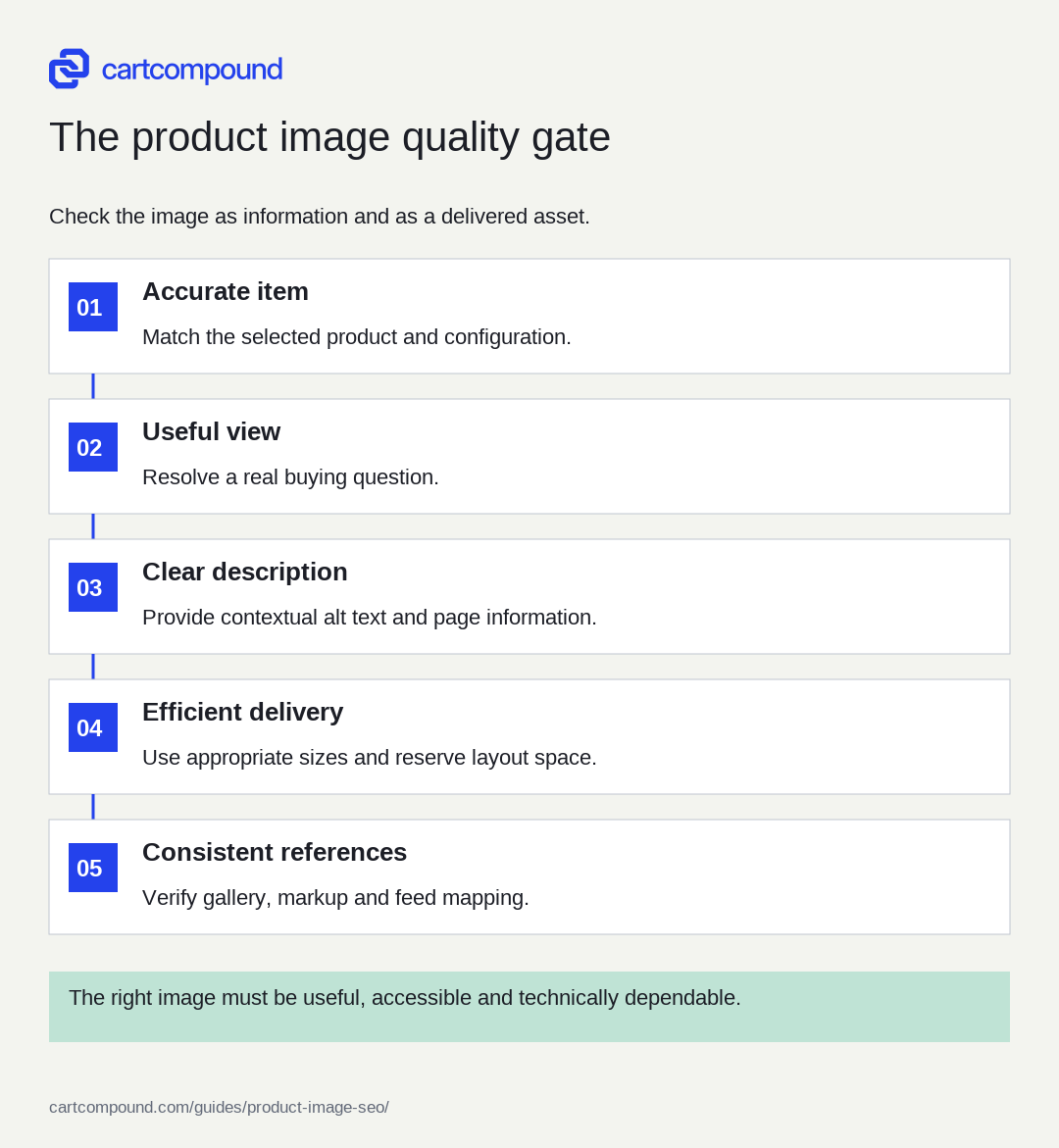
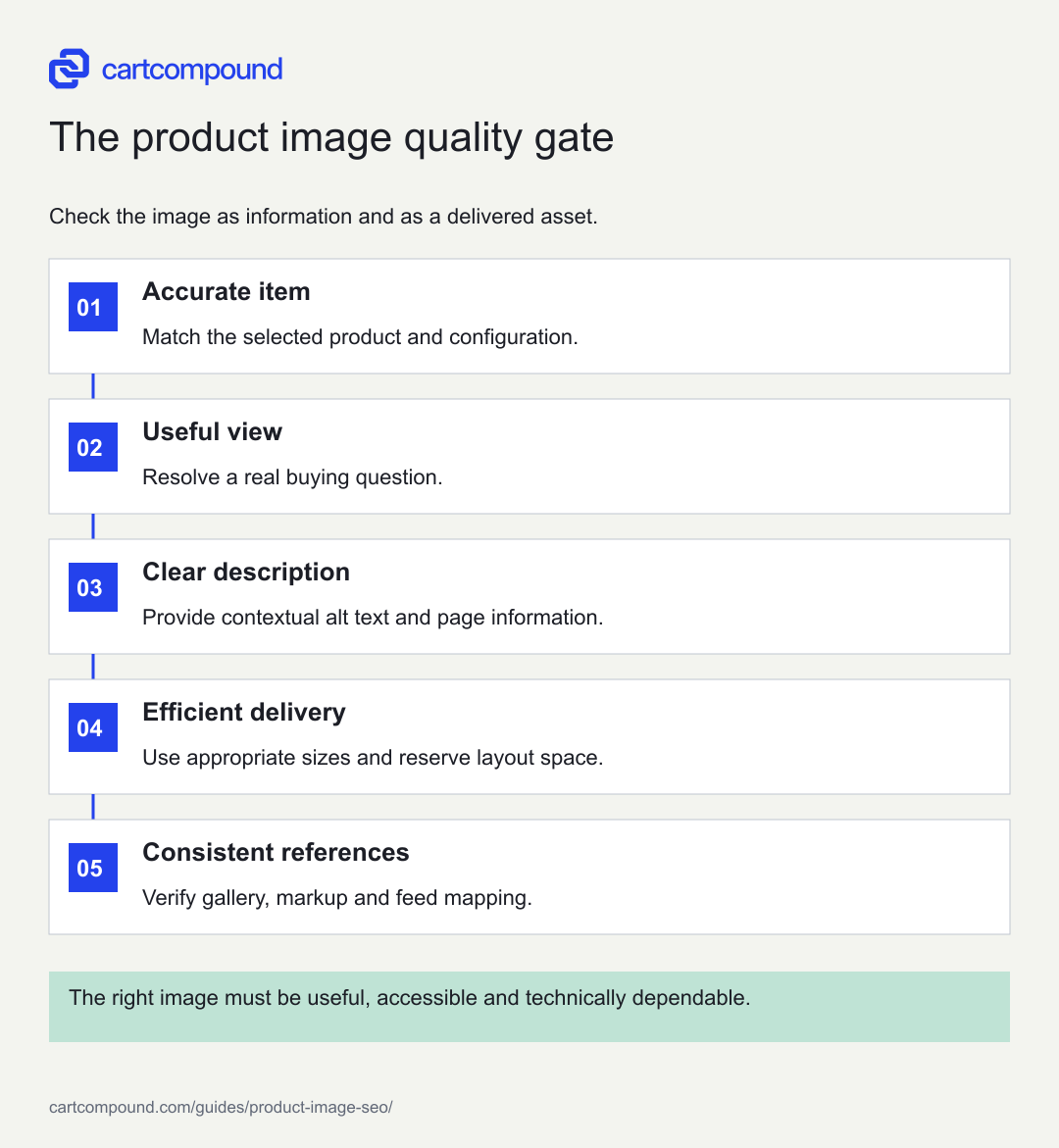
The product image quality gate
Check the image as information and as a delivered asset.
- Accurate itemMatch the selected product and configuration.
- Useful viewResolve a real buying question.
- Clear descriptionProvide contextual alt text and page information.
- Efficient deliveryUse appropriate sizes and reserve layout space.
- Consistent referencesVerify gallery, markup and feed mapping.
The right image must be useful, accessible and technically dependable.
Use the steps with your store data. Examples in this guide are illustrative unless a source is named.
Write alt text for the information the image conveys
Alt text should describe the image's useful content in context. For a product photo, identify the item and distinguishing view or feature when that information matters. Do not repeat a full sales description or stuff the attribute with every query the page might target. Google uses alt text and surrounding content to understand images and advises against keyword stuffing in its image guidance.
An illustrative alt text could be 'Navy insulated bottle with flip-top lid, side view.' A detail image might describe the relevant feature instead of repeating the same phrase for every gallery item. Avoid claiming a product is waterproof, safe or certified merely because the phrase is desirable. Describe what is supported and visible.
Consider the image's role. A purely decorative graphic can require different accessibility treatment from a product image or an informative diagram. A complex size diagram needs a text equivalent that exposes its measurements and meaning. Do not hide essential buying specifications only inside a raster image and assume alt text is the best place to store an entire table. Provide accessible page content where people need detailed comparison.
Make image discovery and URLs dependable
Use image elements and supported implementations that expose real image sources. Inspect the rendered page and relevant source attributes. Do not assume a background image in a decorative style serves the same discovery and accessibility purpose as the main product photograph. Keep important assets public to the relevant crawlers and verify they load directly.
Use clear, stable filenames when creating new assets, but do not rename an established library solely to add keywords without considering broken references and refresh costs. Google recommends consistent image URLs for repeated assets so it can reuse and cache them. A new arbitrary URL for the same image on every request creates unnecessary variation.
Check CDN behavior, redirects, access controls and file responses. A product page can load while its image source fails for a fresh visitor or crawler. If an image domain changes, include assets in the migration plan rather than treating them as invisible infrastructure. Retain mappings or equivalent access where appropriate and verify product pages, structured data and feed records all use working destinations.
Deliver the size the page needs
A full-resolution original is useful as a source asset but may be wasteful for a small card. Use responsive image delivery so the browser can choose an appropriate resource for the rendered size and device. Compare visual quality at actual mobile and desktop dimensions, including zoom where customers need to inspect detail.
Compression and modern formats can reduce transfer size, but quality needs a human check. Fine textures, product labels and color differences can become misleading after aggressive processing. Do not pick one universal file-size target for every image. A clean product silhouette and a detailed technical diagram have different needs.
Reserve image dimensions or aspect-ratio space so the layout does not jump as files load. Google's web.dev Optimize Cumulative Layout Shift explains how missing space and late content can contribute to layout shifts. Test real galleries and product cards rather than a blank template. A fast file that moves the purchase controls during loading still creates a poor shopping experience.
Prioritize the main image without loading everything at once
Identify the image that appears as the largest useful content early in the visit. If it is the page's LCP element, delayed discovery or inappropriate lazy loading can hurt loading performance. Google's Optimize Largest Contentful Paint explains the stages of LCP diagnosis. Inspect the actual request and rendering path before applying broad preload rules.
Do not eagerly load the entire gallery just because the first image matters. Later images and offscreen content may benefit from deferred loading when implemented correctly. The objective is to deliver the first useful view promptly while preserving access to the rest. Test how the gallery behaves on a slower connection and after a variant switch.
Use a performance worksheet: page, main image, requested size, discovery timing, transfer behavior, reserved space and interaction result. A large image is not always the sole cause of a slow LCP. Server response, scripts, CSS and rendering can contribute. Record evidence before telling the photography team to lower quality or asking development to add preload tags everywhere.
Check product feeds and structured image references
The image shown in a feed or structured data can differ from the first visible gallery image. Compare the exact selected record, particularly for color variants and bundles. Google's Product data specification documents image attributes and product-data requirements. Follow the applicable restrictions on promotional overlays and representation rather than assuming every branded campaign asset is suitable as a primary product image.
Review whether integrations pick a thumbnail, an outdated asset or a family image for every variant. Stable IDs and explicit image mapping make these defects easier to diagnose. Keep old images from remaining referenced after a product redesign. If a bundle contains several items, ensure the visual and description accurately communicate what is included.
On a small screen, swipe the table to see every column.
| Image surface | Primary check | Common mismatch |
|---|---|---|
| Product gallery | Selected item and useful views | Wrong color after direct entry |
| Collection card | Recognizable crop and current offer | Detail hidden by a forced crop |
| Structured data | Accessible representative asset | Obsolete image URL |
| Merchant record | Correct variant and allowed image treatment | Campaign graphic used as a primary photo |
Create an image brief that prevents misleading assets
Before commissioning or selecting images, write a concise brief with the exact product or variant, included components, required views, supported claims and publication rights. Identify any props, edited environments or generated elements that could be mistaken for product features. An attractive image must not imply a capacity, finish or accessory that the customer will not receive.
For technical diagrams, specify the authoritative dimensions and who verifies them. Keep the measurements in structured source records and accessible page text as well as the image. If a diagram is updated, check the corresponding specification table and variant mapping. A visual correction can otherwise leave two contradictory versions of the same fact on the page.
Record the approved master and each derivative used for gallery, card and feed roles. Cropping can remove a component or make a product appear larger relative to its surroundings, so review the actual derivative rather than assuming approval of the master covers every output. If several variants share a photograph, confirm the sharing is factually justified. These checks serve customer understanding and content governance, while also giving image metadata and product-data systems a more dependable source to describe.
Measure usefulness and add image checks to catalog work
Review image-search discovery where available, but do not treat image impressions as proof of sales impact. Pair search data with product-page behavior, gallery interactions where measured, returns reasons and customer questions. A useful detail image may reduce uncertainty without generating a separate measurable search click.
Add image review to new-product publishing, variant additions and theme changes. Check factual accuracy, rights and approvals, alt text, public access, responsive sizing, layout stability and feed mapping. Keep original source assets and approved derivatives organized so future updates do not rely on downloading compressed storefront copies.
The next action is to audit one important product family with a phone and a fresh selected-variant URL. Identify the three biggest visual questions, confirm the gallery answers them and compare the feed image. Then inspect loading and layout behavior. Fix the most concrete mismatch first. Strong image SEO is the result of accurate, useful visual information delivered through a dependable storefront.
Your action checklist
Use this to decide what to do next. Your checks stay on this page and are not sent or saved.
0 of 6 checked
Common questions
Should every image have the same alt text?
Usually that misses the purpose of different views. Describe the information each useful image contributes, while applying appropriate accessibility treatment to decorative assets.
Should I rename all existing image files for keywords?
Not automatically. Stable working references can be more valuable than cosmetic renaming. Use sensible names for new assets and plan any existing asset migration carefully.
Should the main product image be lazy-loaded?
If it is immediately visible and important to LCP, delaying it can hurt the first useful view. Diagnose the actual page and prioritize the main resource without eagerly loading the whole gallery.
Sources and review
Source documentation checked October 27, 2026. Platform features and interfaces can change. The recommendations and illustrative examples explain how to make the decision; they do not promise results.
- Google Images best practices
Image discovery, descriptive context, alt text and stable image URLs. - Optimize Cumulative Layout Shift
Space reservation and unexpected layout movement diagnosis. - Optimize Largest Contentful Paint
LCP resource discovery, download and rendering diagnosis. - Product data specification
Merchant Center identifiers, URLs, images, variant grouping, price and availability.
Talk through your store question
Bring one problem you want to solve.
A free 20-minute call with Hamid can help you decide what to investigate next.
Book a free 20-minute call
About the author
Hamid Khan
Hamid co-founded CartCompound and works with ecommerce founders on their stores and growth priorities.
Profile and guides