The short answer
Inventory every installation, define the expected events and values, run representative purchase journeys, and reconcile transaction IDs with eligible backend orders. Verify purchase arithmetic, item data, refunds, and consent behavior. An event appearing in a debug tool is only one part of acceptance.
Write the measurement contract first
List the business questions the implementation must answer: which products are viewed, which are added to cart, where checkout fails, which orders complete, and how refunds affect the report. Then define the events, parameters, and expected behavior that support those questions. A generic page-view installation does not establish complete ecommerce tracking.
Record the property, web stream, reporting currency, time zone, collection routes, and consent setup. Identify the commerce backend used for order verification. Define whether test orders, wholesale, point-of-sale, subscriptions, and other channels belong in the comparison. The audit needs a clear eligible population before it can classify an order as missing.
Create an acceptance record for each requirement: expected action, expected event, important parameters, evidence, result, owner, and retest. Avoid a single “tracking works” checkbox. A purchase event can arrive with a wrong value, repeated transaction identifier, or missing items. Each can distort a different decision even though the event name appears in the report.
Inventory all collection routes
Inspect the store's supported integrations, tag manager, theme code, custom pixels, third-party apps, and any server-side route. Record which route owns each event and which property receives it. Do not remove a route before understanding its dependencies and consent responsibilities. A second route may be intentional, but overlapping purchase sends need a documented design.
Look for old installations left behind after an app or theme change. Duplicate page views and ecommerce events can originate from several places. Check whether the same user action produces more than one request and whether the requests target the same stream. A source inventory makes this problem easier to resolve than repeatedly changing report settings.
Include the checkout and post-purchase environment in the inventory. Main storefront code may not run in every checkout context, and an integration may cover only particular events. Inspect the actual implementation and current platform documentation. Do not copy an obsolete theme-snippet procedure into a modern checkout without checking whether it is supported. Assign one accountable owner for each required event and document any deliberate supplemental route.
 Keep this framework
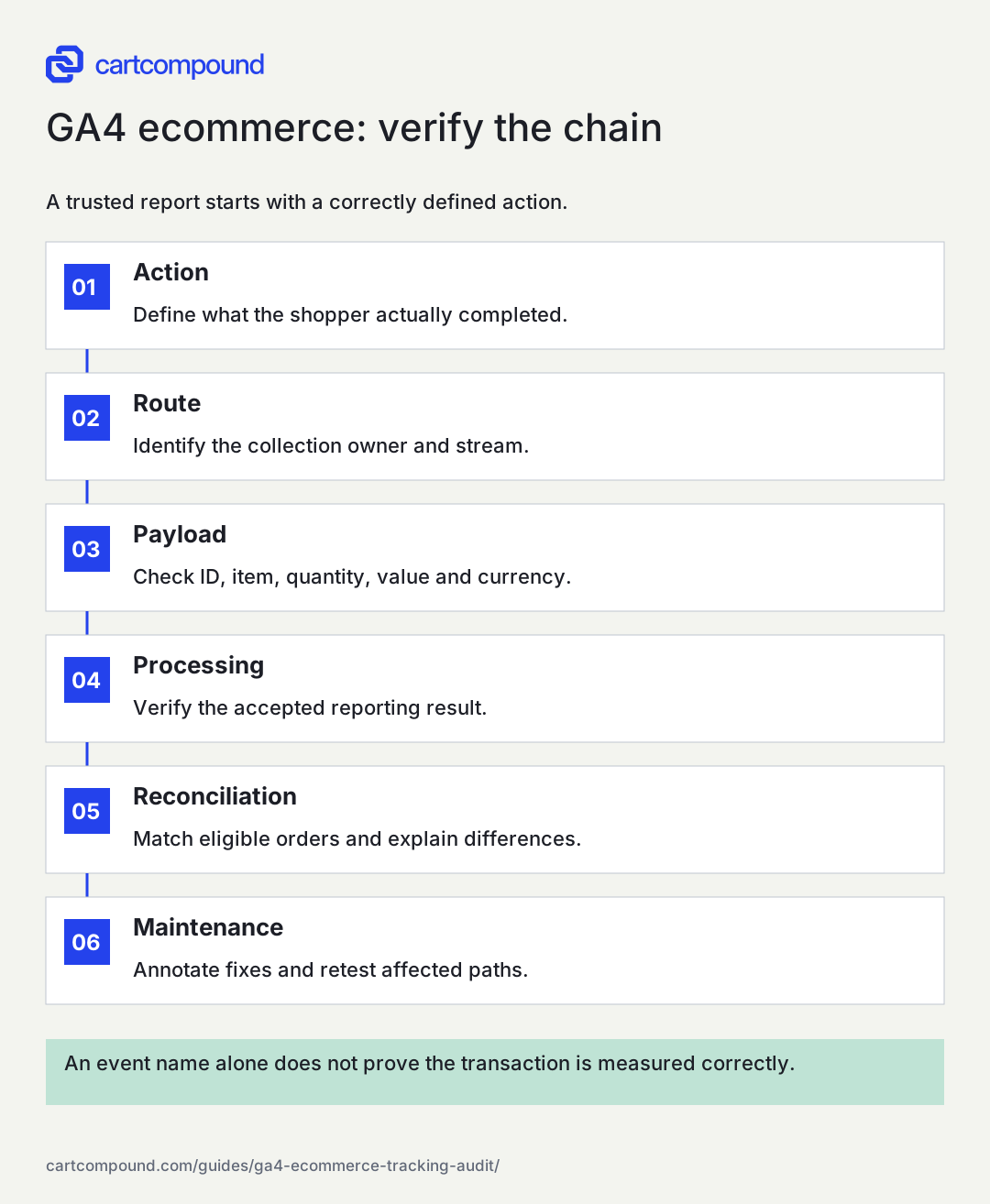
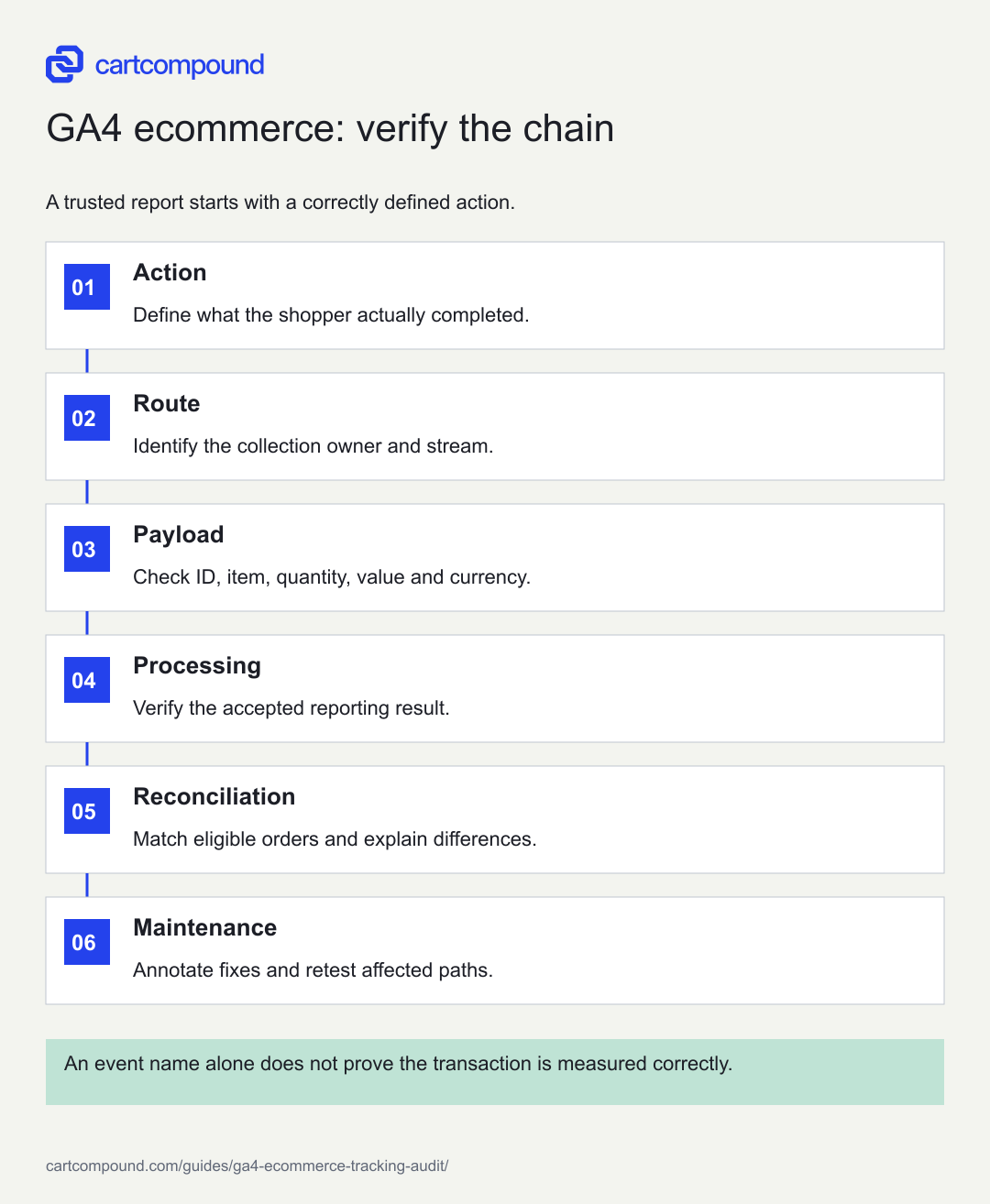
GA4 ecommerce: verify the chain
A trusted report starts with a correctly defined action.
- ActionDefine what the shopper actually completed.
- RouteIdentify the collection owner and stream.
- PayloadCheck ID, item, quantity, value and currency.
- ProcessingVerify the accepted reporting result.
- ReconciliationMatch eligible orders and explain differences.
- MaintenanceAnnotate fixes and retest affected paths.
An event name alone does not prove the transaction is measured correctly.
Use the steps with your store data. Examples in this guide are illustrative unless a source is named.
Verify the shopper-event sequence and payloads
Run a representative journey from product list to purchase. Google's ecommerce measurement guide describes recommended actions such as viewing items, adding or removing cart items, beginning checkout, purchasing, and refunding. Use only the events that accurately describe the action, with the relevant item data. Do not fire add-to-cart when someone merely opens a selector.
For each step, compare the payload with the visible store state. Check item identifier, name, variant, price, quantity, currency, and list context where relevant. Keep identifiers stable enough for meaningful reporting and distinguish variants consistently. Confirm that a quantity change sends the intended quantity rather than an old default. Test remove-from-cart and repeated interactions as well as the happy path.
Use appropriate debugging tools to inspect the actual request and processed debug event. Then verify the resulting standard reporting after processing. A request leaving the browser does not guarantee that every parameter was accepted as intended. Keep screenshots or sanitized payload records showing the expected and actual values. Never include customer names, emails, addresses, or payment details in analytics fields or the audit evidence.
Check purchase values and item arithmetic
For a purchase, verify a unique transaction identifier, monetary value, currency, and item array against the backend order. Google's event reference specifies the expected parameter meanings; purchase value uses the sum of item price multiplied by quantity and excludes shipping and tax, which have separate parameters. Follow the current definition and the integration's discount treatment consistently.
Use an illustrative order with two units at $30 after discounts. Merchandise value is $60. If shipping is $5 and tax is $6, the charged total is $71, but the merchandise purchase value in this example remains $60. Send the separate shipping and tax amounts as appropriate. This arithmetic is illustrative; use the actual order payload to verify your setup.
Test discounted items, order-level discounts, multiple quantities, mixed tax treatment where relevant, and currencies you actually support. Check that the event does not send cents as whole currency units or attach the wrong currency code. Compare the item sum and event value before looking at aggregate revenue. A systematic payload error can look like a business-performance change when it is only a calculation defect.
Investigate duplicate and reused transaction IDs
Google's transaction-ID documentation says purchase deduplication applies to web streams and requires a unique, nonempty identifier for each order. Reusing one identifier across separate orders can undercount purchases. Missing or inconsistent identifiers can make duplicate diagnosis and order matching much harder. Do not put personal information into the transaction ID.
Inspect a normal purchase, confirmation-page refresh, return visit, and any retry behavior the implementation supports. Compare all collection routes for the same backend order. Keep the identifier formatting consistent and traceable without assuming that a visible order number is always the value sent by an integration. Document any mapping between checkout identifiers and order identifiers.
Treat deduplication as a safeguard, not permission to send uncontrolled repeats. Correct the firing logic and route ownership where needed. Review raw or exported evidence when available and distinguish repeated raw events from the reporting metric under investigation. After a fix, place or use approved test transactions and verify both the request behavior and processed outcome. Preserve a release annotation because a correction can create an apparent drop in reported revenue.
Use a representative audit matrix
On a small screen, swipe the table to see every column.
| Scenario | Evidence to inspect | Expected check |
|---|---|---|
| Standard order | Payload and backend order | Correct unique ID, value, currency and items |
| Discounted multi-quantity order | Item arithmetic and discount allocation | Event value agrees with documented merchandise basis |
| Alternative payment path | Checkout journey and purchase receipt | Eligible completed order reaches the intended stream |
| Refresh or revisit | Requests and processed reporting | No uncontrolled repeated purchase sends |
| Partial refund | Refund event and original ID mapping | Correct amount and affected items |
| Consent choice | Supported collection behavior and requests | Behavior matches approved consent design |
Select cases that represent the store, not every theoretical possibility. A subscription store needs renewal and cancellation-related measurement decisions; a multi-market store needs relevant currency paths. Mark untested cases explicitly. A test matrix is useful because it shows the limits of the audit as well as what passed.
Add collection failures and unavailable states. An interrupted request, empty cart, invalid selection, or failed payment should not be counted as a completed purchase. Use the backend order and payment state to define completion. Never improve the apparent funnel by marking an earlier action as purchase merely because the final event is difficult to collect.
Reconcile orders and verify refunds
Choose a completed period and allow the relevant processing time. Export eligible backend orders and comparable GA4 transaction-level data where available. Align time zone, currency, channel, test-order treatment, and revenue basis. Match using the documented identifier mapping. Classify records as matched, backend only, analytics only, or matched with a value difference.
Investigate by category. Backend-only records may reflect consent, blocked collection, unsupported routes, or a genuine implementation failure. Analytics-only records may reveal identifier mismatch, test data, a wrong completion trigger, or duplicate logic. Do not label every unmatched record a bug, and do not dismiss every gap as privacy. The purpose is to explain the gap with evidence.
Verify refund handling separately. Check a full and partial refund against the intended event route and original transaction. If the integration does not send refunds, document that limit and avoid treating GA4 revenue as finance-ready net sales. Reconcile again after fixes. A clean test order confirms a path; a completed-period comparison shows whether the broader implementation behaves consistently.
Check scope, freshness, and downstream reporting
An accurate payload can still be interpreted incorrectly in a report. Verify whether the dimension and metric operate at event or item scope, and confirm that the selected combination answers the intended question. A quantity of items and a count of purchases are different measures. Keep the report definition beside the audit requirement.
Use a completed period for aggregate validation and record when the export was taken. Realtime and debug tools serve different purposes from processed reports. Do not declare a revenue defect solely because a just-completed test has not appeared everywhere yet. Conversely, do not wait indefinitely when the payload itself is missing a required value or sends the wrong identifier.
Inspect important downstream reports after a correction. A dashboard might contain a custom formula, a filter for an old item identifier, or a purchase event count used as though it were an order count. Correct the reporting dependency through its owner and preserve the historical annotation. The audit is complete only when the decision-maker knows which periods and measures can be trusted and which retain a documented limitation.
Deliver an audit that can be acted on
Report confirmed defects, expected limitations, untested states, and unresolved hypotheses separately. For each defect, include affected decisions, evidence, proposed correction, owner, and acceptance check. Prioritize wrong purchase values, reused identifiers, missing major checkout paths, and uncontrolled duplicate sends before adding optional detail events.
Check the downstream consequences. A purchase correction can affect campaign optimization, audiences, dashboards, and historical comparisons. Coordinate changes through the approved measurement owner. Do not resend historical transactions casually or create a server-side backfill without checking consent, identifiers, duplication, and platform requirements. More events do not automatically mean better or permitted measurement.
The next action is to complete the installation inventory and test one standard order plus one discounted multi-quantity order. Compare their identifiers and arithmetic with the backend. Then expand to the representative matrix and a completed-period reconciliation. Save the actual evidence, record the release date, and retest only the affected requirements after each correction.
Your action checklist
Use this to decide what to do next. Your checks stay on this page and are not sent or saved.
0 of 8 checked
Common questions
Is seeing purchase in DebugView enough?
No. Verify the payload, processed values, unique transaction ID, item data, and backend match. Then test other meaningful paths and compare a completed reporting period.
Should GA4 contain every backend order?
Not necessarily. Scope, collection permissions, blocked requests, and supported routes can differ. Define eligible orders and investigate unexplained differences rather than forcing equality.
Does transaction_id remove every duplicate?
It is an important web-stream safeguard, but the implementation still needs correct route ownership and firing behavior. Verify the actual raw sends and processed metrics for the store.
Sources and review
Source documentation checked October 27, 2026. Platform features and interfaces can change. The recommendations and illustrative examples explain how to make the decision; they do not promise results.
- Measure ecommerce
Recommended ecommerce action structure and parameter collection. - Recommended events
Purchase value, currency, item and shipping/tax parameter definitions. - Minimize duplicate key events with transaction IDs
Unique transaction IDs, web-stream deduplication, empty and reused ID risks.
Talk through your store question
Bring one problem you want to solve.
A free 20-minute call with Hamid can help you decide what to investigate next.
Book a free 20-minute call
About the author
Hamid Khan
Hamid co-founded CartCompound and works with ecommerce founders on their stores and growth priorities.
Profile and guides