The short answer
Inventory the old store, map each important URL to its relevant new destination and validate the new templates before launch. Test redirects, canonicals, navigation, product data, checkout and tracking together. Launch with named owners and rollback criteria, then monitor exact URL groups rather than relying on total traffic alone.
Define the move and reduce unnecessary simultaneous change
A migration can change the platform, domain, URL structure, theme, catalog organization or several of these at once. List each planned change and the business reason. The more systems change together, the harder it becomes to diagnose a problem after launch. Keep optional rewrites and structural experiments out of the critical path where practical.
Record the scope in a release brief: domains, active markets, product and category counts, editorial content, customer accounts, checkout, search, feeds and measurement. Identify what the team must preserve. That includes buying functions and factual information, not just search traffic. A migrated product that loads correctly but adds the wrong variant is a launch defect.
Google's Site moves with URL changes provides the primary framework for URL-changing moves. It describes preparation, mapping, redirects and monitoring, while acknowledging that search processing can take time. Do not translate that into a promised recovery date. The migration plan should state the expected checks, escalation path and uncertainty rather than a guarantee that rankings or sales remain unchanged.
Create an inventory from several sources
Combine the old sitemap, a crawl, catalog exports, important landing pages, known backlinks and business-owned campaign destinations. Each source catches addresses another may miss. Include old product variants, downloadable manuals, images when their addresses change and market-specific pages. A sitemap alone may omit useful historical or linked content.
Add performance and business context without using traffic as the only retention rule. An owner-support page can matter with few sessions; a new range can be important before it has a history. Mark current status, canonical, template, market, incoming links and intended treatment. Preserve the exports with the date and domain so the team can reconstruct decisions later.
Separate real pages from alternate URL forms. A tracking parameter should not necessarily receive its own destination row, but the behavior of that parameter family still needs testing. Likewise, a product with many variant links may share a canonical destination while requiring selected-offer behavior. The inventory should identify the patterns and exceptions, not inflate a spreadsheet with interchangeable rows that obscure important individual decisions.
 Keep this framework
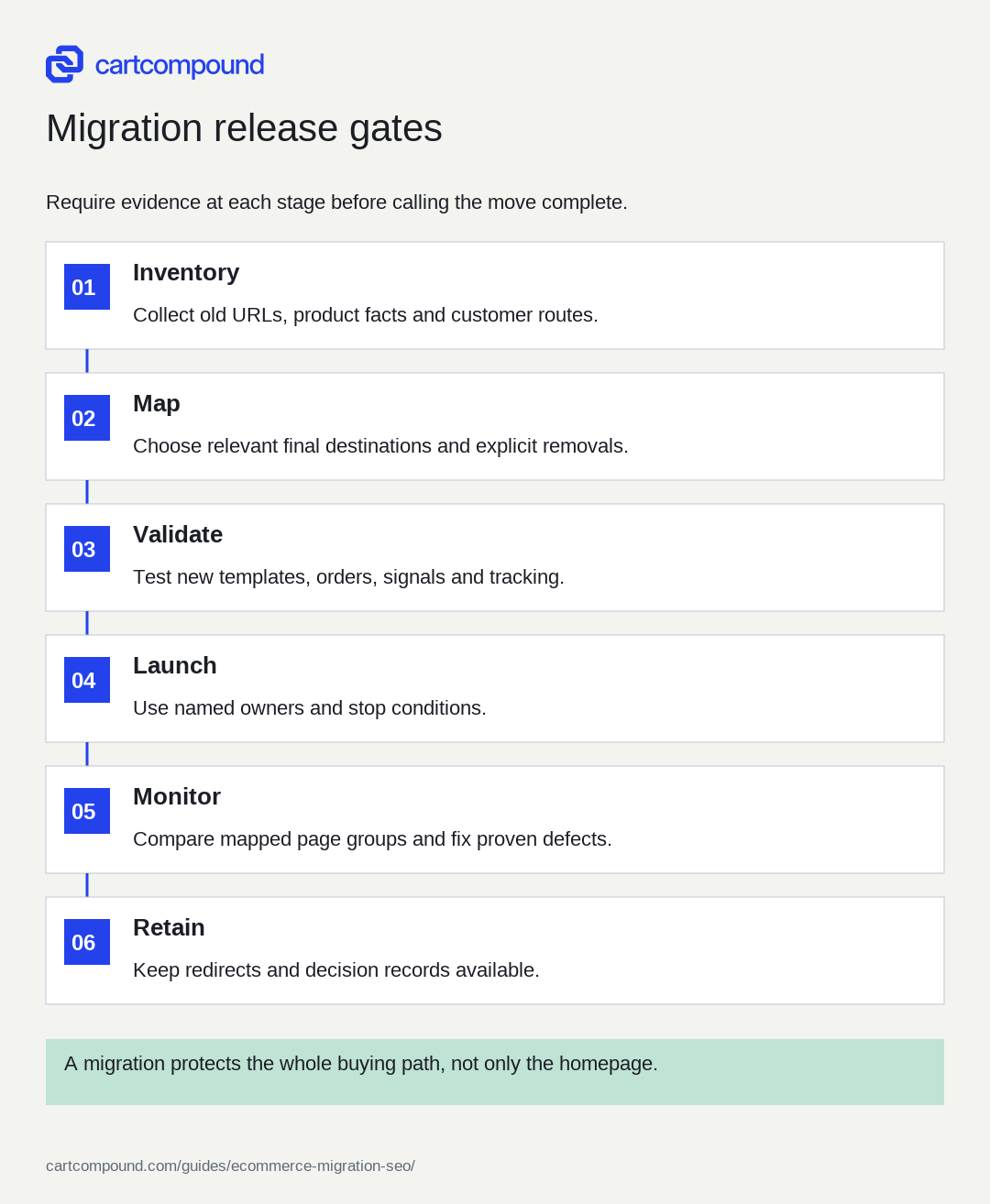
Migration release gates
Require evidence at each stage before calling the move complete.
- InventoryCollect old URLs, product facts and customer routes.
- MapChoose relevant final destinations and explicit removals.
- ValidateTest new templates, orders, signals and tracking.
- LaunchUse named owners and stop conditions.
- MonitorCompare mapped page groups and fix proven defects.
- RetainKeep redirects and decision records available.
A migration protects the whole buying path, not only the homepage.
Use the steps with your store data. Examples in this guide are illustrative unless a source is named.
Build a destination map that a reviewer can assess
Map old pages to equivalent new pages wherever possible. For consolidations, explain why the destination fulfills the old task. For retired content without a relevant replacement, use an appropriate removal decision instead of routing everything to the homepage. Give the map a reviewer who understands the catalog, not only the routing syntax.
On a small screen, swipe the table to see every column.
| Mapping field | Purpose |
|---|---|
| Old exact URL | Reproduce the incoming request |
| Final destination | State the intended customer endpoint |
| Relationship | Equivalent, consolidated, archived or removed |
| Variant and market expectation | Preserve important selection context |
| Reviewer and test result | Record accountability and actual behavior |
An illustrative lighting store merges two overlapping desk-lamp categories into one maintained category. That mapping can be sensible if the new assortment covers both tasks. Redirecting a discontinued replacement bulb to the desk-lamp collection is a different decision and may fail compatibility needs. Review many-to-one mappings in particular. They often contain the most consequential assumptions hidden inside an otherwise mechanical migration.
Validate new templates before opening the site
Use representative product, category, editorial, search, cart and localized templates. Compare important headings, descriptions, specifications, images and buying information with the approved source. Inspect public responses, canonical targets, robots directives and sitemap destinations. Confirm that staging protections will be removed from production while staging itself remains appropriately controlled.
Test navigation from the homepage to deeper products, including pagination and mobile menus. Check that scripts or app integrations do not make essential information dependent on an interaction a crawler will not perform. Google recommends discoverable ecommerce links in Help Google understand your ecommerce site structure. A new theme can look correct on the first screen while removing the route to later inventory.
Reconcile product information with feed and structured data outputs. Price, currency, availability and identifiers need continuity across the move. Review duplicate markup added by both the new theme and retained apps. Validate representative rich-result output, but treat a successful validator as one part of acceptance. It cannot prove that product claims, shipping details or the selected cart item are correct.
Test the purchase and measurement path as release requirements
Complete realistic orders in the available approved test environment or with an authorized test method. Cover product selection, discounts where relevant, shipping availability, payment, confirmation and refund handling. Include a selected variant URL and a localized entry point. Record the environment and limitations so a simulated checkout is not mistaken for a full live transaction verification.
Verify analytics events and transaction identifiers with the measurement owner. Avoid duplicate purchases from old and new integrations operating together. Compare currency and revenue definitions, consent behavior, attribution parameters and cross-domain steps. Do not activate a new tracking system or change consent policy merely because the website is moving. Preserve the authorized measurement design and document changes separately.
Define a go-live checklist with evidence links and named owners. A search specialist may verify redirects and index signals; the trading owner verifies assortment and promotions; engineering verifies runtime behavior; operations verifies orders. The release is ready when the essential customer tasks have passed, not when every team has independently inspected only its own dashboard.
Launch with explicit stop and rollback conditions
Choose a launch window with responsible staff available and a known way to restore the prior state where technically feasible. Record the previous deployment, configuration and redirect map. Decide in advance which failures require pausing or reversing the release, such as widespread checkout failure, wrong product pricing or broad accidental blocking of intended public pages.
After launch, test exact old addresses through to final destinations. Check permanent redirect responses, loops, chains, canonical host and sitemap access. Google's move guidance recommends keeping redirects for at least a year, with longer retention useful for old links and users. Assign ownership so redirects are not deleted during a later infrastructure cleanup.
If the domain changes, follow the applicable Search Console move and verification steps for that move type. Do not use a change-of-address procedure for every path or platform edit without checking whether it applies. Keep domain ownership, certificates and legacy redirect hosting available as required. A launch checklist should distinguish a same-domain redesign from a cross-domain migration rather than treating both as an identical procedure.
Monitor by page group and failure type
Compare old-to-new mapped groups, active markets and template types. Total organic traffic can hide a complete failure in a smaller valuable category or a harmless loss of obsolete pages. Check server errors, missing pages, unexpected noindex, canonical selection, crawl access and product-feed status. Annotate launch and subsequent repairs.
Search Console's URL Inspection tool distinguishes recorded indexed information from a live test. Use both appropriately. A live page can be corrected while reports still reflect a prelaunch or early launch crawl. Conversely, a historical indexed page can still appear healthy in the report even after the live implementation breaks. Check exact dates before deciding that the migration has recovered or failed.
Monitor orders and customer support alongside search signals. A decline can arise from demand, inventory, checkout issues or tracking changes rather than indexing alone. Compare channel patterns and purchase-path evidence. Avoid repeatedly changing titles, canonicals and redirects in response to normal short-term noise. Fix proven defects quickly and give correctly implemented changes time to be processed.
Make rollback technically credible before relying on it
A rollback plan needs to identify what can actually be reversed. Restoring a theme can be straightforward, while reversing a platform move after live orders, customer accounts or inventory updates have changed can be much harder. Ask engineering and operations to state the reversible components, the data that would need reconciliation and the point after which a forward fix is safer than restoration.
Name the decision authority and communication channel for the release team. Define evidence for a stop condition, such as a reproduced inability to place an order across supported payment paths, rather than a vague decline in a dashboard. Keep the current deployment identifier, previous version and relevant configuration available to the people who would act. A document saying 'roll back if needed' is incomplete if nobody can perform the action or assess its effects.
After launch, preserve new orders and customer changes before taking any recovery action that could overwrite them. A technical restoration must not erase legitimate transactions. Document reconciliation responsibilities and test the recovery procedure where the environment allows it. This is why launch timing and staff availability matter: a migration can require coordinated product, payment and data decisions that a single redirect check cannot resolve.
Close the move with a durable operating record
A migration is not complete when the homepage loads. Store the final map, test results, known exceptions, redirect retention policy and unresolved issues. Explain which checks were automated and which were sampled. Keep old content exports accessible to the team responsible for support and future catalog decisions.
Create a follow-up schedule based on risk and observed processing, with more attention to important mappings and active defects. Recheck campaign destinations, Merchant Center entries and localized equivalents as their systems refresh. Any planned cleanup should preserve customer routes that still receive legitimate use. Retain evidence so a future release can distinguish migration decisions from accidental leftovers.
The next action is to assemble twenty representative old URLs across the important page types and map them to the proposed new store. Test those rows before expanding the process. If the team cannot explain the relationship or acceptance criteria for a sample, the full mapping is not ready. A small, rigorous trial reveals missing ownership and product assumptions while they are still inexpensive to correct.
Your action checklist
Use this to decide what to do next. Your checks stay on this page and are not sent or saved.
0 of 6 checked
Common questions
Can an ecommerce migration guarantee no traffic loss?
No. Good planning reduces avoidable defects, but demand, implementation and search processing remain uncertain. Use testable launch requirements and scenario-based expectations.
Should all old URLs redirect to the homepage?
No. Map relevant equivalents and handle removals honestly. A broad catch-all can send customers to destinations that do not answer their request.
How long should redirects remain?
Google recommends at least a year for site moves, while longer retention can serve old links and customers. Keep an explicit ownership and retention policy.
Sources and review
Source documentation checked October 27, 2026. Platform features and interfaces can change. The recommendations and illustrative examples explain how to make the decision; they do not promise results.
- Site moves with URL changes
URL mapping, permanent redirects, monitoring and redirect retention. - Help Google understand your ecommerce site structure
Crawlable hierarchy and links connecting category and product pages. - URL Inspection tool
Indexed data versus live tests, canonical inspection and indexing requests.
Talk through your store question
Bring one problem you want to solve.
A free 20-minute call with Hamid can help you decide what to investigate next.
Book a free 20-minute call
About the author
Hamid Khan
Hamid co-founded CartCompound and works with ecommerce founders on their stores and growth priorities.
Profile and guides